Cómo configurar un monitor externo en una Dell Chromebook
Resumen: Obtenga información sobre cómo conectar su Chromebook a un monitor o TV mediante HDMI, DisplayPort, USB-C y más. Ajuste la configuración, solucione problemas de conexión y mejore su experiencia de visualización. ...
Este artículo se aplica a
Este artículo no se aplica a
Este artículo no está vinculado a ningún producto específico.
No se identifican todas las versiones del producto en este artículo.
Instrucciones
Video externo con Chromebook
Las laptops Chromebook pueden conectarse a un televisor o a un monitor externo.
En el siguiente enlace, se proporciona la información más reciente de Google sobre cómo utilizar esta función: Conectar tu Chromebook a un monitor

Puertos externos de Chromebook
Los siguientes son ejemplos de puertos de video externos que están disponibles en las Chromebook. Estos puertos difieren en cada modelo, pero se puede encontrar más información en las guías del usuario de Chromebook.
Nota: Para los modelos con conexiones USB Type-C, se pueden utilizar adaptadores de video para una mejor compatibilidad.
Dell Chromebook 3100:
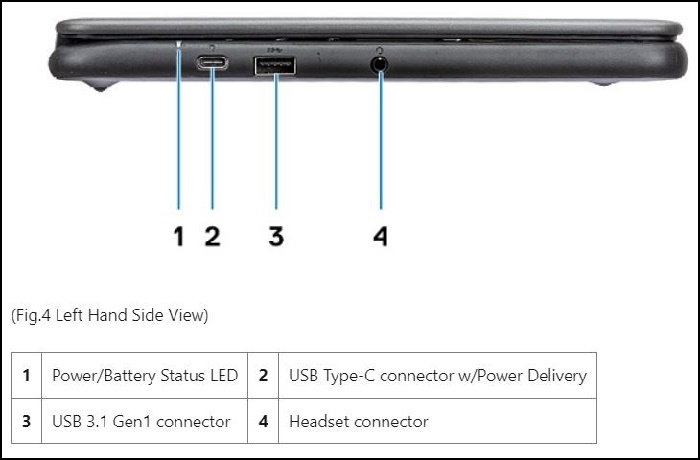
Lado
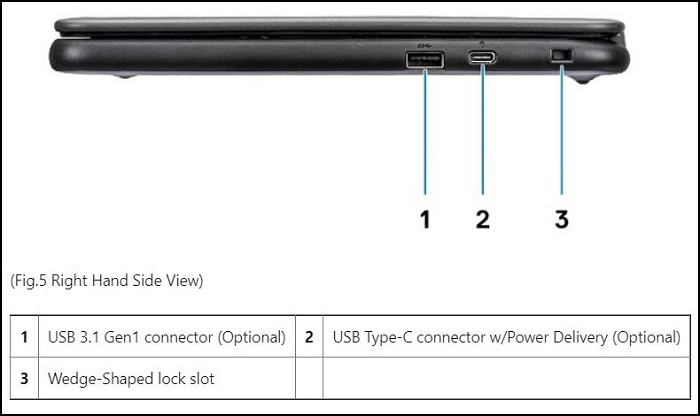
izquierdo Lado derecho
Dell Chromebook 3110:
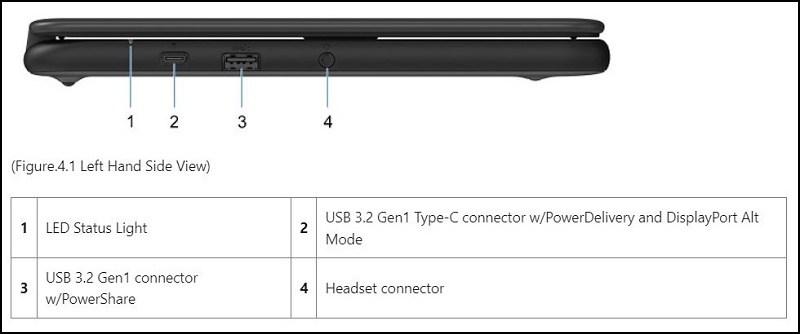
Lado
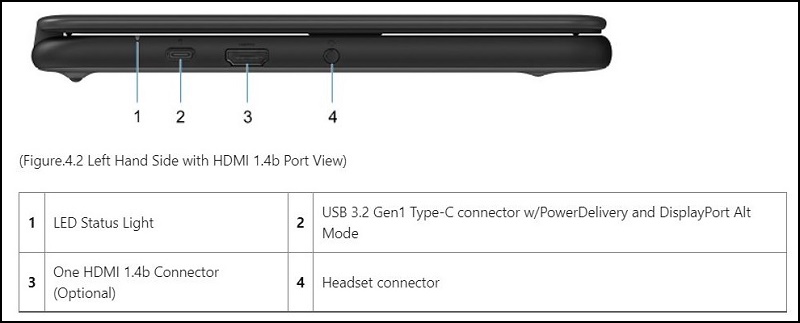
izquierdo Lado derecho
Productos afectados
Chromebook, Chromebook, ChromebookPropiedades del artículo
Número del artículo: 000131674
Tipo de artículo: How To
Última modificación: 19 abr 2026
Versión: 10
Encuentre respuestas a sus preguntas de otros usuarios de Dell
Servicios de soporte
Compruebe si el dispositivo está cubierto por los servicios de soporte.