How to Get Support for Dell Command Configure
Resumen: This article covers how to obtain support for Dell Command | Configure.
Este artículo se aplica a
Este artículo no se aplica a
Este artículo no está vinculado a ningún producto específico.
No se identifican todas las versiones del producto en este artículo.
Instrucciones
Affected Products:
- Dell Command | Configure
Affected Operating Systems:
- Windows 7
- Windows 8
- Windows 8.1
- Windows 10
- Windows Preinstallation Environment (Windows PE)
- Red Hat Enterprise Linux 7
- Red Hat Enterprise Linux 8
- Ubuntu Desktop 16.04
- Ubuntu Desktop 18.04
- Ubuntu Server 18.04
- Ubuntu Desktop 20.04
Dell Command | Configure consists of a Command Line Interface (CLI) and Graphical User Interface (UI) to configure various BIOS features.
Self-Help Options
Most technical information can be found by referencing the:
To obtain support:
- Go to https://www.dell.com/support/home.
- To the right of the page, select Contact Us and then click either:
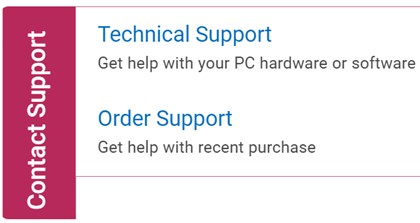
Figure 1: (English Only) Click Contact Us
- Click Enter service tag.

Figure 2: (English Only) Identify your device
- Type your Service Tag and then click Submit.
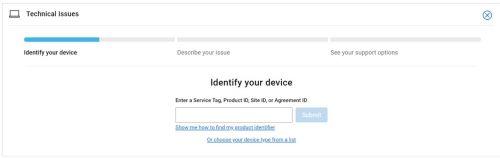
Figure 3: (English Only) Enter your Service Tag and click Submit
- Confirm your model and Service Tag and click Next.
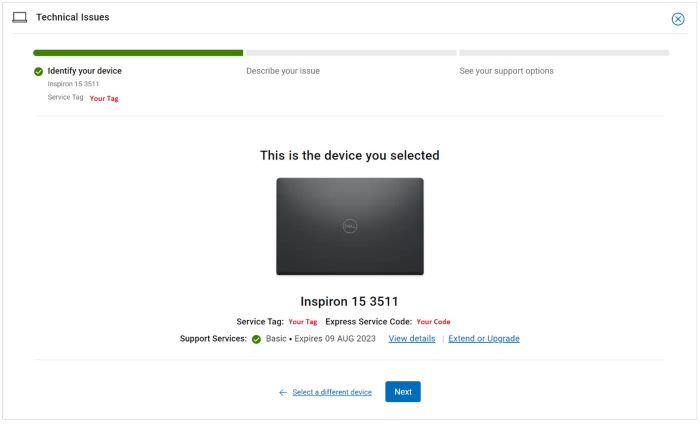
Figure 4: (English Only) Confirm your model and service tag
- From the drop-down menu, select Software and 3rd party applications and then click Next.
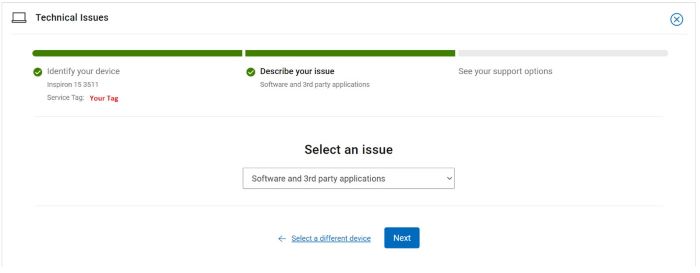
Figure 5: (English Only) Select Software and 3rd party applications
- Select an available contact option.
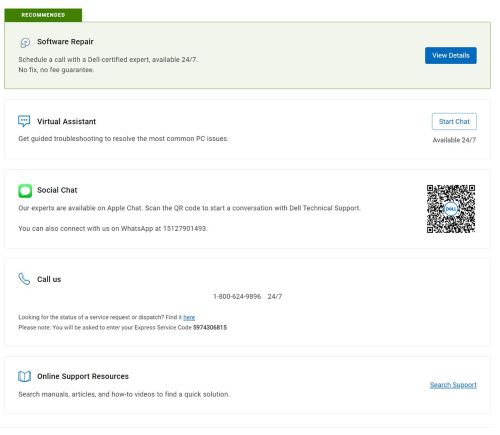
Figure 6: (English Only) Select contact option
- Type your Order Number and then click Find My Order.

Figure 7: (English Only) Click Find My Order
- To the right of the page, click Contact Customer Support.
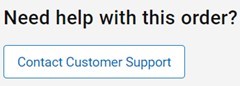
Figure 8: (English Only) Click Contact Customer Support
- From the drop-down, select Missing Items.

Figure 9: (English Only) Select Missing Items
- Select an available contact option.
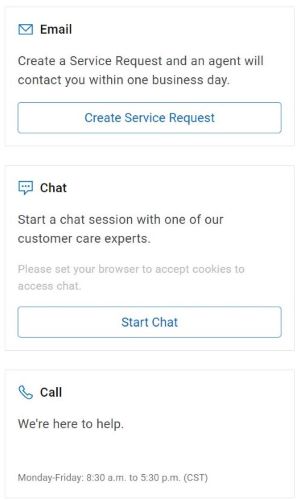
Figure 10: (English Only) Select contact option
Note:
- Contact options may differ by your region.
- Reference this article (000186116) when contacting technical support.
Productos afectados
Dell Command | ConfigurePropiedades del artículo
Número del artículo: 000186116
Tipo de artículo: How To
Última modificación: 08 may 2024
Versión: 19
Encuentre respuestas a sus preguntas de otros usuarios de Dell
Servicios de soporte
Compruebe si el dispositivo está cubierto por los servicios de soporte.