PowerFlex : Failed to Add Acceleration Device DAX after NVDIMM Replacement
Resumen: After sanitizing or replacing an NVDIMM, adding the acceleration/dax devices back into PowerFlex Manager will generate an IO error if the namespace or region is in an error state. This will hinder the ability to add the devices back into PowerFlex as expected. ...
Este artículo se aplica a
Este artículo no se aplica a
Este artículo no está vinculado a ningún producto específico.
No se identifican todas las versiones del producto en este artículo.
Síntomas
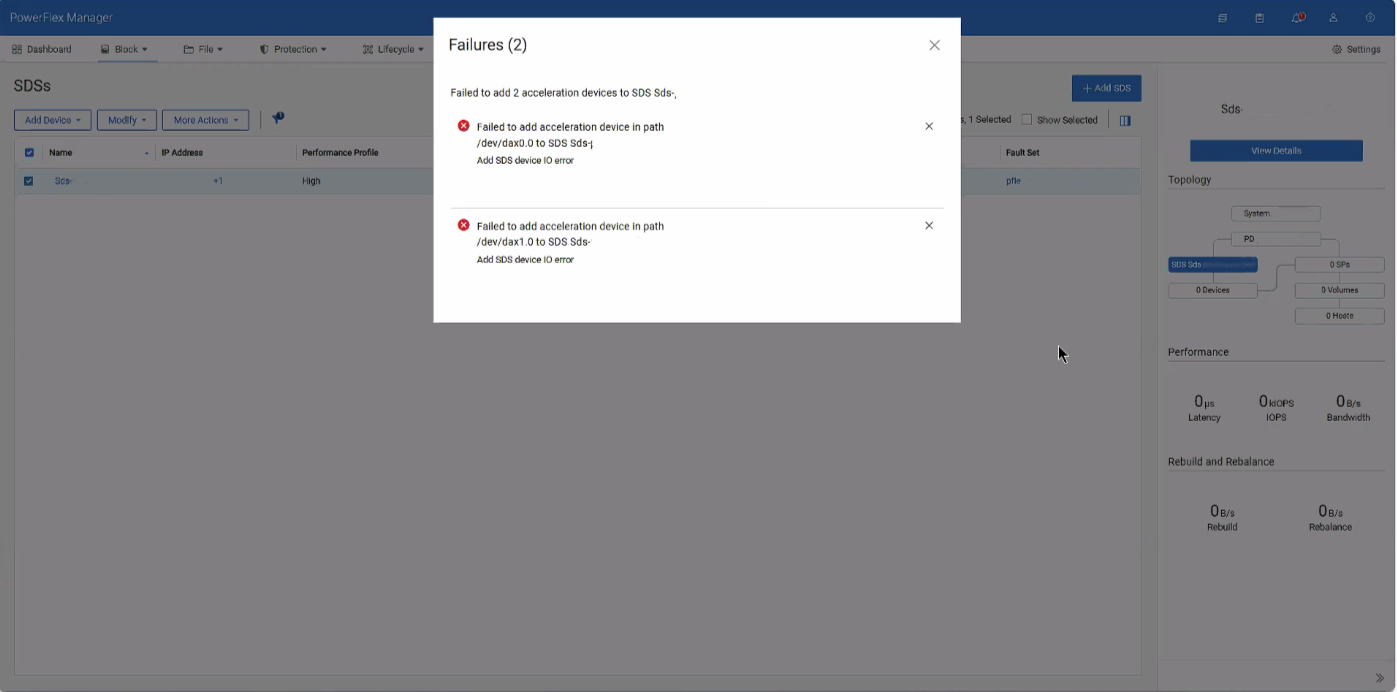
When attempting to add the dax device back after sanitizing or replacing an NVDIMM, an error is given for IO errors on the dax device, despite being healthy.
Causa
These errors occur due to conflicting namespace and regions within the SDS after removing the dax devices.
Resolución
1- SSH into the impacted SDS and destroy both namespaces of the dax devices
ndctl destroy-namespace namespace0.0

ndctl destroy-namespace namespace1.0
2- Disable the corresponding region of the dax devices
ndctl disable-region region0

ndctl disable-region region1
3- Re-enable the regions for the dax devices
ndctl enable-region region0

ndctl enable-region region1
4- Create the namespace for each dax device based on the namespace you destroyed from above
ndctl create-namespace --mode=devdax --region +region0 --align +4k

ndctl create-namespace --mode=devdax --region +region1 --align +4k
5- Afterwards, go to PowerFlex Manager and add the dax devices as needed.
Related article: PowerFlex: How to Replace NVDIMM in 15G and later PowerEdge Node
Productos afectados
ScaleIOPropiedades del artículo
Número del artículo: 000496145
Tipo de artículo: Solution
Última modificación: 07 ago. 2026
Versión: 1
Encuentre respuestas a sus preguntas de otros usuarios de Dell
Servicios de soporte
Compruebe si el dispositivo está cubierto por los servicios de soporte.