PowerEdge: T360, R360 POST stops responding at the loading BIOS drivers page if the LC language is set to non-English
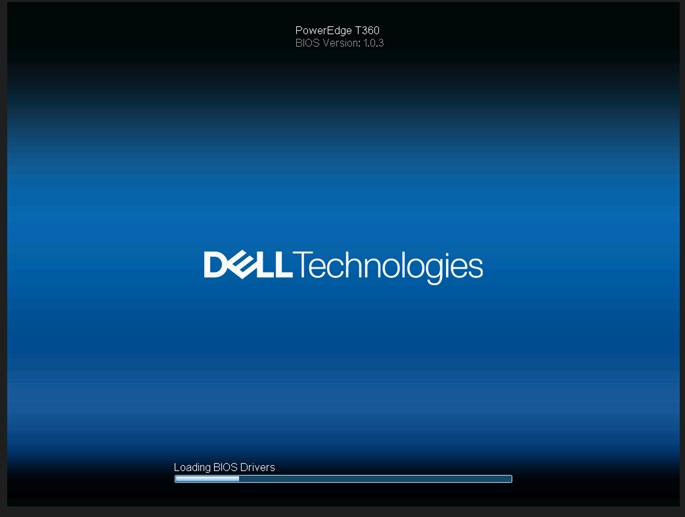
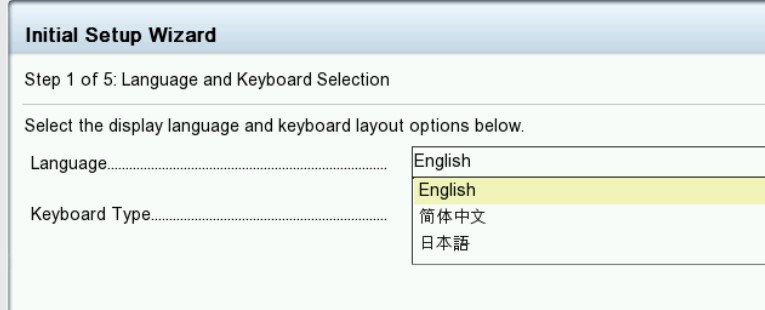
Résumé: If the Life Cycle (LC) language is set to a non-English language, the system stops responding on the 'Loading BIOS Drivers' screen.
Cet article concerne
Cet article ne concerne pas
Cet article n’est associé à aucun produit spécifique.
Toutes les versions du produit ne sont pas identifiées dans cet article.
Symptômes
The system stops at the "loading BIOS Drivers" screen. The life-cycle log shows a PST0210 event when the life-cycle language is set to non-English for T360 and R360.

Cause
BIOS gets the string with the current language. The string of the current language does not define to get ME type "string" due to life cycle set to non-English.
Résolution
Fixed in BIOS Version 1.1.2 or newer
Workaround: Clear the NVRAM.
To restore functionality, change the life-cycle language back to default English. See the Dell PowerEdge R360 (T360) Installation and Service Manual, Chapter 9: Jumpers and Connectors: NVRAM_CLR
https://www.dell.com/support/home/en-us/product-support/product/poweredge-r360/docs
Produits concernés
PowerEdge R360, PowerEdge T360Produits
OEMR R360, OEMR T360Propriétés de l’article
Numéro d’article: 000221245
Type d’article: Solution
Dernière modification: 19 May 2026
Version: 5
Trouvez des réponses à vos questions auprès d’autres utilisateurs Dell
Services de support
Vérifiez si votre appareil est couvert par les services de support.