VxRail: How to Enable VxRail Manager Secure Boot
Résumé: Instruction on how to enable VxRail Manager Secure Boot.
Instructions
From VxRail 7.0.350, user can follow the below steps to enable Secure Boot for VxRail Manager.
Please note, VxRail Manager, and VxRail Plugin will lose connection during these steps.
1. Locate the host of VxRail Manager.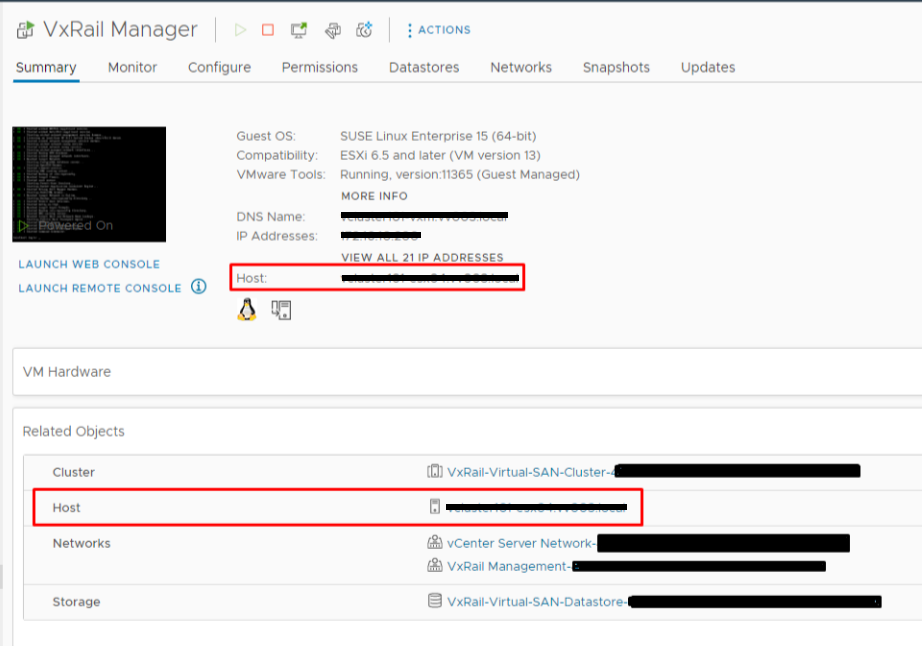
2. Log in to the vSphere Host Client as an administrator, choose "Virtual Machines" and Shut down VxRail Manager.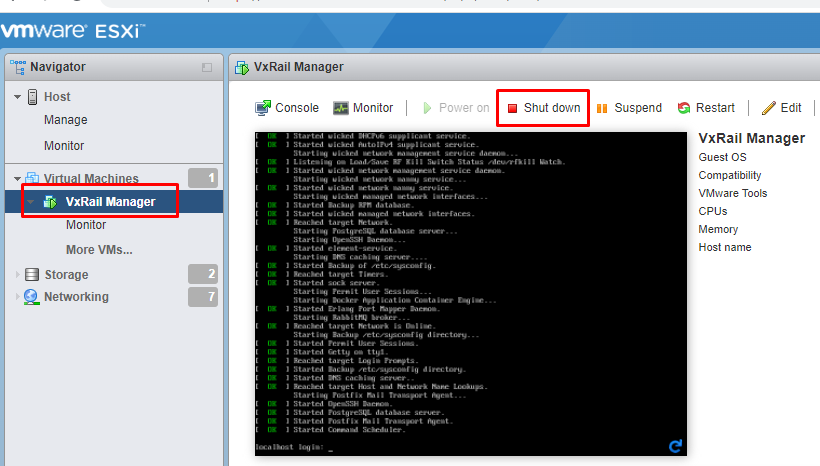
3. After VxRail Manager powered off, click "Action" and choose "Edit Settings"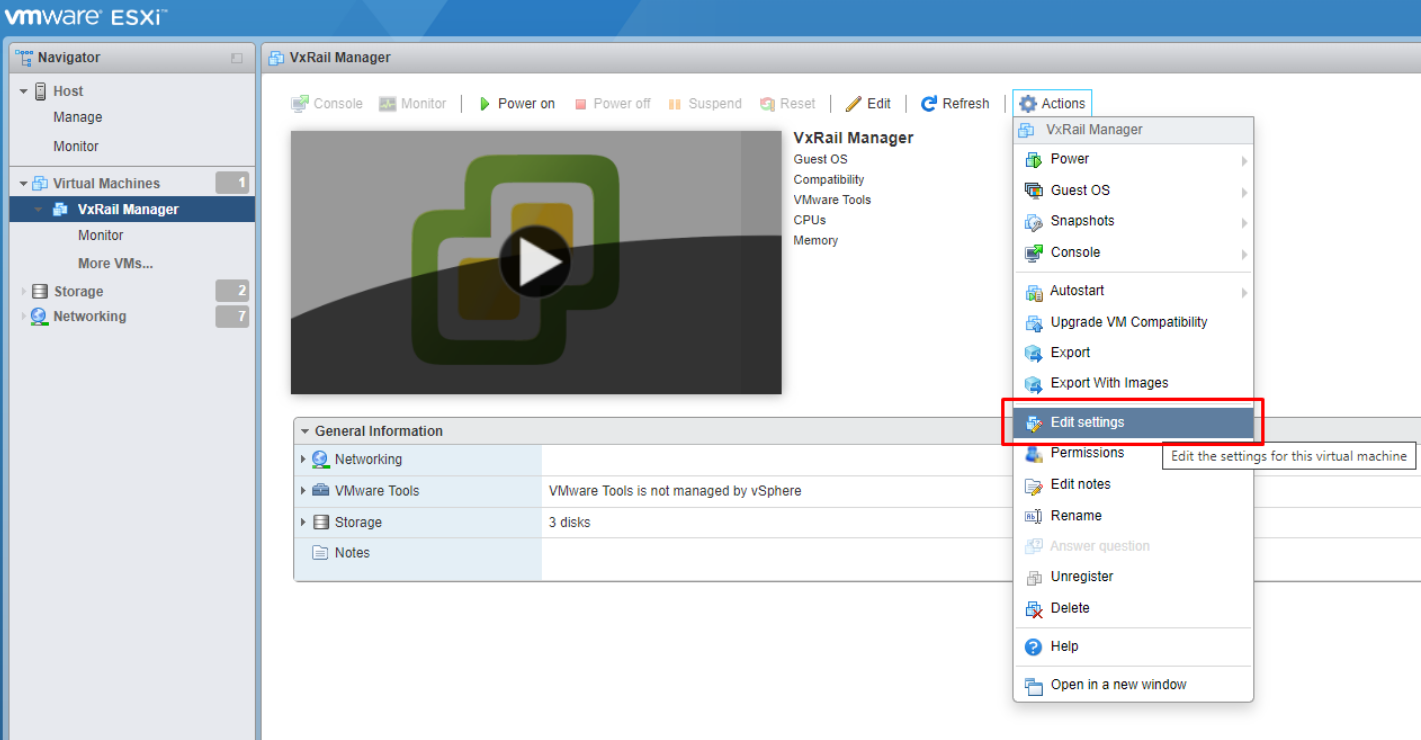
4. Choose "VM Options." Click "General Options" change "Guest OS Version" to "Other 3.x or later Linux (64-bit)" and press "Save"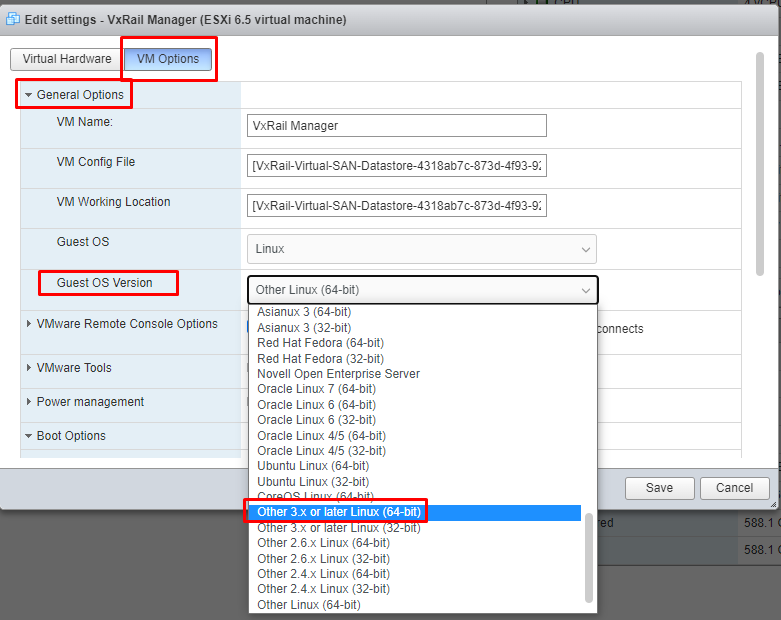
5. Click "Action" and choose "Edit Settings" again, choose "VM Options." Click "Boot Options" and change "Firmware" from "BIOS" to "EFI," then Save.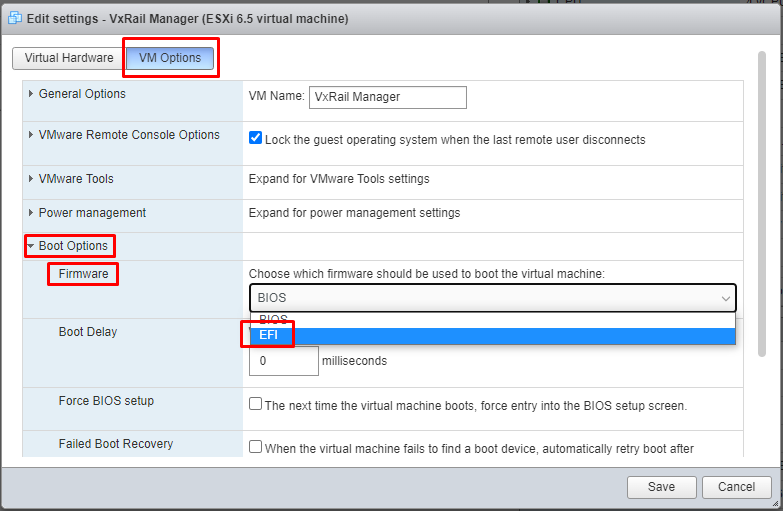
6. Power on VxRail Manager.
7. Login VxRail Manager as root and run the following two commands to enable Secure Boot.
#grub2-mkconfig -o /boot/grub2/grub.cfg
#shim-install --config-file=/boot/grub2/grub.cfg
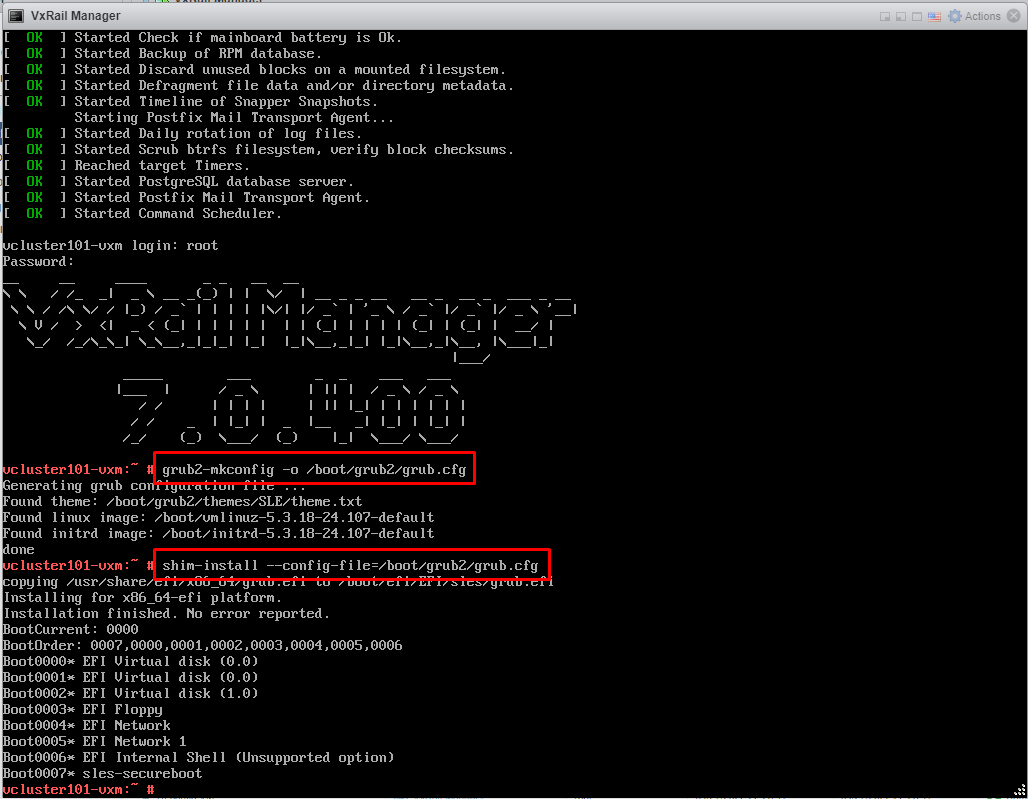
8. Shut down VxRail Manager.
9. Click "Action" and choose "Edit Settings" again, choose "VM Options." Click "Boot Options" and click "Enable UEFI secure boot" check button, then Save.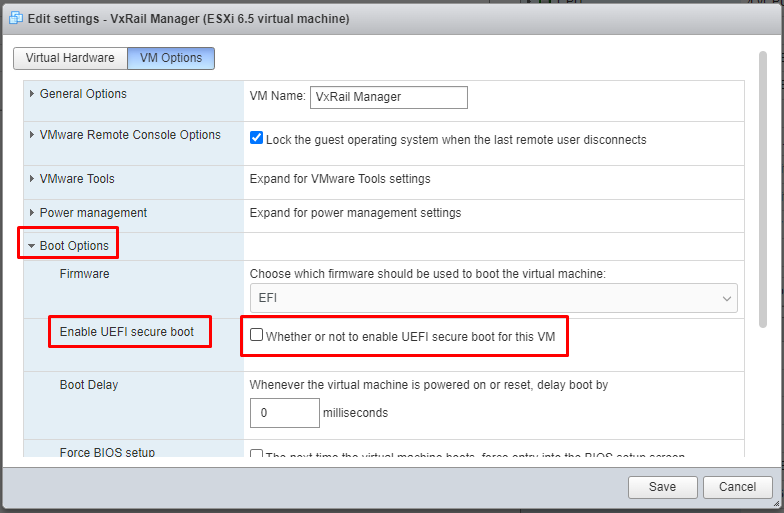
10. Power on VxRail Manager, the user must wait several minutes for the VxRail plugin to display in vCenter.
11. Check Secure Boot status in the VxRail manager. Run below command with root account:
#od -An -t u1 /sys/firmware/efi/vars/SecureBoot-8be4df61-93ca-11d2-aa0d-00e098032b8c/data
The command return 1 means Secure Boot is enabled successfully.
Please note, the path "/sys/firmware/efi/vars/SecureBoot-8be4df61-93ca-11d2-aa0d-00e098032b8c/data" is a fixed path, the user does not need to modify it.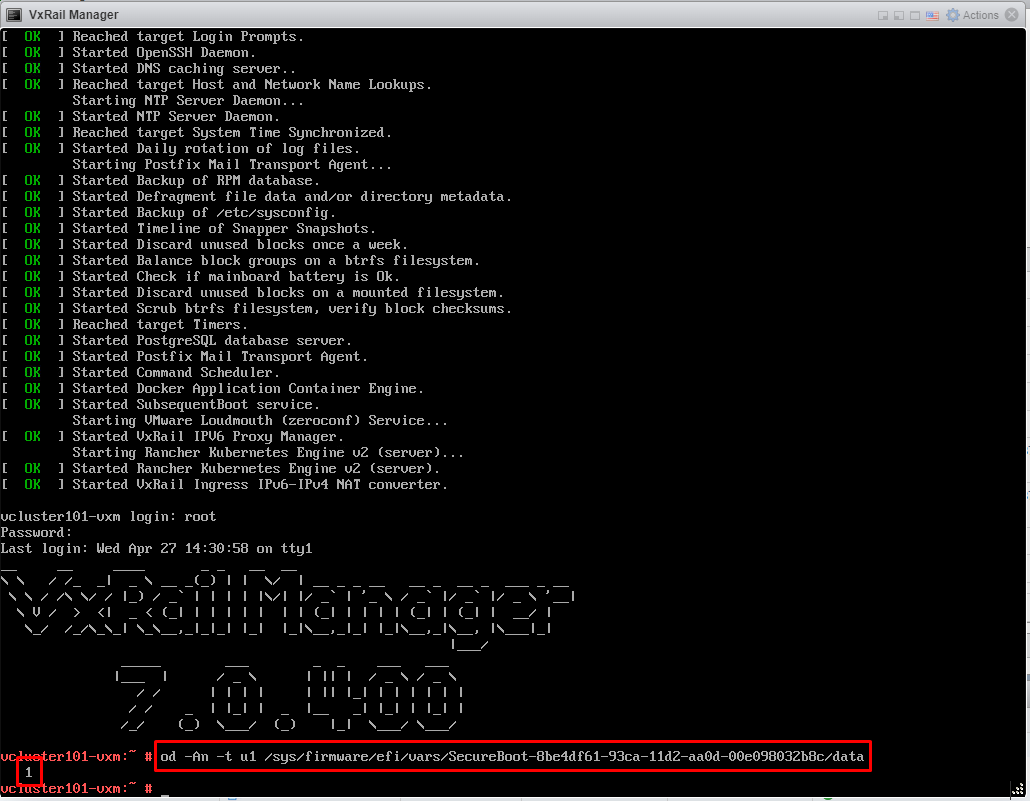
Informations supplémentaires
Secure Boot is based on SUSE and VMware advisories:
SUSE: UEFI (Unified Extensible Firmware Interface) | Administration Guide | SUSE Linux Enterprise Server 15 SP2 (External Link)
VMware: Enable or Disable UEFI Secure Boot for a Virtual Machine (vmware.com) (External Link)
Please note: If the VxRail Manager has Secure Boot enabled, then goes through file-based backup/restore procedure, the Secure Boot will be reset to disabled. Please follow this KB steps to enable it again.