OptiPlex 7070 Ultra 颖型机:计算机的可视指南
Résumé: 本文是 Dell OptiPlex 7070 Ultra 颖型机各种外形规格的外部端口和功能的可视指南。
Cet article concerne
Cet article ne concerne pas
Cet article n’est associé à aucun produit spécifique.
Toutes les versions du produit ne sont pas identifiées dans cet article.
Symptômes
以下文章提供了 OptiPlex 7070 Ultra 计算机的可视指南,并列出了 PC 的外部端口和功能。
 提醒:有关每个位置的更详细描述,请转至系统手册,网址为 www.dell.com/support
目录:
前视图
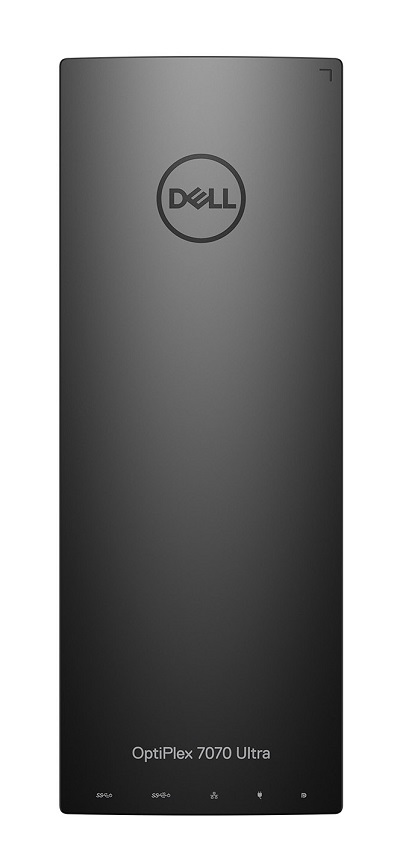
(图 1. 前视图)
后视图
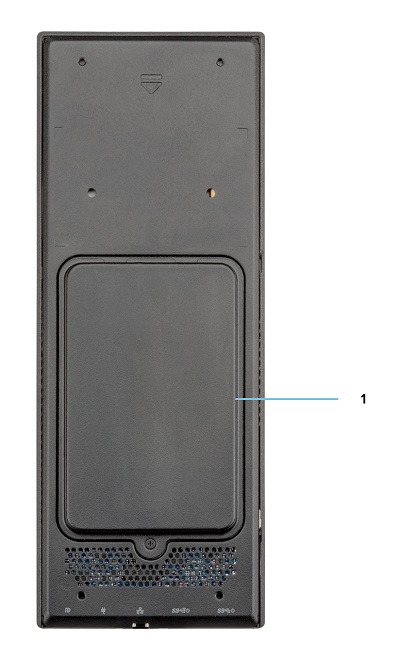
(图 2 后视图)
| 1 | 硬盘托架 |
顶视图
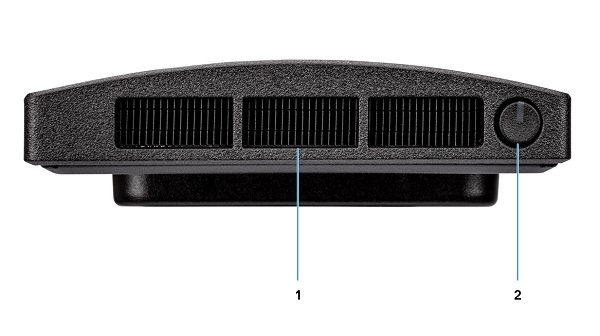
(图 3 顶视图)
| 1 | 风扇通风孔 | 2 | 电源按钮和电源 LED |
底部视图
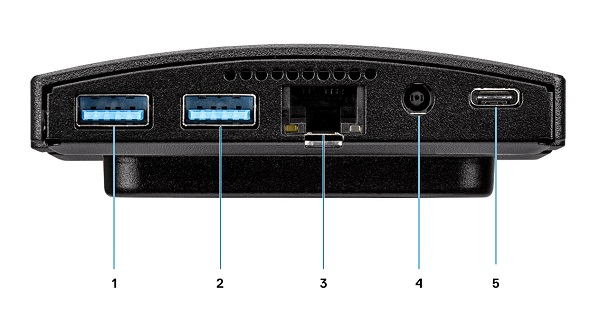
(图 4 底部视图)
| 1 | USB 3.1 第 1 代 Type-A 连接器,支持 SmartPower | 2 | USB 3.1 第 2 代 Type-A 连接器,支持 SmartPower |
| 3 | 网络以太网 (NIC) 连接器 | 4 | 电源适配器连接器 |
| 5 | USB 3.1 第 2 代 Type-C 连接器,带 DisplayPort 替代模式/PowerDelivery |
左侧视图
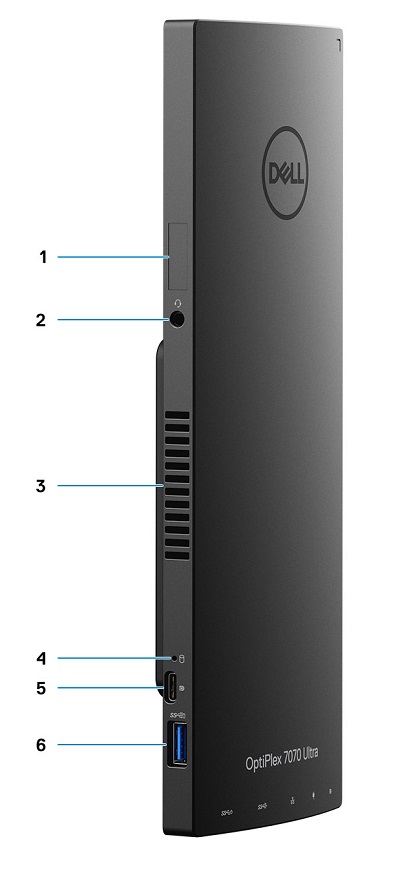
(图 5 左侧视图)
| 1 | 服务编号位置 | 2 | 通用音频连接器 |
| 3 | 发泄 | 4 | 硬盘状态 LED |
| 5 | USB 3.1 第 2 代 Type-C 连接器,支持 DisplayPort 替代模式 | 6 | USB 3.1 第 2 代 Type-A 端口,支持 PowerShare |
右侧视图
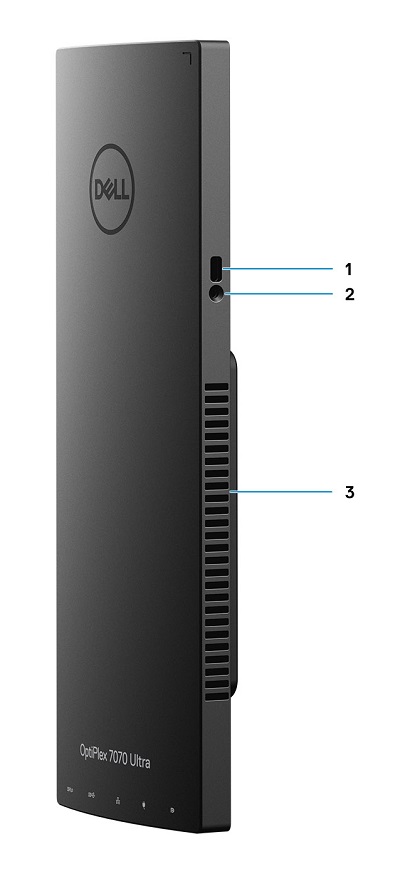
(图 6 右侧视图)
| 1 | Kensington锁槽 | 2 | 安全螺孔 |
| 3 | 发泄 |
其它信息:
Cause
N/A
Résolution
N/A
Produits concernés
OptiPlex 7070 UltraPropriétés de l’article
Numéro d’article: 000138519
Type d’article: Solution
Dernière modification: 29 Sept 2023
Version: 7
Trouvez des réponses à vos questions auprès d’autres utilisateurs Dell
Services de support
Vérifiez si votre appareil est couvert par les services de support.