Dell Unity: SSH를 활성화 및 비활성화하는 방법
Résumé: 이 문서에서는 Dell Unity 어레이에서 SSH를 활성화 및 비활성화하는 여러 가지 방법에 대해 설명합니다.
Cet article concerne
Cet article ne concerne pas
Cet article n’est associé à aucun produit spécifique.
Toutes les versions du produit ne sont pas identifiées dans cet article.
Instructions
방법 1 : Unisphere(UI)에서 - 어레이가 정상 모드인 경우
활성화 방법:
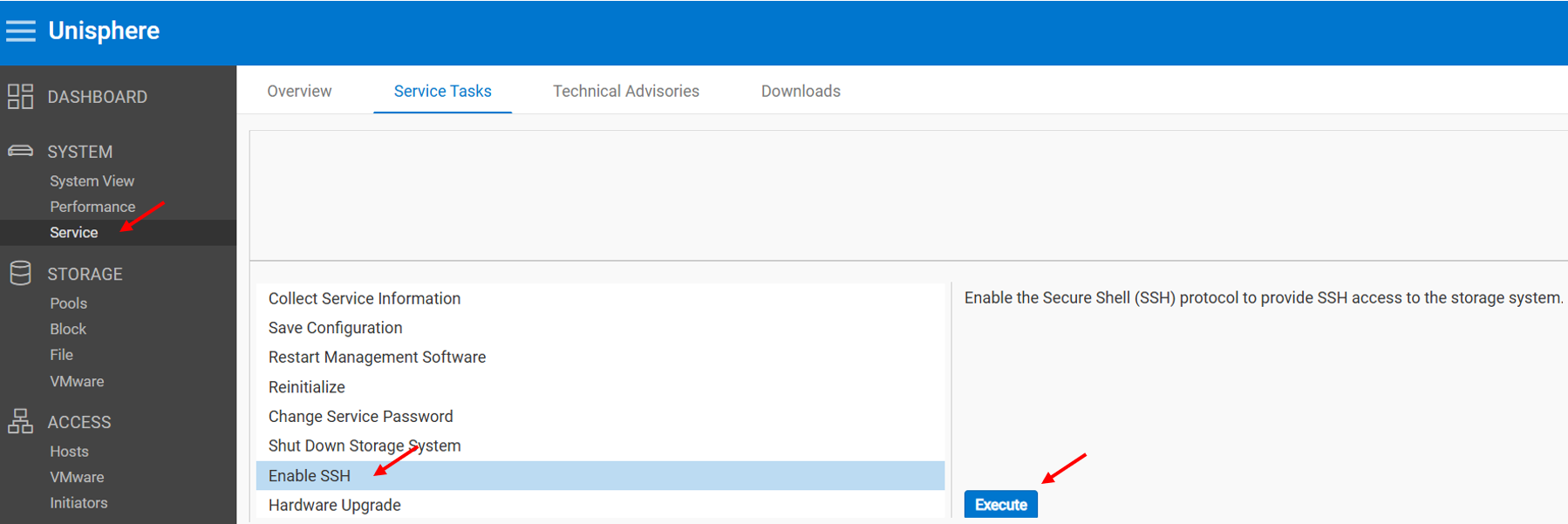
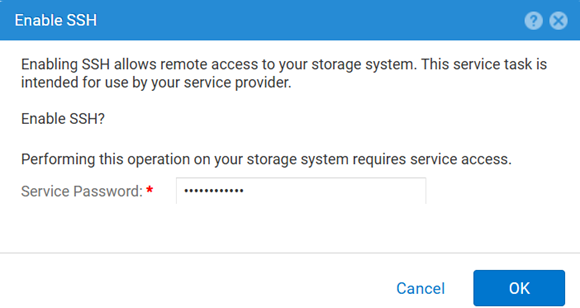
비활성화 방법:
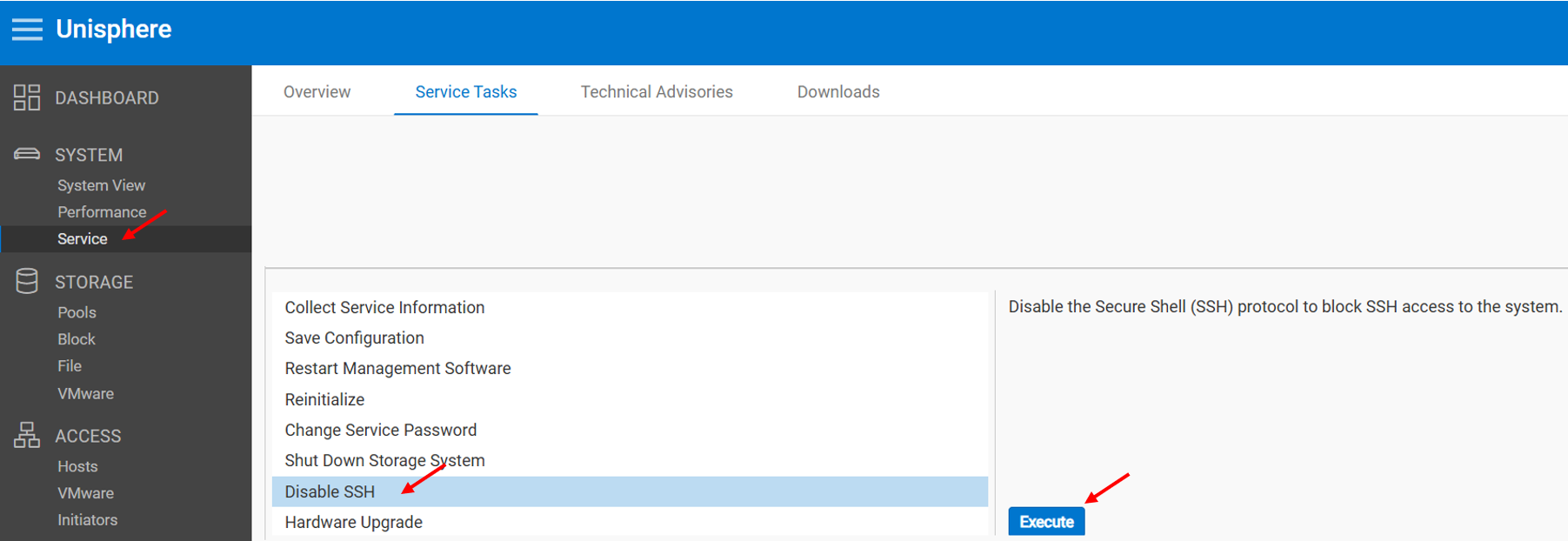
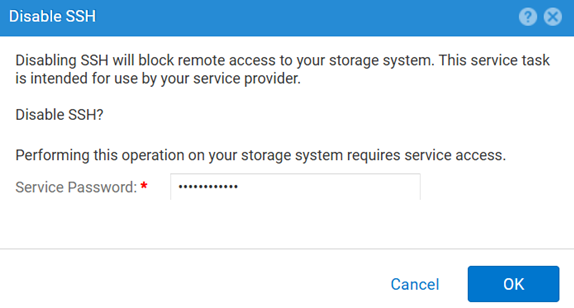
방법 2 : (주)엠클리
SSH 설정을 보려면 다음을 수행합니다.
uemcli.exe -d <MGMT IP> -u admin -securePassword /service/ssh showSSH를 활성화하려면 다음을 수행합니다.
uemcli.exe -d <MGMT IP> -u admin -securePassword /service/ssh set -enabled yesSSH를 비활성화하려면 다음을 수행합니다.
uemcli.exe -d <MGMT IP> -u admin -securePassword /service/ssh set -enabled no방법 3 : 와 함께 IPMI 연결
를 보려면 SSH 상태:
svc_ssh -s활성화 방법 SSH파일로 교체합니다.
svc_ssh -e비활성화하려면 SSH파일로 교체합니다.
svc_ssh -d
방법 4: UI(Unisphere Service)에서 - 어레이가 서비스 모드인 경우
1. 브라우저를 엽니다.
2. Dell 컴퓨터용 https://<management_IP>/service.html
3. 다음으로 admin 자격 증명으로 로그인합니다.
4. 이 메뉴에서 SSH 활성화할 수 있습니다.
Informations supplémentaires
SSH 관련 문제를 해결하는 동안 유용한 기타 문서:
Produits concernés
Dell EMC Unity, Dell Unity 450F DC, Dell Unity 300, Dell Unity 300 DC, Dell EMC Unity 300F, Dell EMC Unity 350F, Dell Unity 350F DC, Dell EMC Unity XT 380, Dell EMC Unity XT 380F, Dell EMC Unity 400, Dell Unity 400 DC, Dell EMC Unity 400F
, Dell EMC Unity 450F, Dell EMC Unity XT 480, Dell EMC Unity XT 480F, Dell EMC Unity 500, Dell EMC Unity 500F, Dell EMC Unity 550F, Dell EMC Unity 600, Dell EMC Unity 600F, Dell EMC Unity 650F, Dell EMC Unity XT 680, Dell EMC Unity XT 680F, Dell EMC Unity XT 880, Dell EMC Unity XT 880F, Dell EMC Unity Family |Dell EMC Unity All Flash, Dell EMC Unity Hybrid
...
Produits
Dell Command | ConfigurePropriétés de l’article
Numéro d’article: 000446216
Type d’article: How To
Dernière modification: 15 Apr 2026
Version: 1
Trouvez des réponses à vos questions auprès d’autres utilisateurs Dell
Services de support
Vérifiez si votre appareil est couvert par les services de support.