Dell Unity:フォレスト レベル認証が構成されている場合、LDAPユーザーのロール マッピングの追加に失敗しました。(ユーザー修正可能)(英語)」
Résumé: GUI管理用にUnityでフォレスト レベルのLDAP認証を構成したお客様。LDAP接続が正常であることを確認しましたが、お客様はLDAPユーザーのロール マッピングを追加できませんでした。
Cet article concerne
Cet article ne concerne pas
Cet article n’est associé à aucun produit spécifique.
Toutes les versions du produit ne sont pas identifiées dans cet article.
Symptômes
- Unisphere管理用にLDAPサーバー ポート3268でフォレスト レベルのLDAP認証を構成しました。お客様はセキュリティ構成ガイドに従って、[Advanced]ウィンドウの[User ID Attribute]フィールドにuserPrincipalNameを指定しました。
Dell EMC Unity™ファミリー セキュリティ構成ガイド(delltechnologies.com)
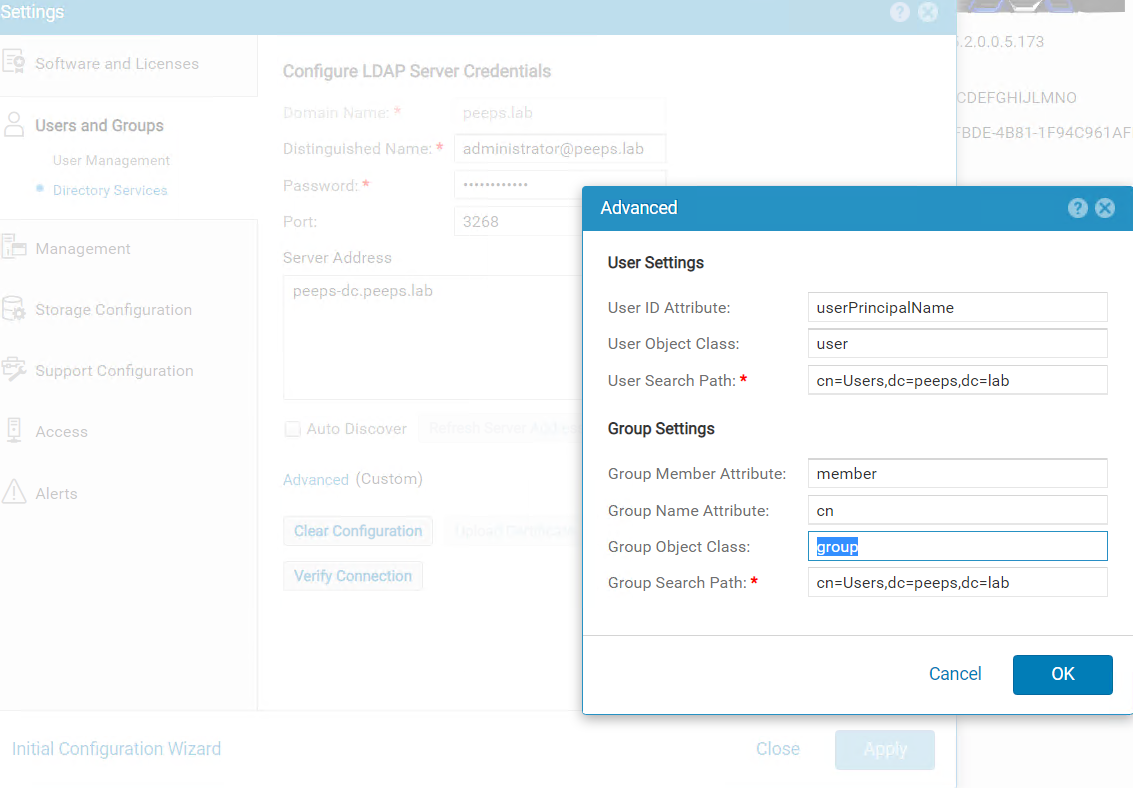
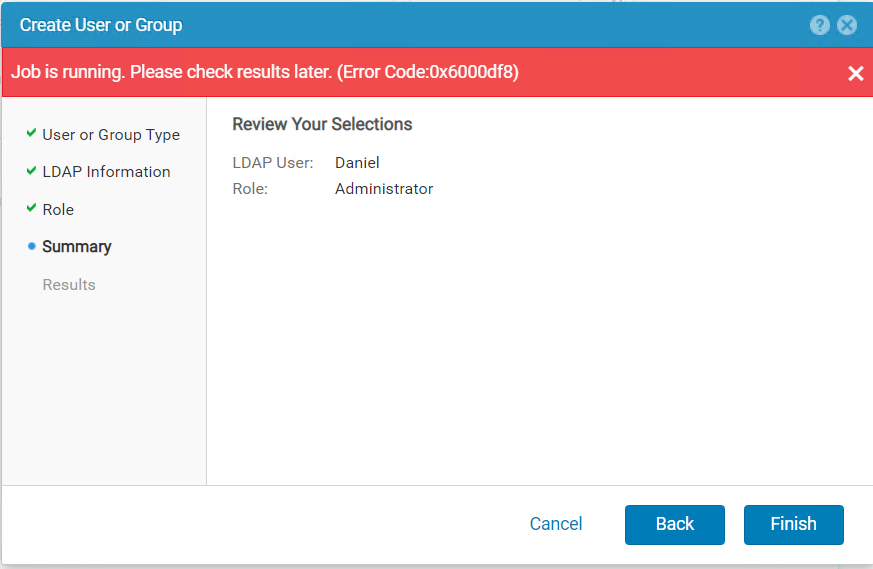
ユーザーとグループにLDAPユーザーを追加しようとすると、--> User Management --> Manage Users & Groupsが表示され、次のエラーが表示されました。
Dell EMC Unity™ファミリー セキュリティ構成ガイド(delltechnologies.com)
ユーザーとグループにLDAPユーザーを追加しようとすると、--> User Management --> Manage Users & Groupsが表示され、次のエラーが表示されました。
Cause
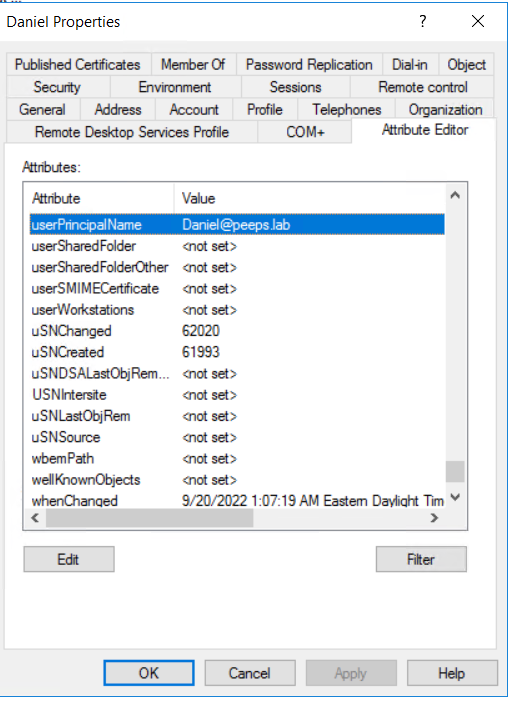
- フォレスト レベルのLDAP認証が構成されている場合、ロール マッピング用のLDAPユーザーのユーザー名は、@の形式で構成する必要があります。これは、お客様がLDAPサーバーでユーザー用に構成するuserPincipalNameです。
Résolution
- Windowsドメイン コントローラーがLDAPサーバーの場合、ユーザーPrincipalNameは Active Directoryユーザーおよびコンピューターを介してユーザーのプロパティから再試行できます。ユーザーの属性エディタを表示するには、[表示の高度な機能]タブを有効にする必要があることに注意してください。
Produits concernés
Dell EMC UnityPropriétés de l’article
Numéro d’article: 000203550
Type d’article: Solution
Dernière modification: 15 mai 2026
Version: 4
Trouvez des réponses à vos questions auprès d’autres utilisateurs Dell
Services de support
Vérifiez si votre appareil est couvert par les services de support.