ECS GeoDriveフォルダーがありません
Résumé: ECS GeoDriveフォルダーがローカル ドライブに存在しない。
Cet article concerne
Cet article ne concerne pas
Cet article n’est associé à aucun produit spécifique.
Toutes les versions du produit ne sont pas identifiées dans cet article.
Symptômes
ユーザーには、ホスト上のローカル ドライブにGeoDriveフォルダーまたはサブフォルダーが見つかりません。
フォルダーにはデータが格納されますが、非表示/非表示になります。
- たとえば、GeoDriveにフォルダー「folder1」がありません。

- 同じ名前で新しいフォルダーを作成しようとすると、フォルダーが実際に存在することを示すプロンプトが表示されます。
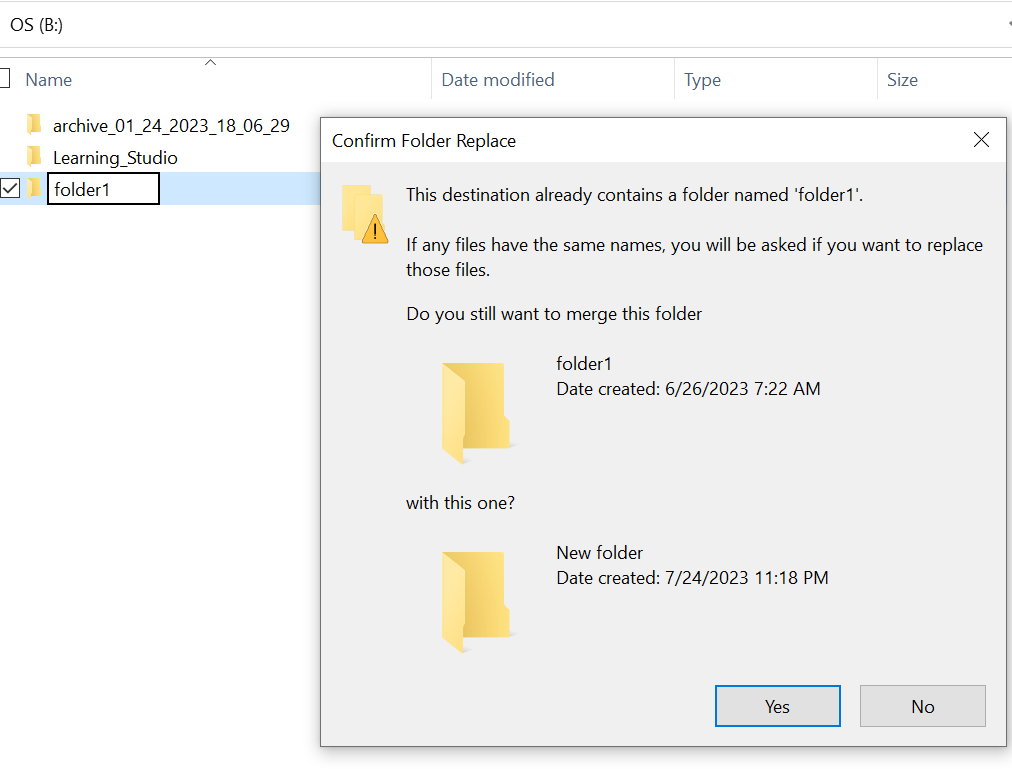
- エクスプローラーで、見つからないフォルダー パスを使用して検索します。コンテンツが表示されます。

Cause
これは、フォルダーに設定された非表示属性とSYSTEM属性が原因です。
Résolution
以下の手順に従ってください。
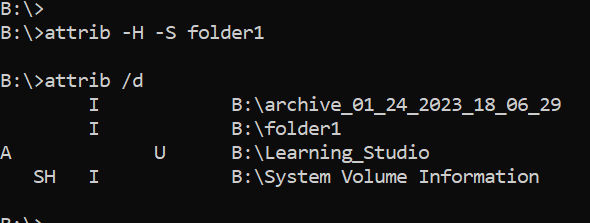
このコマンドを実行した後、ローカル ドライブをもう一度確認します。見つからないフォルダーは通常の状態に戻ります。
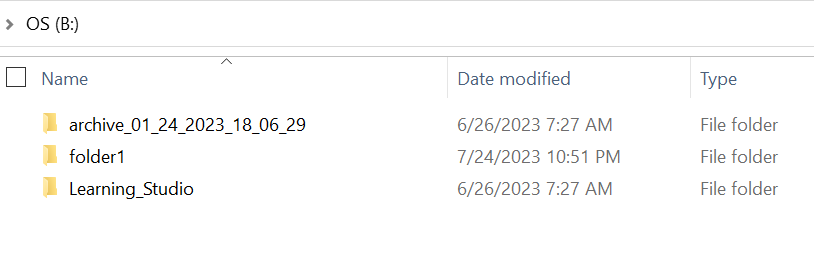
- ホスト システムのWindowsコマンド プロンプトに移動します。
- cd をフォルダが存在しない親ディレクトリに移動し、「attrib /d」を実行します。
- ディレクトリのリストが表示され、見つからないフォルダがリストに表示されます。
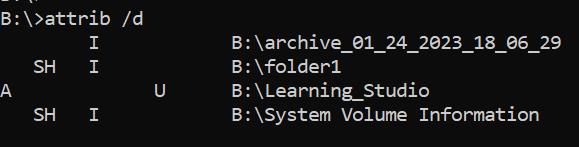
- 前の文字は属性を示します。ファイルの前に SH が表示されているはずです(システムと非表示)。
- 次に、このコマンドを実行して、前述の2つの属性を削除します。 attrib -H -S folder_name
Informations supplémentaires
attribコマンドには、他にも多くのオプションがあります。
B:\>attrib /?
Displays or changes file attributes.

ATTRIB [+R | -R] [+A | -A] [+S | -S] [+H | -H] [+O | -O] [+I | -I] [+X | -X] [+P | -P] [+U | -U]
       [drive:][path][filename] [/S [/D]] [/L]

  +   Sets an attribute.
  -   Clears an attribute.
  R   Read-only file attribute.
  A   Archive file attribute.
  S   System file attribute.
  H   Hidden file attribute.
  O   Offline attribute.
  I   Not content indexed file attribute.
  X   No scrub file attribute.
  V   Integrity attribute.
  P   Pinned attribute.
  U   Unpinned attribute.
  B   SMR Blob attribute.
  [drive:][path][filename]
      Specifies a file or files for attrib to process.
  /S  Processes matching files in the current folder
      and all subfolders.
  /D  Processes folders as well.
  /L  Work on the attributes of the Symbolic Link versus
      the target of the Symbolic Link
Produits concernés
ECS, Elastic Cloud StoragePropriétés de l’article
Numéro d’article: 000215245
Type d’article: Solution
Dernière modification: 18 mai 2026
Version: 4
Trouvez des réponses à vos questions auprès d’autres utilisateurs Dell
Services de support
Vérifiez si votre appareil est couvert par les services de support.