How to Remove and Install the Pick Roller on the B5460dn / B5465dnf / S5830dn Dell Laser Printer
Summary: Remove and Install the Pick Roller on the B5460dn / B5465dnf / S5830dn Dell Laser Printer
This article applies to
This article does not apply to
This article is not tied to any specific product.
Not all product versions are identified in this article.
Symptoms
Table of Contents:
- How to Remove and Install the Pick Roller for the 550 Sheet Paper Tray on the B5460dn/B5465dnf/S5830dn Dell Laser Printer
- How to Remove and Install the Pick Roller for the 2100 Sheet Paper Tray on the B5460dn/B5465dnf/S5830dn Dell Laser Printer
This article provides information about "How to Remove and Install the Pick Roller on the B5460dn/B5465dnf/S5830dn Dell Laser Printer"
1. How to Remove and Install the Pick Roller for the 550 Sheet Paper Tray on the B5460dn/B5465dnf/S5830dn Dell Laser Printer
Replacing the pick roller on Dell B5460dn and B5465dnf Laser Printers (1:24) - English Only
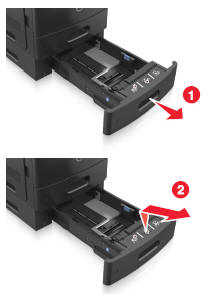
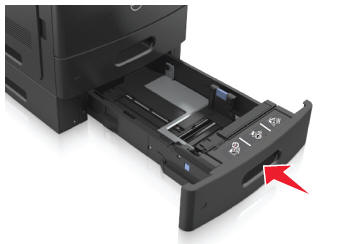
- Remove the paper tray from the printer.
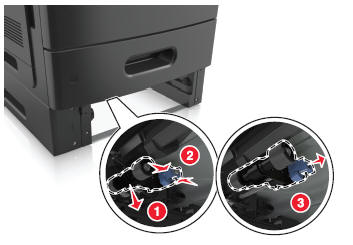
- Pull down the blue plastic tray on the right. With the tray still held down, squeeze the release buttons on the pickup roller assembly, and slide the assembly to the right to remove from the axel.
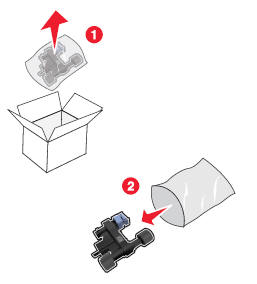
- Remove the replacement pickup roller assembly from the packaging.
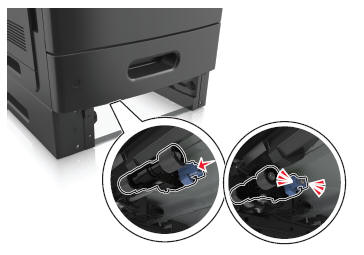
- Slide the replacement pickup roller assembly back onto the axel.
- Reinsert the paper tray back into the printer.
- Place the used pickup roller assembly into the packaging the replacement assembly arrived. Please send off for recycling.
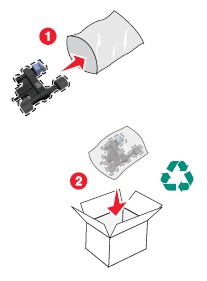
For recycling information click on "Dell Recycling".
More info can be found in the B5460dn User’s Guide or the B5465dnf User’s Guide.
Back to Top2. How to Remove and Install the Pick Roller for the 2100 Sheet Paper Tray on the B5460dn/B5465dnf/S5840cdn Dell Laser Printer
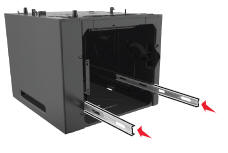
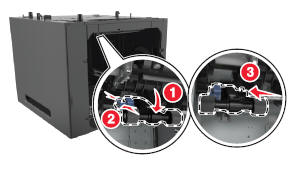
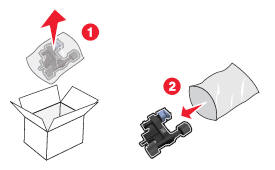
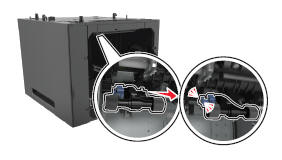
Below are images that walk you through removing and installing the pickup roller for the 2100 sheet paper tray.
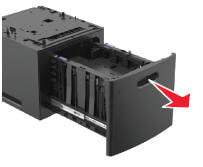
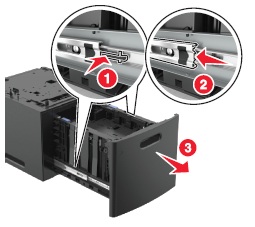
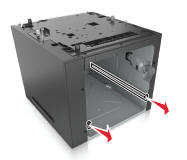
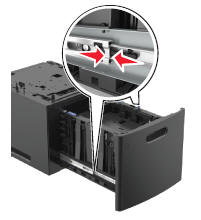
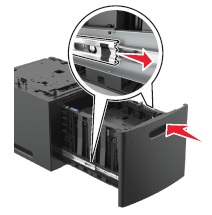
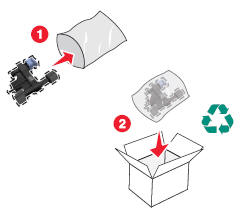
For recycling information click on "Dell Recycling".
More info can be found in the B5460dn User’s Guide or the B5465dnf User’s Guide or the s5830dn User’s Guide.
If these steps do not correct the problem, please contact Dell Technical Support.
Back to TopCause
N/A
Resolution
N/A
Affected Products
Dell B5460dn Mono Laser Printer, Dell B5465dnf Mono Laser Printer MFP, Dell S5830dn Smart PrinterArticle Properties
Article Number: 000132440
Article Type: Solution
Last Modified: 31 May 2024
Version: 4
Find answers to your questions from other Dell users
Support Services
Check if your device is covered by Support Services.