Avamar: How to Configure Email Notifications for Backup Failures
요약: This article provides an overview of configuring email notifications for backup failures using the Avamar Administrator console. It is intended for customers, partners, and Dell Professional Services or Delivery personnel. ...
이 문서는 다음에 적용됩니다.
이 문서는 다음에 적용되지 않습니다.
이 문서는 특정 제품과 관련이 없습니다.
모든 제품 버전이 이 문서에 나와 있는 것은 아닙니다.
지침
This article provides an overview of how to use the Avamar Administrator console to configure email notifications for backup failures.
The information in this article is intended for customers, partners, and Dell Professional Services or Delivery personnel. It assumes that readers are familiar with the use of the Avamar interface and can identify and troubleshoot issues relating to Simple Mail Transfer Protocol (SMTP) servers.
Dell Support does not implement or assist end users or partners with the configuration of notifications as described here. If firsthand assistance is required to get the functionality working in an environment, contact the Dell account manager to request a Professional Services engagement.
- On the Avamar Utility Node, check that the Avamar Administrator Management Console Service (MCS) configuration file
mcserver.xmlcontains the correctsmtpHostvalue in order that email messages successfully be routed.
For more information, see the System Administrator Guide section "Automatic notifications to Avamar Support" for instructions on how to check and correct the
smtpHost setting.
- In the Avamar Administrator, go to Tools > Manage Profiles.
Create a profile. This should be present in the root domain if the profile is to cover all subdomains. To configure separate profiles for separate domains, create the profile in the appropriate subdomain.
Configure the profile to send data when an event occurs, or at a regular schedule.
To 'send data on a schedule', be sure to define the schedule before creating the profile.
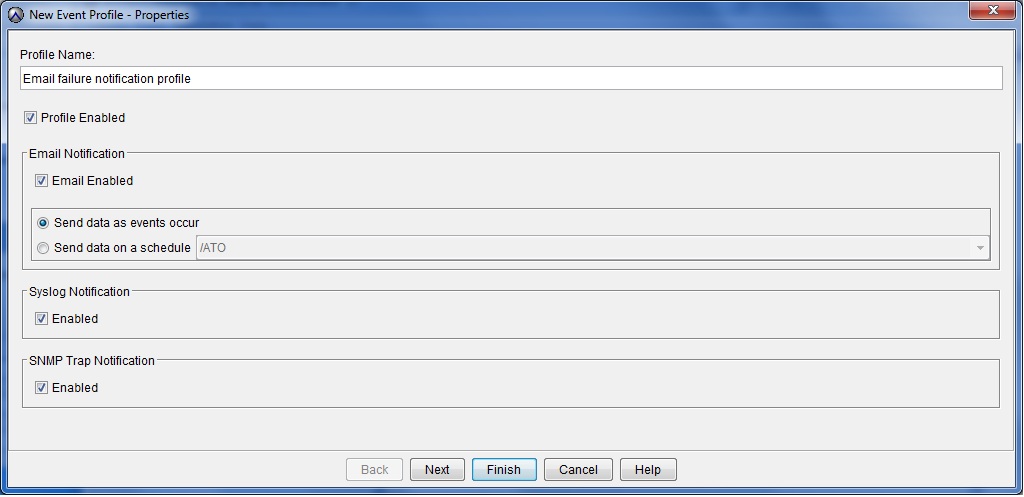
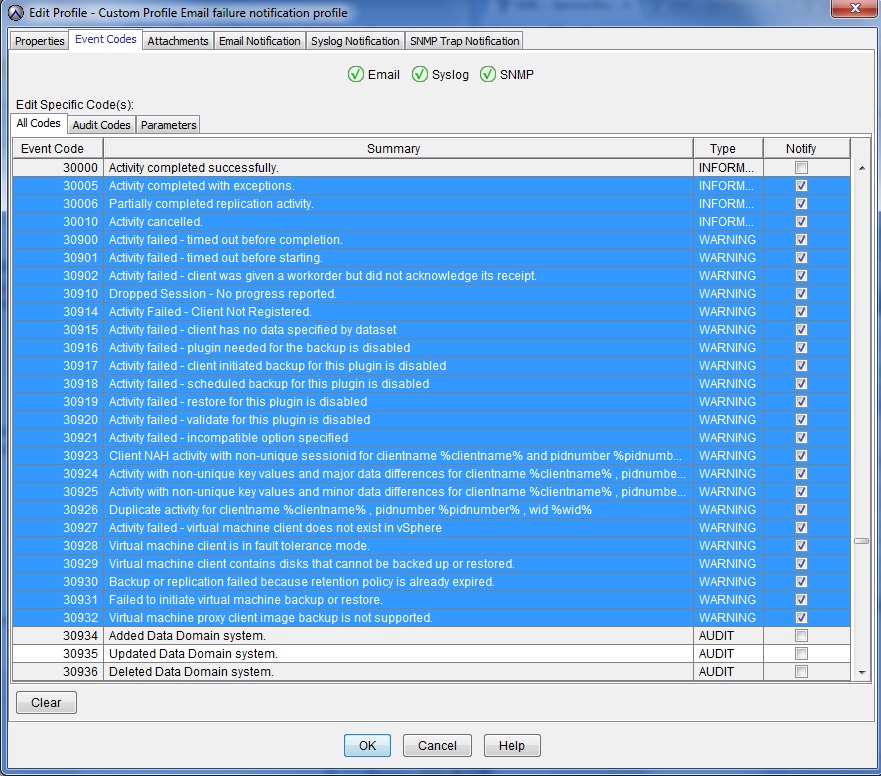
- Configure the profile with the kind of events that cause it to trigger.
The following screenshot shows a range of event codes that are related to backup issues. It is suggested that these are used although it may want to refine further depending on your specific reporting requirements.
It is normal that the event code numbering is not contiguous.
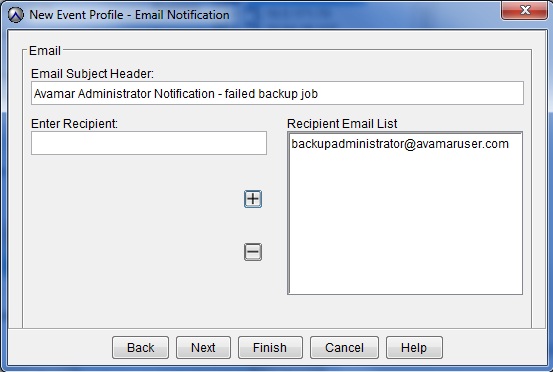
- On the Email Notification screen, enter a recipient email address and add it to the Recipient Email List using the + (add) button.
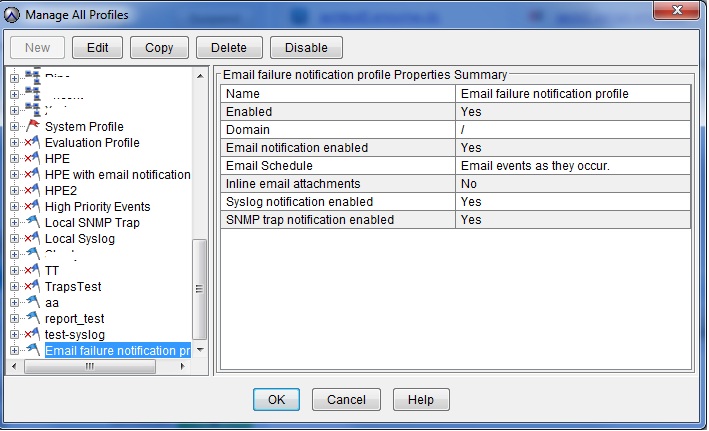
- Once the profile is created, review the details on the 'Manage All Profiles' screen.
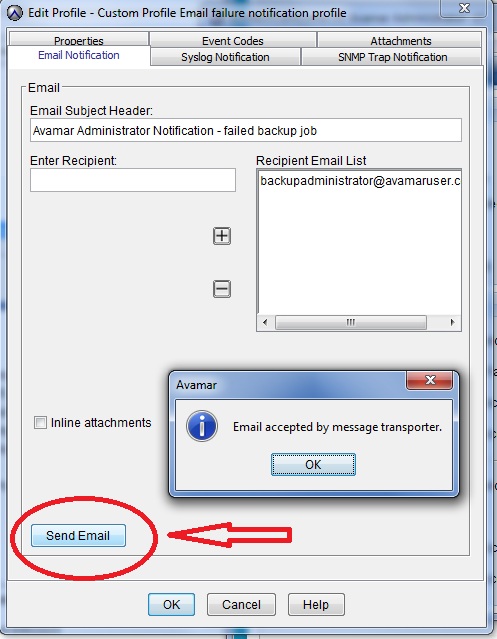
- Test whether email messages are being generated by editing the profile and selecting the 'Email Notification' tab.
추가 정보
비디오
해당 제품
Avamar, Avamar Server문서 속성
문서 번호: 000023030
문서 유형: How To
마지막 수정 시간: 13 7월 2026
버전: 7
다른 Dell 사용자에게 질문에 대한 답변 찾기
지원 서비스
디바이스에 지원 서비스가 적용되는지 확인하십시오.