Dell Unity: 경고 코드: "dm::check_filesystems_health_4 during pre-upgrade-healthcheck"
요약: Dell Unity: 경고 코드: "dm::check_filesystems_health_4 during Pre-Upgrade Health Check"
이 문서는 다음에 적용됩니다.
이 문서는 다음에 적용되지 않습니다.
이 문서는 특정 제품과 관련이 없습니다.
모든 제품 버전이 이 문서에 나와 있는 것은 아닙니다.
증상
업그레이드 전 상태 점검에 실패하고 다음 오류 코드가 표시됩니다.
20:dm::check_filesystems_health
One or more file systems may be in an unhealthy state. You can continue with the upgrade, but it is recommended that you record the error code and contact your service provider.
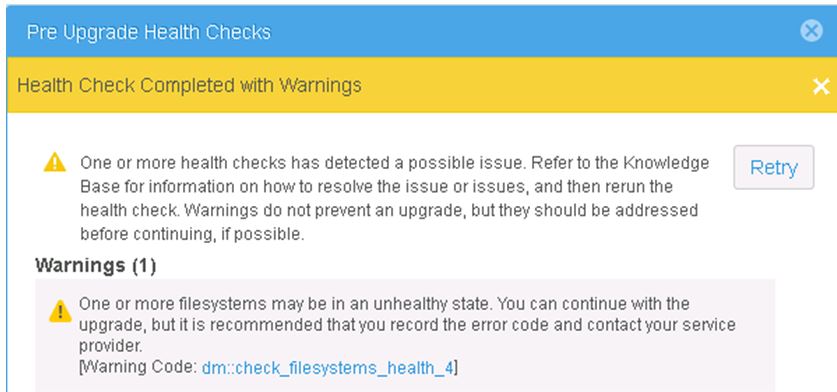
[ Warning Code: dm::check_filesystems_health_4 ]

File systems at the Dell EMC Unity are fully consumed:
uemcli -sslPolicy accept /stor/prov/fs show -detail

1:    ID                         = res_1
      Name                       = Share
      Description                =
      Health state               = Degraded/Warning (10)
      Health details             = "The file system has run out of space. Allocate more storage space to the storage resource.
      File system                = fs_1
      Server                     = nas_1
      Storage pool ID            = pool_1
      Storage pool               = Pool1
      Format                     = UFS64
      Protocol                   = cifs
      Folder rename policy       = forbiddenSmb
      Size                       = 10737418240 (10.0G)
      Size used                  = 10511523840 (9.7G)
원인
이 알림은 시스템 정의 임계값이 초과된 풀의 파일 시스템 구성원에 대해 보고됩니다.
해결
고객에게 전체 파일 시스템에 대해 알려야 하며 가능한 경우 영향을 받는 파일 시스템을 확장해야 합니다.
드물지만 고객이 전체 파일 시스템을 영구적으로 실행하고 확장을 원하지 않는 경우에는 업그레이드를 계속할 수도 있습니다.
참고: NDU 단계 중에 동일한 경고가 나타나지만 Retry 옵션을 선택하면 계속할 수 있습니다.
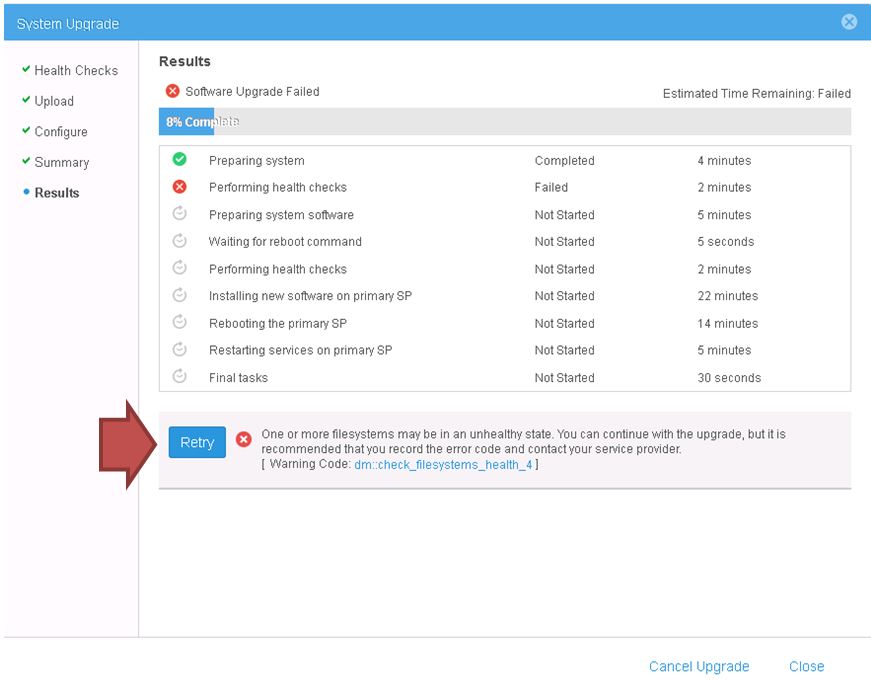
상태 문제를 보고하는 파일 시스템을 추가로 식별하려면 다음을 실행합니다.
uemcli -noHeader -sslPolicy accept /stor/prov/fs show -filter "Name, Health state, Health details
해당 제품
Dell EMC Unity, Dell EMC Unity XT 380, Dell EMC Unity XT 380F제품
Dell Unity 300, Dell EMC Unity 300F, Dell EMC Unity 400, Dell EMC Unity 400F, Dell EMC Unity 500, Dell EMC Unity 500F, Dell EMC Unity 600F, Dell EMC Unity Family |Dell EMC Unity All Flash, Dell EMC Unity Family문서 속성
문서 번호: 000052548
문서 유형: Solution
마지막 수정 시간: 20 10월 2025
버전: 7
다른 Dell 사용자에게 질문에 대한 답변 찾기
지원 서비스
디바이스에 지원 서비스가 적용되는지 확인하십시오.