How to Add an Active Directory Endpoint Group in the Dell Security Management Server
요약: This article discusses how to add an Active Directory Endpoint Group in Dell Security Management Server (formerly Dell Data Protections Server).
이 문서는 다음에 적용됩니다.
이 문서는 다음에 적용되지 않습니다.
이 문서는 특정 제품과 관련이 없습니다.
모든 제품 버전이 이 문서에 나와 있는 것은 아닙니다.
지침
Affected Products:
- Dell Security Management Server
- Dell Security Management Server Virtual
- Dell Data Protection | Enterprise Edition
- Dell Data Protection | Virtual Edition
Affected Versions:
- v9.7 and Later
This article describes:
- Dell Security Management Server AD endpoint group requirements
- Creating an AD endpoint group
- Adding a device to an AD endpoint group
- Adding an AD endpoint group to the Dell Security Management Server
Dell Security Management Server AD Endpoint Group Requirements
- Dell Security Management Server (formerly Dell Data Protection Server) v9.7 or later
- AD endpoint group scope set to Global
- AD endpoint group type set to Security
- Within the AD endpoint group, at least one endpoint must be activated with Dell Data Security (formerly Dell Data Protection) v8.12 or later and performed a policy update to the Dell Security Management Server.
- Managed endpoints must have read access to all the Organizational Unit (OU) security groups it is a member of.
Note: Dell Security Management Server does not support nested AD groups.
How to Create an Endpoint Group in AD
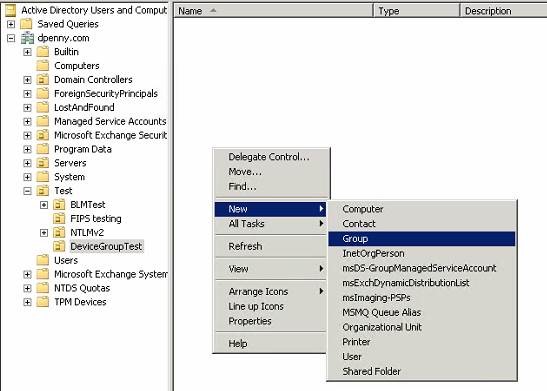
- Right-click the active directory or folder within the Organization Unit (OU), select New, and then click Group.
- Populate the Group name, set Group Scope to Global, set Group Type to Security, and then press OK.
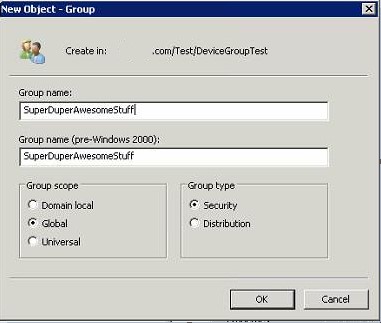 Note: SuperDuperAwesomeStuff is used as an example endpoint security group name.
How to Add an Endpoint to an AD Endpoint Security Group
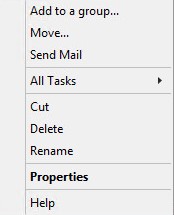
- Right-click the desired security group and select Properties.
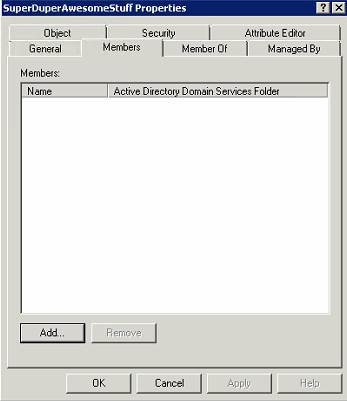
- Select the Members tab and then click Add.
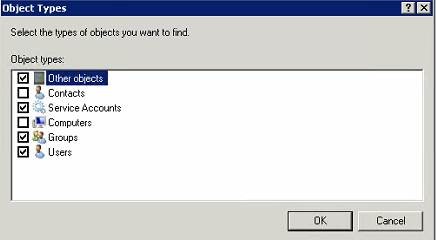
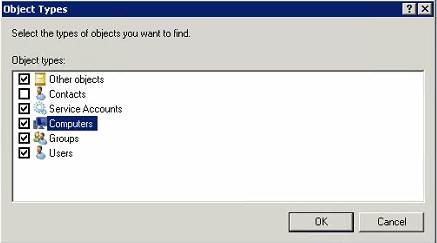
- Computers are not in the default object type. Click Object Types to modify search criteria.
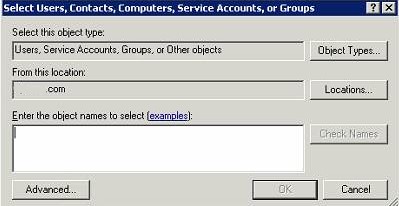
- Check Computers and then press OK.
Default object types:
Modified:
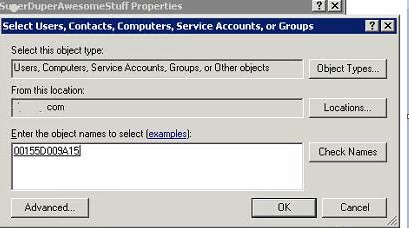
- Under object names, enter the desired computer name and then press Check Names. Once validated press OK
 Note:
Note:- If Check Names does not return any results, verify that Locations is properly set to the domain of the endpoints.
- 00115D009A15 is an example endpoint that is used in the screenshot.
- Click Apply to add the endpoints to the endpoint group.
How to Add an AD Endpoint Group to Dell Data Protection Server
- In the Dell Data Protection Server, log in to the Remote Management Console.
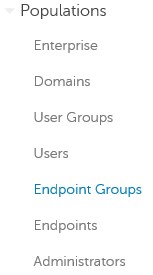
- In the Remote Management Console, expand Populations and then click Endpoint Groups.
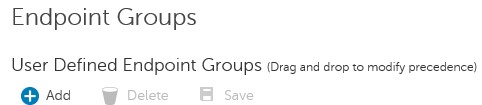
- Under Endpoint Groups, click Add.
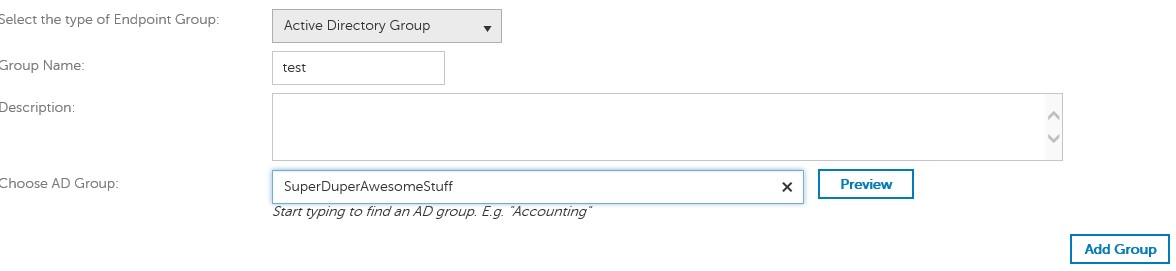
- Select Active Directory Group as the type of Endpoint Group.

- Populate a Group Name, Description (optional), and AD Group name.
 Note:
Note:- Group Name = Name in which the Dell Data Protection Server references the AD endpoint group
- AD Group = AD endpoint group name
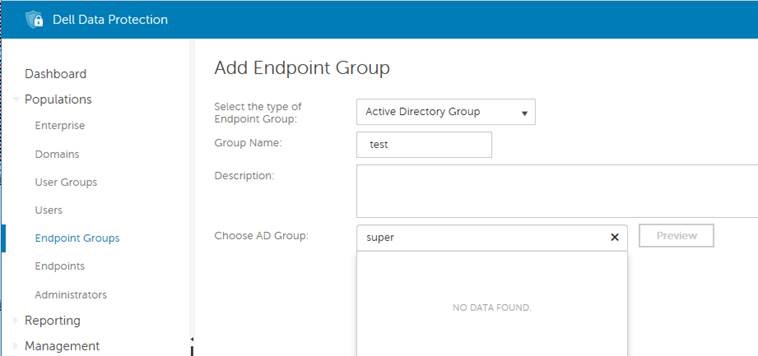
- If No Data Found was returned for the AD Group, it could be because:
- An endpoint has not been activated with a Dell Data Security product within the AD endpoint group.
- The AD Group name is incorrect.
- The AD Group scope is not set to Global.
- The AD Group type is not set to Security.
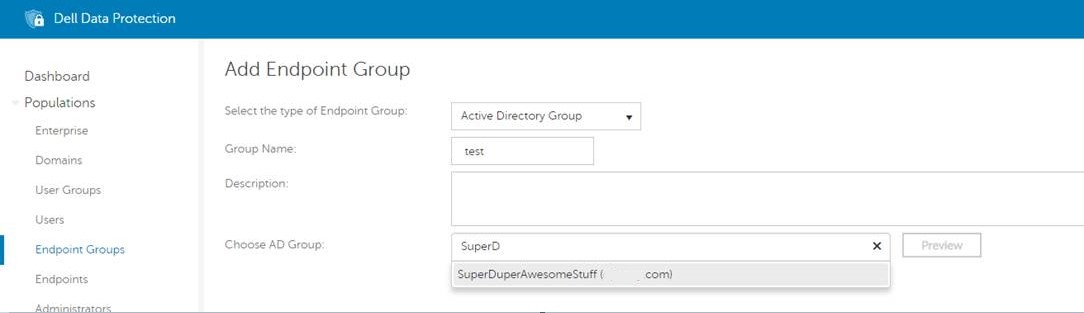 Note:
Note:- For security purposes, the OU structure is hidden from the search results. Only the AD Endpoint Group and domain is visible.
- Preview shows all managed Dell Data Security endpoints within that Endpoint Group.
- Remote Management Console only shows endpoints that Dell Data Security products manage.
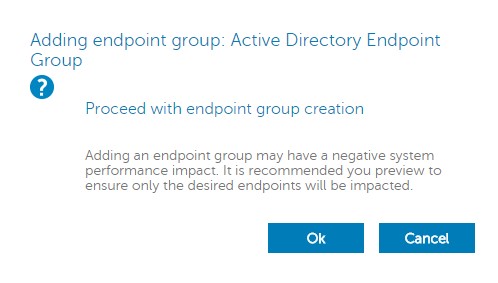
- Once the endpoint group information is populated, click Add Group. Acknowledge the warning that is displayed on potential performance impact by clicking OK.
- Once the group has been added, expand Management, and then click Commit.
- Add a Comment detailing the change and then click Commit Policies.
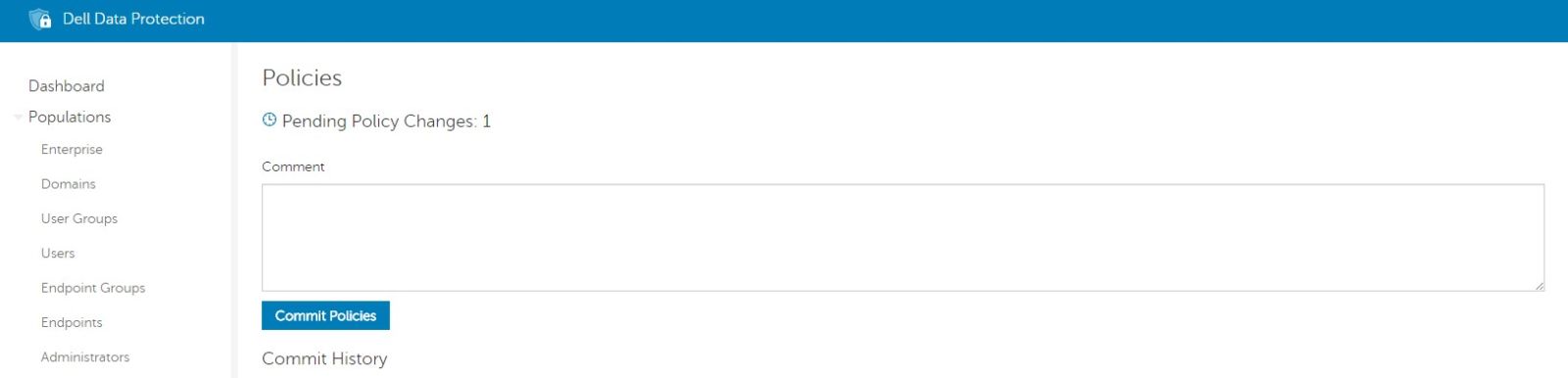 Note: The AD endpoint group does not become active until Commit Policies has been selected.
해당 제품
Dell Encryption문서 속성
문서 번호: 000124771
문서 유형: How To
마지막 수정 시간: 14 7월 2026
버전: 13
다른 Dell 사용자에게 질문에 대한 답변 찾기
지원 서비스
디바이스에 지원 서비스가 적용되는지 확인하십시오.