How to Obtain the CrowdStrike Customer Identification
요약: Learn how to find your CrowdStrike Customer Identification (CID) by following these instructions. These instructions support Windows, Mac, and Linux.
이 문서는 다음에 적용됩니다.
이 문서는 다음에 적용되지 않습니다.
이 문서는 특정 제품과 관련이 없습니다.
모든 제품 버전이 이 문서에 나와 있는 것은 아닙니다.
지침
The CrowdStrike Customer Identification (CID) is used to:
- Activate the CrowdStrike Falcon Sensor
- Troubleshoot the CrowdStrike Falcon Console
Affected Products:
- CrowdStrike
Affected Operating Systems:
- Windows
- Mac
- Linux
Locate your customer ID (CID) in the CrowdStrike Falcon Console by following these instructions.
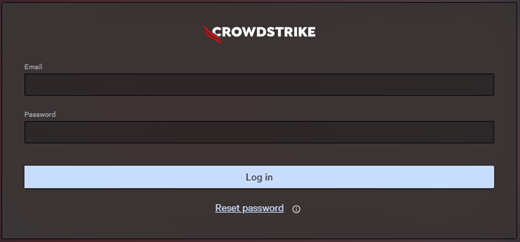
- In a Google Chrome or Microsoft Edge browser, go to your Falcon Console login URL.
- Falcon US-1: https://falcon.crowdstrike.com/login/
- Falcon US-2: https://falcon.us-2.crowdstrike.com/login/
- Falcon EU-1: https://falcon.eu-1.crowdstrike.com/login/
- Falcon US-GOV-1: https://falcon.laggar.gcw.crowdstrike.com/login/
- Falcon US-1: https://falcon.crowdstrike.com/login/
- Populate the CrowdStrike account holder’s credentials, and then click Log In.
- In the left menu pane, select the Host setup and management app icon and then select Sensor downloads.
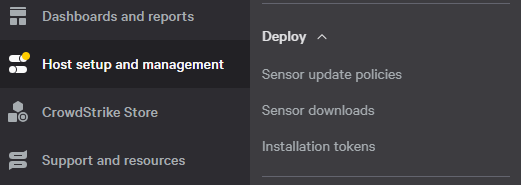 Note: The layout in the example may differ slightly from your environment.
 - Under HOW TO INSTALL, document the Customer ID.
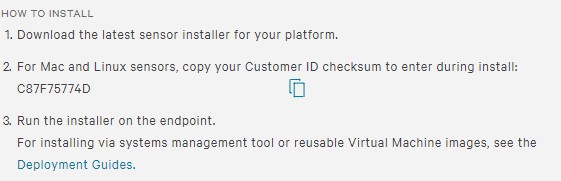 Note:
Note:- The Customer ID differs in your environment.
- In the example, C87F75774D is the Customer ID.

해당 제품
CrowdStrike문서 속성
문서 번호: 000129349
문서 유형: How To
마지막 수정 시간: 23 7월 2026
버전: 19
다른 Dell 사용자에게 질문에 대한 답변 찾기
지원 서비스
디바이스에 지원 서비스가 적용되는지 확인하십시오.