Come installare la Remote Management Console di Dell Data Protection
요약: Istruzioni dettagliate per installare la Remote Management Console di Dell Data Protection attenendosi a queste istruzioni.
이 문서는 다음에 적용됩니다.
이 문서는 다음에 적용되지 않습니다.
이 문서는 특정 제품과 관련이 없습니다.
모든 제품 버전이 이 문서에 나와 있는 것은 아닙니다.
지침
I server Dell Data Protection Enterprise Edition e Dell Data Protection Virtual Edition richiedono la Remote Management Console per gestire:
- Policy
- Reports
- Chiavi di crittografia
Prodotti interessati:
- Dell Data Protection Enterprise Edition
- Dell Data Protection Virtual Edition
Versioni interessate:
- Da 8.0 a 9.1
Sistemi operativi interessati:
- Windows
La procedura riportata di seguito riguarda l'installazione della Remote Management Console (RMC) per Dell Data Protection Enterprise Edition e Dell Data Protection Virtual Edition dalla versione 8.0 alla 9.1. Le versioni 9.2 e successive utilizzano una console di amministrazione basata su browser. Per informazioni sul controllo delle versioni, consultare Come identificare la versione del server Dell Data Security. Il programma di installazione di RMC si trova nel pacchetto Dell Data Protection Virtual Edition.
- Cliccare con il pulsante destro del mouse ed estrarre il software del server.
 Nota: Per ulteriori informazioni su come scaricare il software del server, consultare Come scaricare Dell Security Management Server.
 - Dai file del programma di installazione estratti, accedere a:
- x64 bit:
Installers\Remote Console\x64 - x86 bit:
Installers\Remote Console\x86
- x64 bit:
- Cliccare due volte su setup.exe.

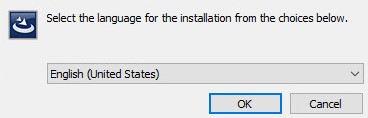
- Selezionare una lingua e cliccare su OK.
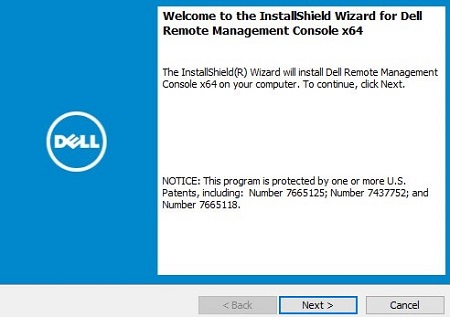
- Cliccare su Next.
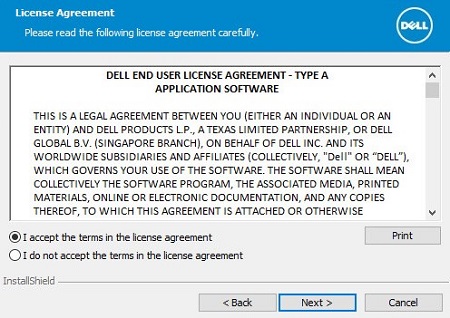
- Selezionare I accept the terms in the license agreement e cliccare su Next.
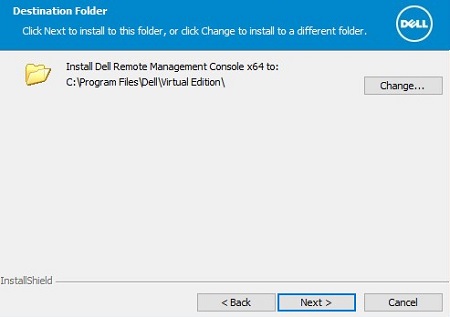
- Facoltativamente, cliccare su Change per modificare il percorso di installazione, quindi su Next.
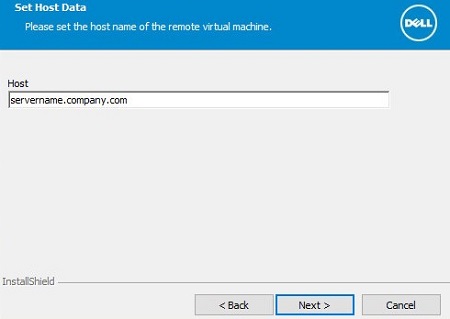
- Inserire il nome di dominio completo (FQDN) del server Dell Data Protection, quindi cliccare su Next.
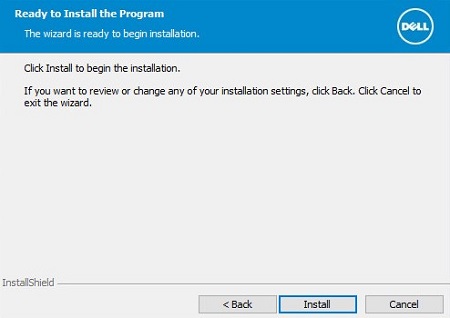
- Cliccare su Installa.
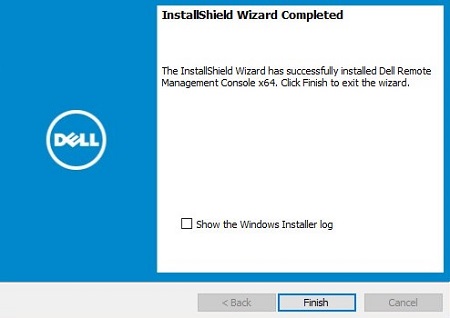
- Cliccare su Finish.
추가 정보
비디오
해당 제품
Dell Encryption문서 속성
문서 번호: 000175222
문서 유형: How To
마지막 수정 시간: 07 7월 2026
버전: 12
다른 Dell 사용자에게 질문에 대한 답변 찾기
지원 서비스
디바이스에 지원 서비스가 적용되는지 확인하십시오.