NetWorker: Unable to Load Drivers Using NetWorker BMR Wizard
요약: During a Bare Metal Recovery (BMR) performed through NetWorker, unable to load any operating system drivers, such as Network or Disk Drivers.
이 문서는 다음에 적용됩니다.
이 문서는 다음에 적용되지 않습니다.
이 문서는 특정 제품과 관련이 없습니다.
모든 제품 버전이 이 문서에 나와 있는 것은 아닙니다.
증상
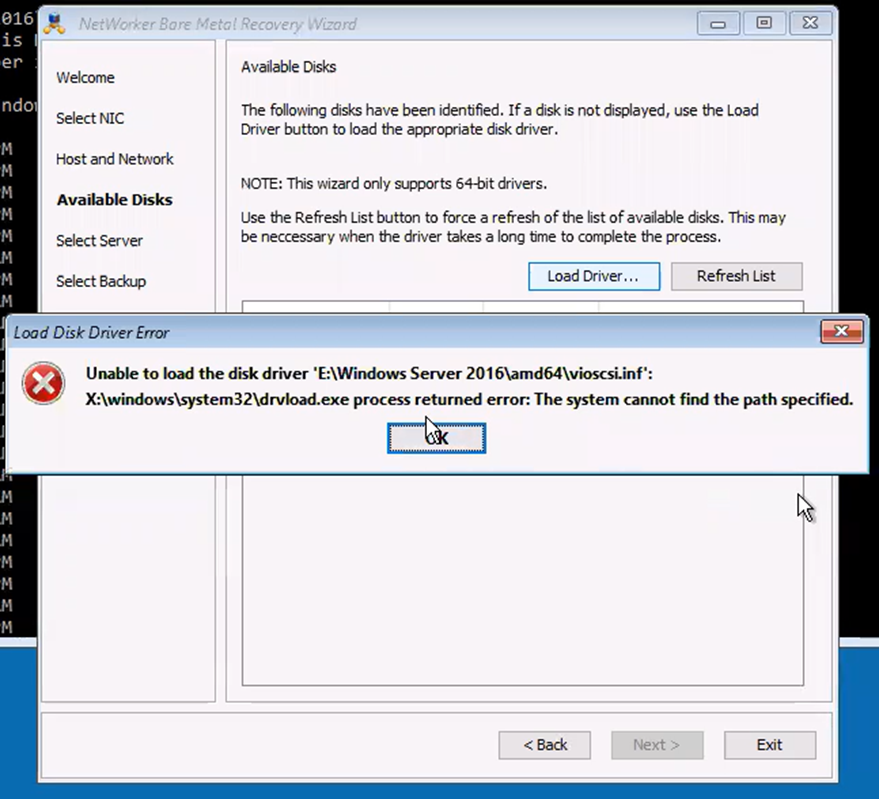
The following error is observed from the NetWorker Bare Metal Recovery (BMR) wizard:
Unable to load the disk driver 'E:\Windows Server 2016\amd64\vioscsi.inf'
X:\windows\system32\drvload.exe process returned error: The system cannot find the path specified.
원인
The NetWorker BMR wizard is unable to fetch the drivers or upload the drivers. For example, WinPE is not supported with DISK Driver vioscsi.inf. The driver can be manually loaded.
해결
Note: Loading system drivers must be performed by VM or operating system team. Manually load drivers using the
drvload command.
Scenario
A Virtual CD Disk is attached to the VM and the location was assigned as E:\.
- From BMR Wizard terminal, go to
E:\ locationusing "cd" command:
cd E:\driver_location
- Load drivers using
drvloadcommand:
drvload driver_name.inf
After, click the "refresh list" option to refresh the drivers.
Note: If
drvload fails, the issue is with WinPE or the driver.
drvload is a Microsoft WinPE utility, not a NetWorker command. A failure reported by drvload indicates that WinPE was unable to load the specified driver package. This typically points to a driver, path, architecture, compatibility, or WinPE-related issue rather than a NetWorker issue. If the same error occurs when running drvload manually from a WinPE command prompt, the driver-loading issue must be resolved at the Windows/VM layer before NetWorker BMR can proceed.
해당 제품
NetWorker, NetWorker Series문서 속성
문서 번호: 000195424
문서 유형: Solution
마지막 수정 시간: 22 7월 2026
버전: 2
다른 Dell 사용자에게 질문에 대한 답변 찾기
지원 서비스
디바이스에 지원 서비스가 적용되는지 확인하십시오.