NetWorker: How to Update the Index Path for Multiple Clients
요약: After changing the location of the index folder on the NetWorker server, use this article to update the index paths for all clients in one move. Examples shown in this article are on a Linux operating system; however, these steps can be used for Windows operating system as well. ...
이 문서는 다음에 적용됩니다.
이 문서는 다음에 적용되지 않습니다.
이 문서는 특정 제품과 관련이 없습니다.
모든 제품 버전이 이 문서에 나와 있는 것은 아닙니다.
지침
NOTE: The purpose of this article is to explain how to update multiple client's Index Path configurations at once. Use the below step only if all clients have indexes in the same folder (for example, /index).
- In the NetWorker Management Console, go to Protection > Clients > Add Column > More > Index path.
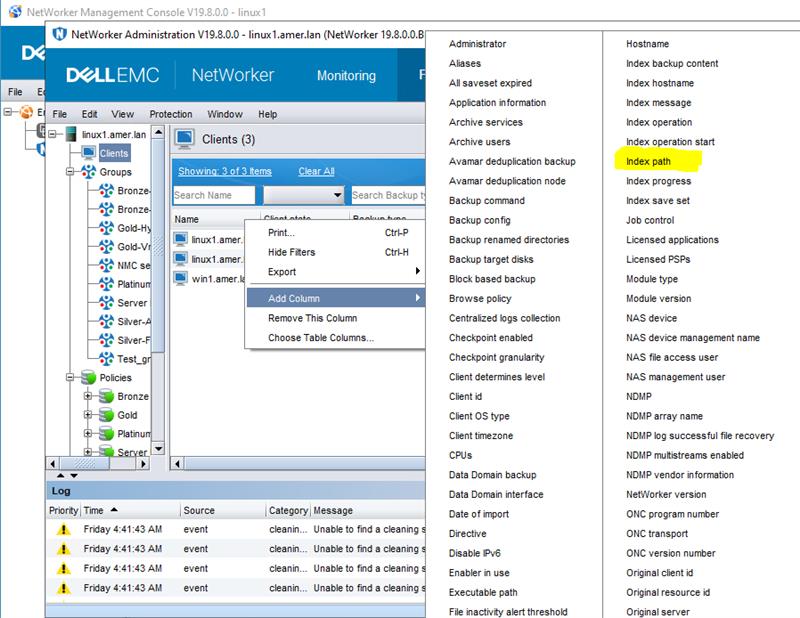
Figure 1: NMC client column options
- Click the Index path column for any individual client > press CTRL + A (to select all).
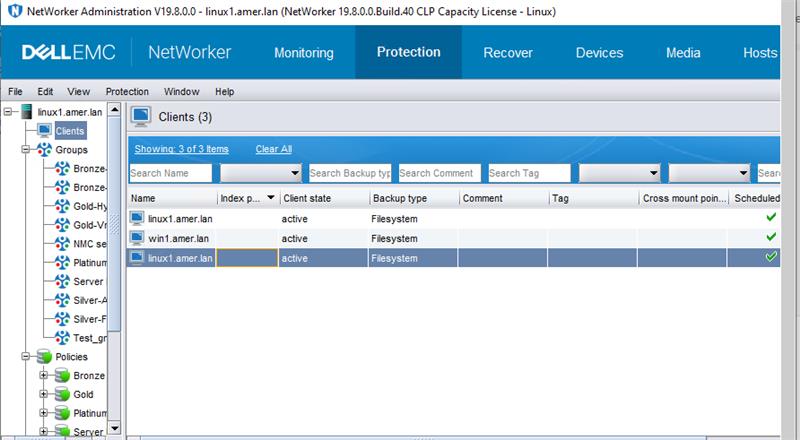
Figure 2: Click Index Path for any individual Client with CTRL+A to select all.
- Right-click the Index path column > select Edit Index path.
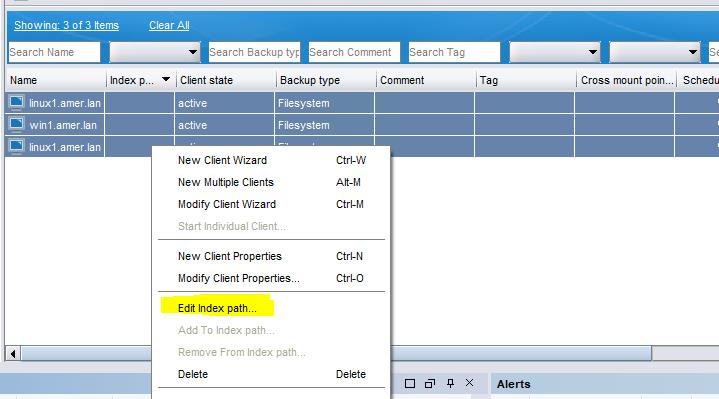
Figure 3: Click Edit Index path for Index path column.
- Enter the path's new folder as "/nsr/new_index_folder" (see below snip) > Click OK.
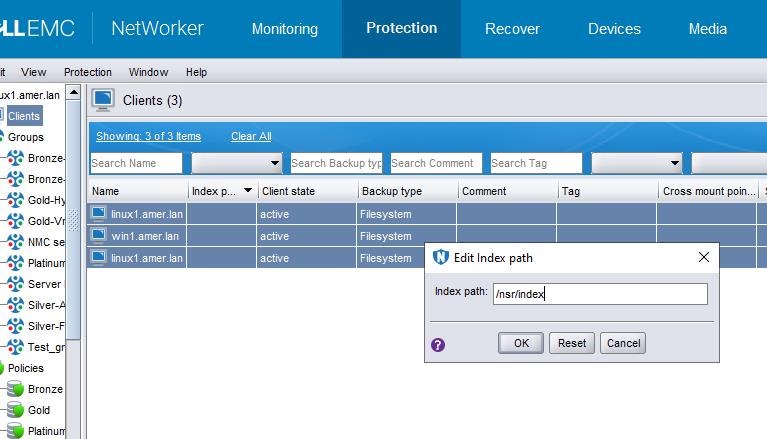
Figure 4: Enter the path's new folder as "/nsr/new_index_folder
- The following error may occur:
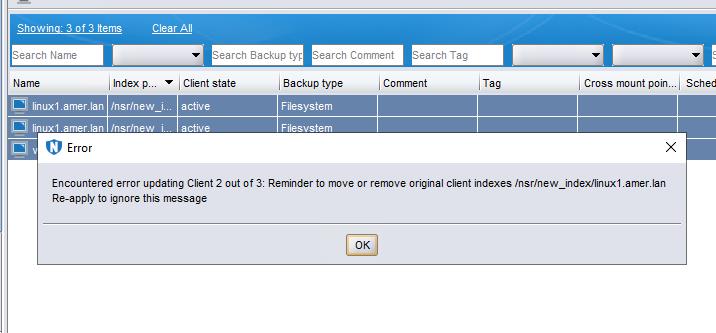
Figure 5: Error may occur: Encountered an error updating Client 2 out of 3. Remember to move or remove original Client indexes.
NOTE: This is a confirmation pop out. Press OK and then press OK again in the "Edit index path" window. Repeat this step until the "Edit index path" window closes.
- The index path is updated successfully:
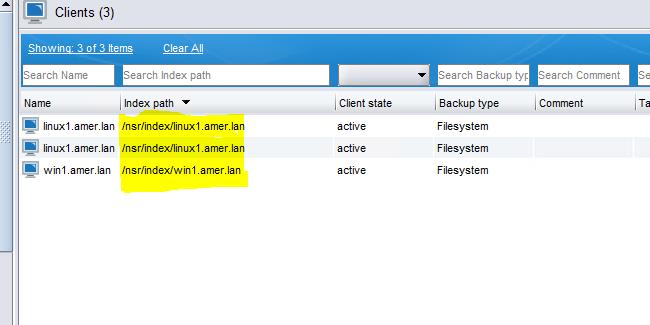
Figure 6: Screenshot of updated Index path
추가 정보
Dell KB article 80544: NetWorker: How to Move a Client File Index to a New Location
해당 제품
NetWorker문서 속성
문서 번호: 000217030
문서 유형: How To
마지막 수정 시간: 18 5월 2026
버전: 5
다른 Dell 사용자에게 질문에 대한 답변 찾기
지원 서비스
디바이스에 지원 서비스가 적용되는지 확인하십시오.