PowerProtect Data Manager: UI Shows Incorrect Recovery Progress and Premature Phase Transitions
요약: During recovery operations in PowerProtect Data Manager, the User Interface (UI) displays inaccurate progress percentages and transitions between recovery phases prematurely while data movement is still in progress. The progress percentage resets between phases, and the UI may advance to subsequent steps (such as "Unmounting backup copy") before the data transfer completes. This code defect affects all PowerProtect versions prior to 19.20 and impacts multiple restore types, including File System (FS), Active Directory (AD), and Bare Metal Recovery (BMR). Dell addressed this issue in PowerProtect version 19.20.0-18. ...
이 문서는 다음에 적용됩니다.
이 문서는 다음에 적용되지 않습니다.
이 문서는 특정 제품과 관련이 없습니다.
모든 제품 버전이 이 문서에 나와 있는 것은 아닙니다.
증상
An administrator performs a recovery operation using the PowerProtect Data Manager UI. The PowerProtect Data Manager UI does not display accurate progress information during the recovery. During the data movement phase, the UI reports a progress percentage that does not reflect the actual state of data transfer.
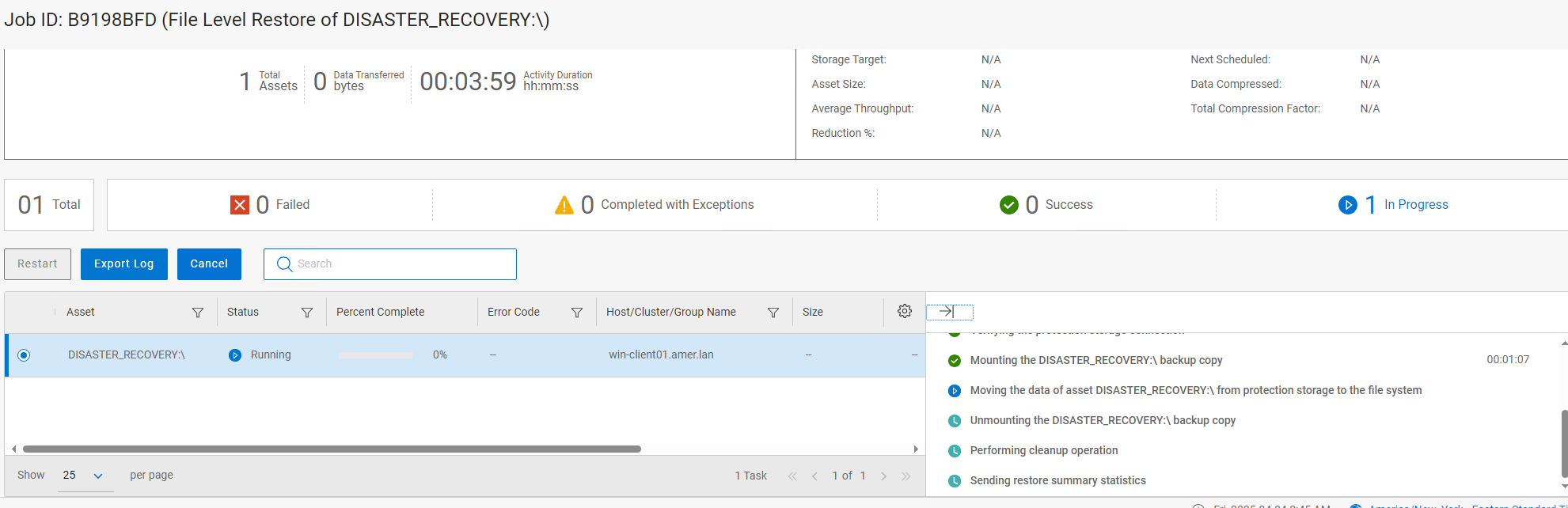
The recovery process progresses to the next step "Unmounting backup copy," which suggests all data has been restored into the target server.
Progress percentage is reset and shows different percentages:
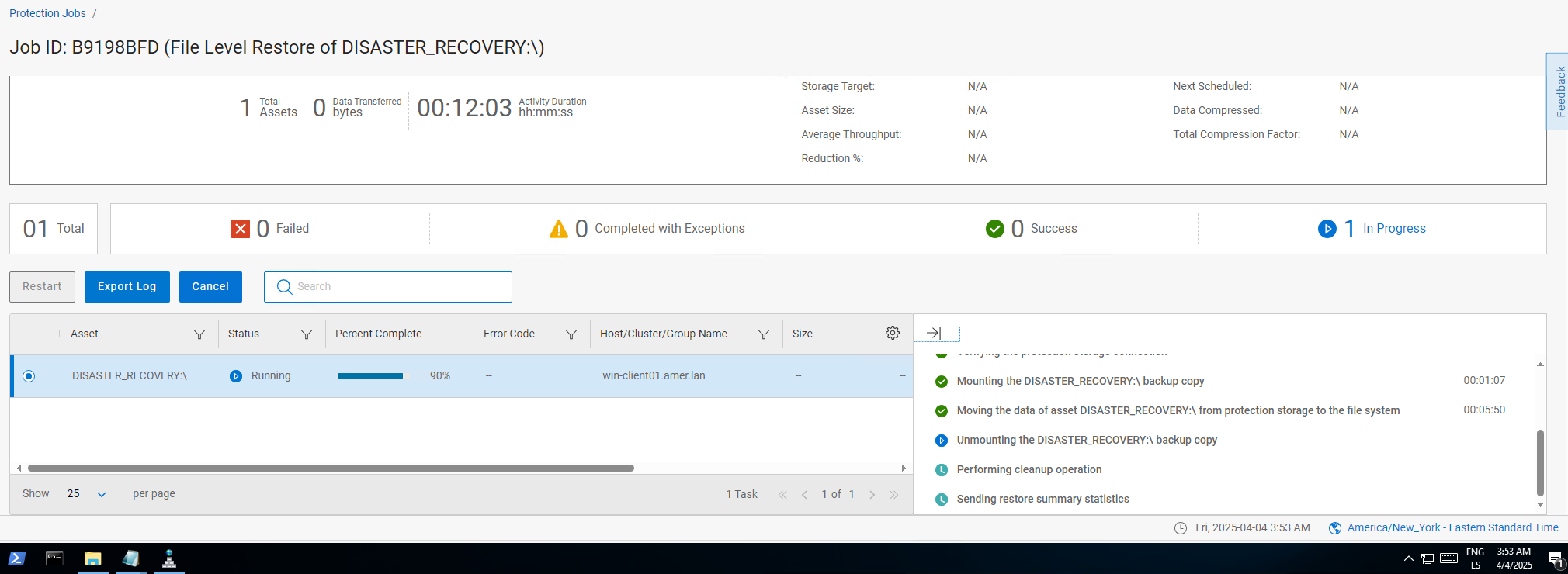
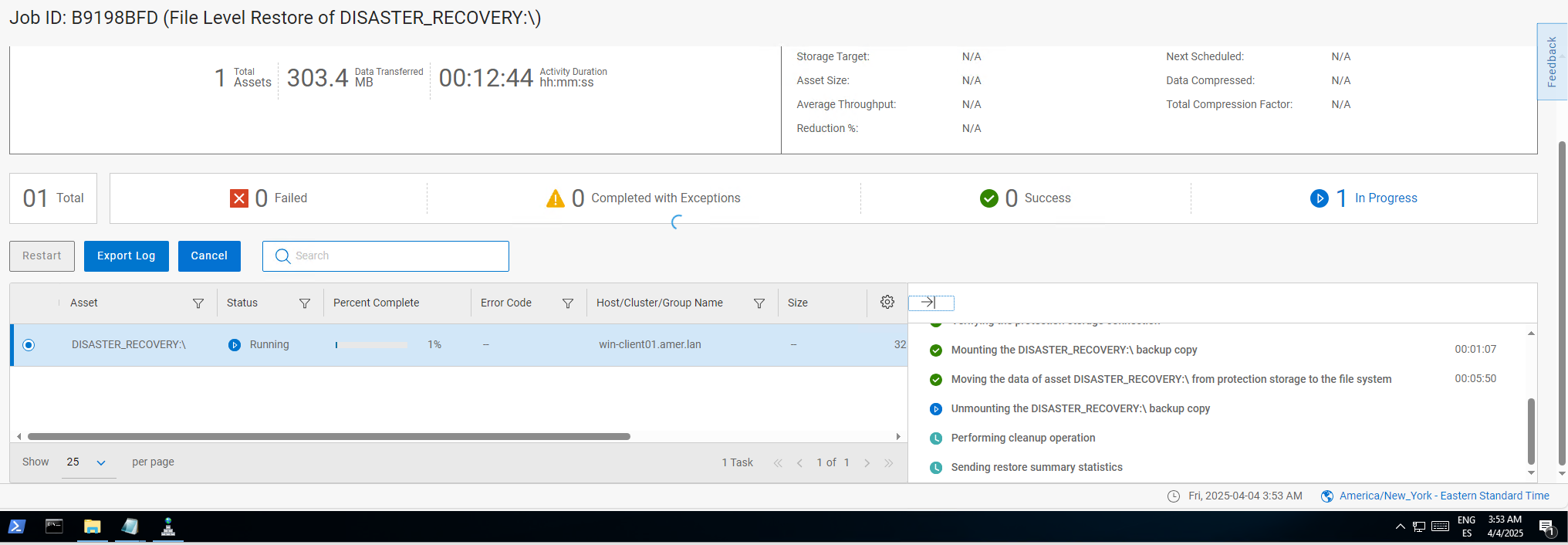
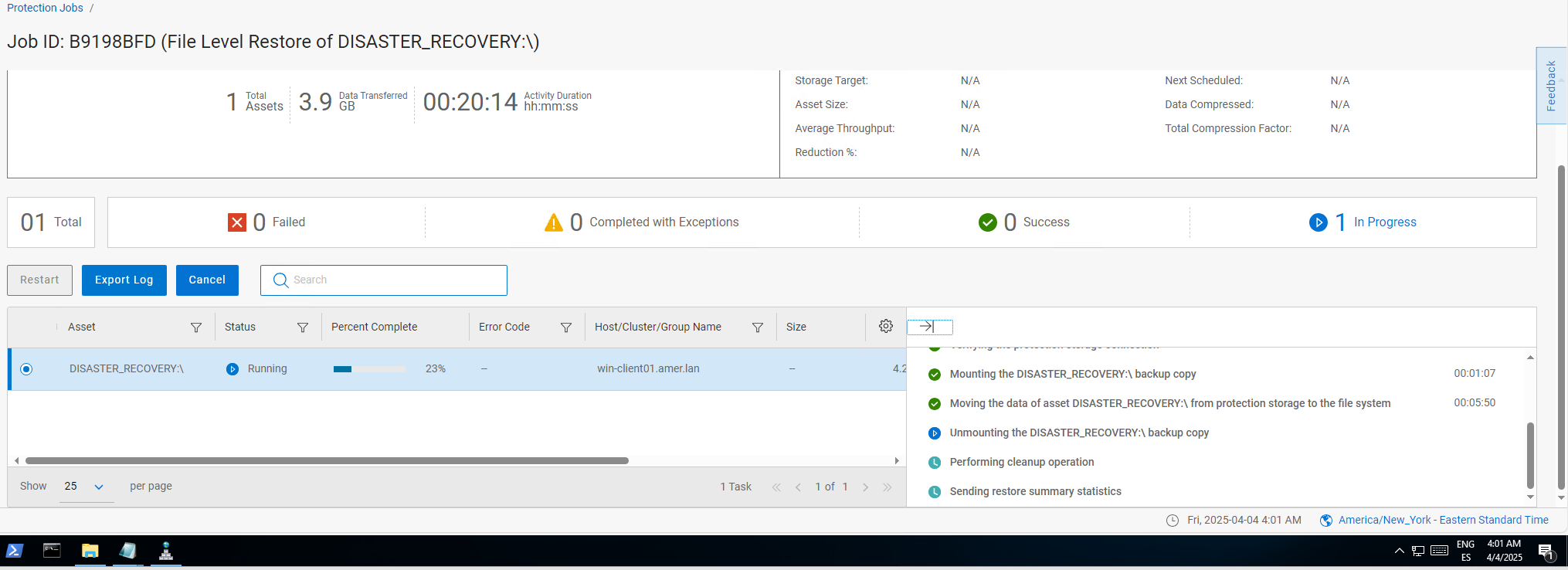
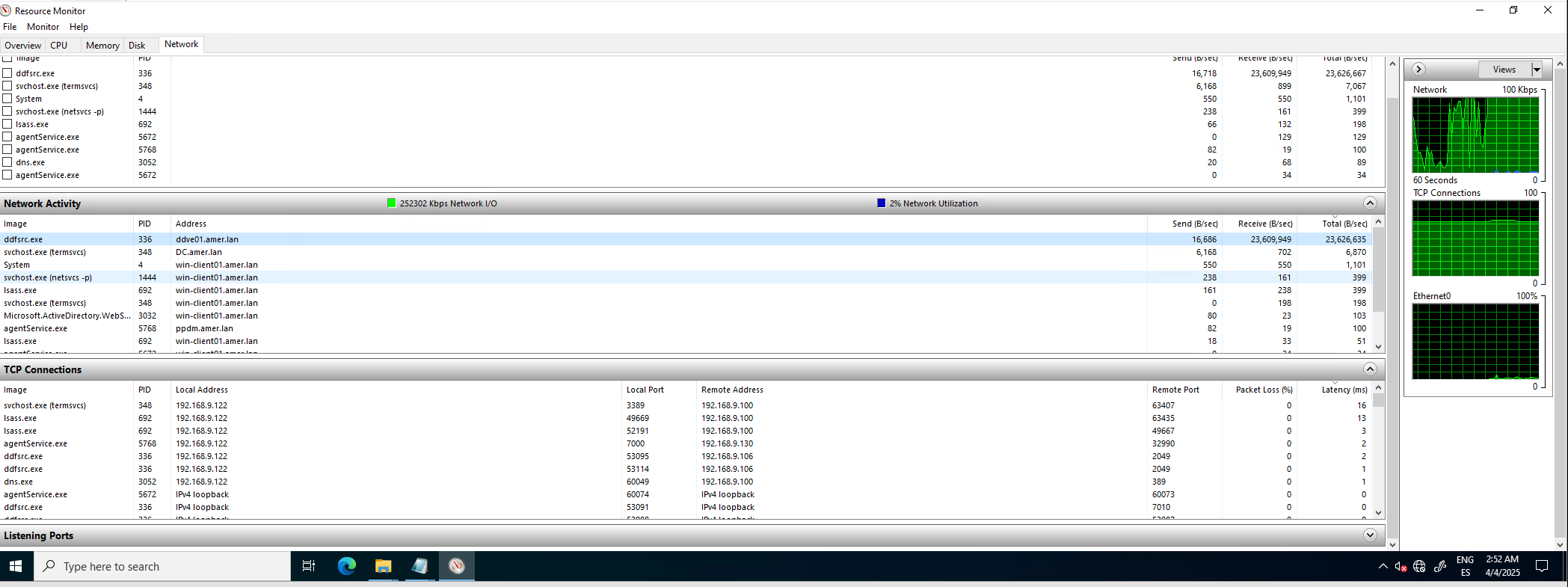
The data movement is still ongoing. This is confirmed by monitoring network activity for ddfsrc process over resource monitored on the target server.
원인
A code defect in the PowerProtect Data Manager recovery progress‑reporting logic causes the UI to display inaccurate progress percentages and transition between recovery phases before data movement completes. The defect affects all PowerProtect Data Manager versions prior to 19.20.
The PowerProtect Data Manager UI progress indicator does not accurately track the underlying data transfer performed by the ddfsrc process. As a result, the progress percentage resets between phases and the UI prematurely advances to subsequent steps while the data mover continues writing data to the target server.
해결
The issue is addressed in the PowerProtect release 19.20.0-18. Install the latest PowerProtect Data Manager release to resolve the symptom. If required, contact Dell Support for assistance or any further questions. The newest available releases are available on the PowerProtect Data Manager Drivers & Downloads page.
The user must wait for the restore operation to be reported as successful on the PowerProtect Data Manager UI, showing completion of all phases successfully to confirm a restore operation is fully completed.
해당 제품
PowerProtect Data Manager, PowerProtect Software제품
Data Protection Suite Series문서 속성
문서 번호: 000306193
문서 유형: Solution
마지막 수정 시간: 08 7월 2026
버전: 4
다른 Dell 사용자에게 질문에 대한 답변 찾기
지원 서비스
디바이스에 지원 서비스가 적용되는지 확인하십시오.