Dell Cloudlink: Deploying Cloudlink 8.x VM in Linux KVM fails with error /dev/disk/by-uuid/ does not exist
요약: A new deployment of a Cloudlink 8.x qcow2 image in Linux KVM boots into Emergency Mode.
이 문서는 다음에 적용됩니다.
이 문서는 다음에 적용되지 않습니다.
이 문서는 특정 제품과 관련이 없습니다.
모든 제품 버전이 이 문서에 나와 있는 것은 아닙니다.
증상
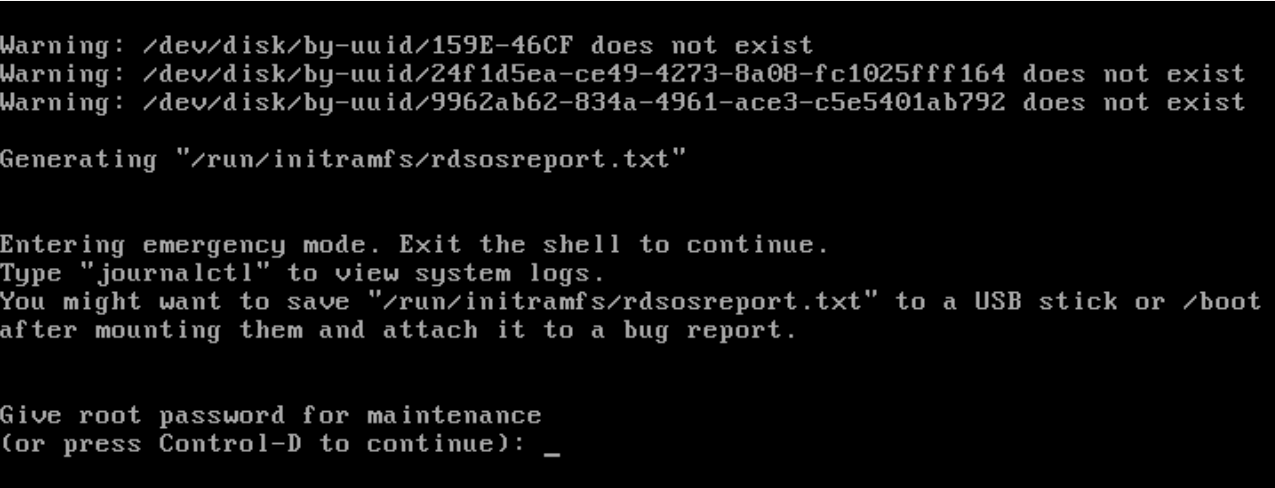
After a new deployment of a Cloudlink 8.x qcow2 image in Linux KVM boots into Emergency Mode and displays this error:
Warning: /dev/disk/by-uuid/159E-46CF does not exist
Warning: /dev/disk/by-uuid/24f1d5ea-cd49-4273-8a08-fc1025fff164 does not exist
Warning: /dev/disk/by-uuid/9962ab62-834a-4961-ace3-c5e5401ab792 does not exist
원인
Disk bus type was not set correctly.
해결
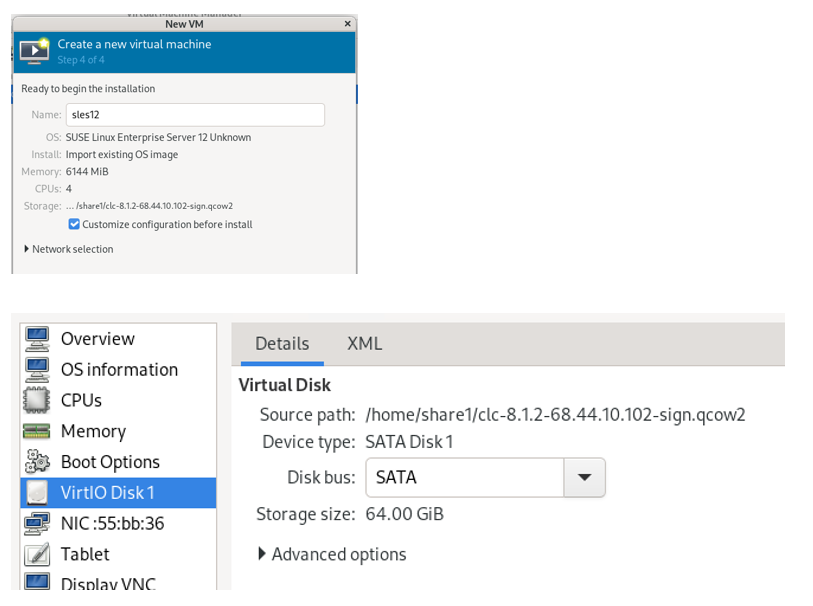
Select Customize configuration before install and select SATA for the Disk bus.
The default Disk bus is VirtIO, and you will have this issue if it is not set correctly.
The Cloudlink Deployment Guide does state that the Disk bus should be set to SATA.
해당 제품
CloudLink문서 속성
문서 번호: 000323281
문서 유형: Solution
마지막 수정 시간: 09 2월 2026
버전: 4
다른 Dell 사용자에게 질문에 대한 답변 찾기
지원 서비스
디바이스에 지원 서비스가 적용되는지 확인하십시오.