Abnormal Display on External Monitor Connected to Dock and Dock Connected to Computer with Ubuntu OS
요약: Dell Pro Rugged 14 RB14250 or Dell Pro Rugged 13 RA13250 with Ubuntu OS connected to a dock causes abnormal display on external monitor occurs.
이 문서는 다음에 적용됩니다.
이 문서는 다음에 적용되지 않습니다.
이 문서는 특정 제품과 관련이 없습니다.
모든 제품 버전이 이 문서에 나와 있는 것은 아닙니다.
증상
There are four possible symptoms:
- When a DisplayPort and HDMI monitor are connected to K2 Dock, the HDMI monitor cannot output.
- After connecting to TBT/DP or TBT/HDMI monitors on the K2 Dock and restarting the computer, the DP or HDMI monitor cannot output.
- After connecting an external monitor to a dock on the list below and then restarting or suspend the computer, the external monitor is blinking after computer resumed.
- There is only one display output on the Dell Dock - WD19S when over one monitor is connected to the dock.
Affected Platforms:
- Dell Pro Rugged 13 RA13250
- Dell Pro Rugged 14 RB14250
Affected Docks:
- Dell Dock - WD19S
- Dell Pro Dock WD25
- Dell Pro Smart Dock SD25
- Dell Pro Thunderbolt 4 Dock WD25TB4
- Dell Pro Thunderbolt 4 Smart Dock SD25TB4
- Dell Pro Thunderbolt 5 Dock WD25TB5
- Dell Pro Thunderbolt 5 Smart Dock SD25TB5
원인
The panel replay of Display Stream Compression (DSC) function is enabled it has compatibility issues with Multistream Transport (MST) mode.
해결
Note: Before starting the update, perform the following:
- Back up all personal data. For more information, refer to Back Up and Recovery.
- Connect the AC adapter.
Updating the Ubuntu Kennel driver to version 6.17 or later on the computer resolves the issue.
There are two options to manually update the Ubuntu Kennel driver:
Option 1:
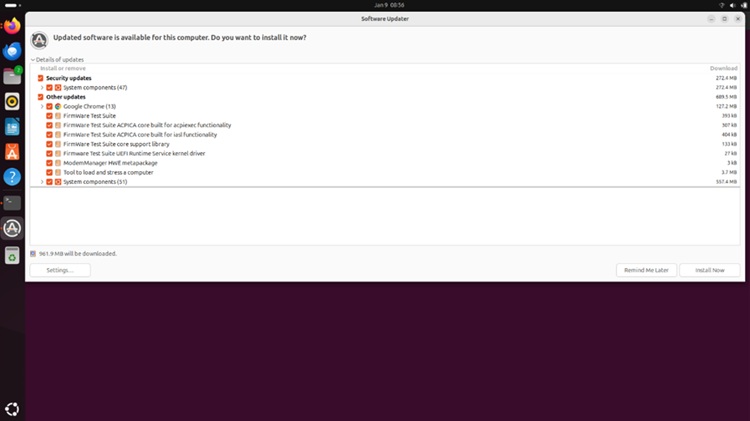
- Launch the Software Updater app and check Security updates.
- Tap Install Now in the bottom right corner.
Option 2:
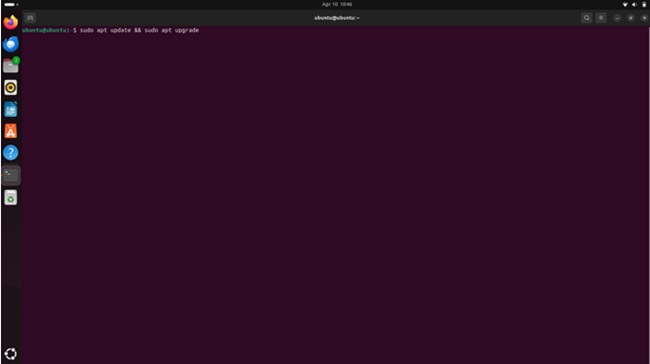
- Launch the terminal by clicking the left bottom Ubuntu icon, search for terminal and launch.
- Type
sudo apt update & sudo apt upgrade
Check the Ubuntu Kennel version:
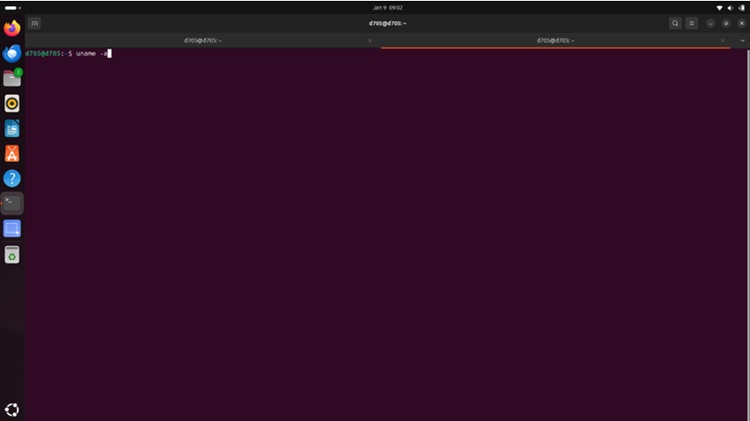
- Launch the terminal.
- Type
uname-a
해당 제품
Dell Pro Rugged 13 RA13250, Dell Pro Rugged 14 RB14250, Dell Pro Smart Dock SD25, Dell Pro Thunderbolt 4 Smart Dock SD25TB4, Dell Pro Thunderbolt 5 Smart Dock SD25TB5, Dell Pro Dock WD25, Dell Pro Thunderbolt 4 Dock WD25TB4
, Dell Pro Thunderbolt 5 Dock WD25TB5, Dell Dock – WD19S
...
문서 속성
문서 번호: 000444155
문서 유형: Solution
마지막 수정 시간: 16 7월 2026
버전: 3
다른 Dell 사용자에게 질문에 대한 답변 찾기
지원 서비스
디바이스에 지원 서비스가 적용되는지 확인하십시오.