PowerProtect Data Manager: Data Domain Certificates Show as Expired in the UI
요약: The PowerProtect Data Manager (PPDM) appliance is used to protect the environment with Data Domain (DD) storage. The DD certificates display as expired in the PPDM UI. The Renew Certificate action in PPDM fails because the HTTPS certificate on the DD appliance itself has already expired. PPDM cannot retrieve a valid certificate until the DD generates a new one. ...
이 문서는 다음에 적용됩니다.
이 문서는 다음에 적용되지 않습니다.
이 문서는 특정 제품과 관련이 없습니다.
모든 제품 버전이 이 문서에 나와 있는 것은 아닙니다.
증상
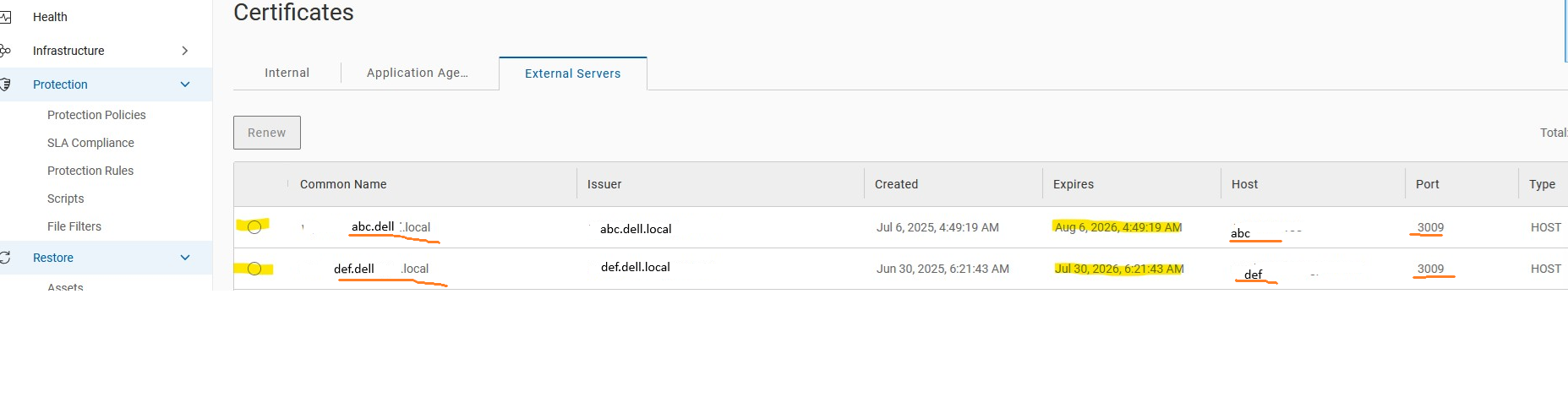
- Certificates are showing as expired in the PPDM UI.
- Selecting Renew Certificate in PPDM does not resolve the issue.
- An error is generated during the renewal process.
- Example output:
원인
The Renew Certificate action in the PPDM UI cannot successfully update the Data Domain certificate when the HTTPS certificate on the Data Domain appliance itself has already expired.
The Data Domain HTTPS certificate must first be renewed directly on the Data Domain system. Once a valid certificate exists on the Data Domain appliance, PPDM can retrieve and update the certificate information successfully.
해결
Generate a New Certificate on the Data Domain
- Log in to the Data Domain CLI.
- Generate a new self-signed HTTPS certificate:
adminaccess certificate generate self-signed-cert
Verify the New Certificate
- Confirm the new certificate was generated:
adminaccess certificate show - Verify the output shows a new HTTPS certificate. Confirm the Valid Until date reflects the new expiration.
- Example output:
# adminaccess certificate show

Subject           Type   Application   Valid From                 Valid Until                Fingerprint
---------------   ----   -----------   ------------------------   ------------------------   -----------------------------------------------------------
my-ddve.domain.lan   host   https         Mon Aug 03 12:05:29 2026   Fri Sep 03 12:05:29 2027   4F:C5:65:80:CB:E1:16:FA:C2:9E:EE:0C:AC:38:70:3E:DE:06:0B:65
Renew the Certificate in PPDM
- Log in to the PPDM UI.
- Navigate to Administration → Certificates → External Servers.
- Select the affected Data Domain system.
- Click Renew.
- When the Verify Certificate window appears, click Accept.
- Confirm the certificate status changes from expired to valid.
Contact Dell Support
- If the certificate renewal fails after generating a new certificate on the DD, contact Dell Support for further investigation. Reference this KB article.
추가 정보
문서 속성
문서 번호: 000505673
문서 유형: Solution
마지막 수정 시간: 08 9월 2026
버전: 1
다른 Dell 사용자에게 질문에 대한 답변 찾기
지원 서비스
디바이스에 지원 서비스가 적용되는지 확인하십시오.