Dell Data Security 제거 프로그램을 다운로드하는 방법
Samenvatting: 다음 지침에 따라 Dell Data Security 제거 프로그램을 다운로드하는 방법을 알아보십시오.
Dit artikel is van toepassing op
Dit artikel is niet van toepassing op
Dit artikel is niet gebonden aan een specifiek product.
Niet alle productversies worden in dit artikel vermeld.
Instructies
참고:
- 영향을 받는 제품에 나열된 제품이 활성 상태가 아닐 수 있습니다. 최신 제품 지원 정보는 Dell Data Security의 제품 수명주기(지원 종료/EOL(End Of Life)) 정책을 참조하십시오. 다른 문서에 대한 질문이 있는 경우 영업 팀에 문의하거나 endpointsecurity@dell.com으로 문의하십시오.
- 최신 제품에 대한 자세한 내용은 엔드포인트 보안을 참조하십시오.
Dell Data Security 제거 프로그램은 나열된 Windows Dell Data Security(이전 Dell Data Protection) 영향을 받는 제품에 대한 간소화된 제거 방법을 제공합니다. 이 문서에서는 이러한 제품에 대한 Dell Data Security 제거 프로그램을 얻는 단계를 제공합니다.
영향을 받는 제품:
- Dell Encryption Enterprise
- Dell Data Protection | Enterprise Edition
- Dell Encryption Personal
- Dell Data Protection | Personal Edition
- Dell Encryption External Media
- Dell Data Protection | External Media Edition
- Dell Data Guardian
- Dell Encryption Enterprise SED(Self-Encrypting Drive) Manager
- Dell BitLocker Manager
- Dell Full Disk Encryption
- Dell Data Protection | Secure Lifecycle
- Dell Data Protection | Cloud Edition
- Dell Endpoint Security Suite Enterprise
- Dell Endpoint Security Suite Pro
- Dell Threat Defense
- Dell Data Protection | Server Encryption
- Dell Data Protection | Security Tools
영향을 받는 버전:
- v8.0.x 이상
영향을 받는 운영 체제:
- Windows
- 웹 브라우저에서 https://www.dell.com/support/home/으로 이동합니다.
- Browse All Products를 클릭합니다.
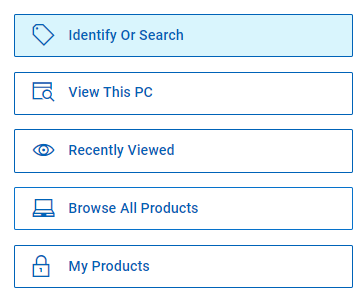
- Software & Solutions를 클릭합니다.
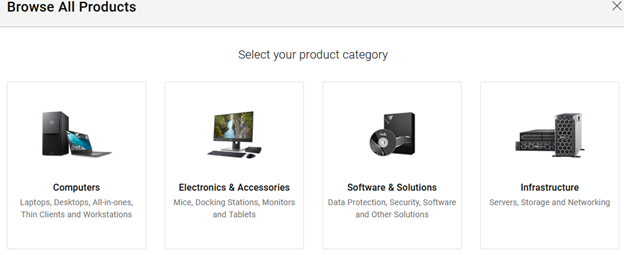
- 보안을 클릭합니다.

- Dell Data Security를 클릭합니다.

- Dell Encryption을 클릭합니다.
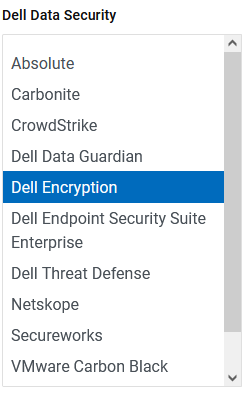
- Select This Product을 클릭합니다.
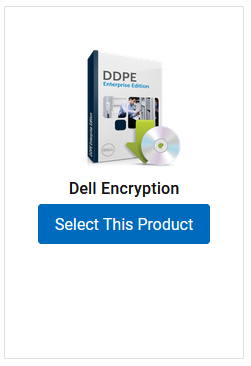
- Drivers & Downloads(드라이버 및 다운로드)를 클릭합니다.

- 운영 체제 드롭다운에서 Windows 7 [X-bit], Windows 8 [X-bit], Windows 8.1 [X-bit], Windows 10 [X-bit] 또는 Windows 11을 선택합니다.

- Dell Data Security 제거 프로그램 오른쪽에 있는 Download를 클릭합니다.
 릴리스 날짜는 위의 스크린샷과 다를 수 있습니다.
Getroffen producten
Dell Data Guardian, Dell Encryption, Dell Threat Defense, Dell Endpoint Security Suite Pro, Dell Endpoint Security Suite EnterpriseArtikeleigenschappen
Artikelnummer: 000130754
Artikeltype: How To
Laatst aangepast: 05 aug. 2026
Versie: 15
Vind antwoorden op uw vragen via andere Dell gebruikers
Support Services
Controleer of uw apparaat wordt gedekt door Support Services.