Pobieranie dezinstalatora programu Dell Data Security
Samenvatting: Dowiedz się, jak pobrać dezinstalator Dell Data Security, postępując zgodnie z poniższymi instrukcjami.
Dit artikel is van toepassing op
Dit artikel is niet van toepassing op
Dit artikel is niet gebonden aan een specifiek product.
Niet alle productversies worden in dit artikel vermeld.
Instructies
Uwaga:
- produkty wymienione w sekcji Produkty, których dotyczy problem mogą nie znajdować się w stanie aktywnym. Aby uzyskać aktualne informacje dotyczące pomocy technicznej dla produktu, zapoznaj się z artykułem Zasady dotyczące cyklu życia produktu (koniec wsparcia technicznego / koniec żywotności) Dell Data Security. Jeśli masz pytania dotyczące innych artykułów, skontaktuj się z działem sprzedaży lub napisz wiadomość na adres endpointsecurity@dell.com.
- Aby uzyskać dodatkowe informacje na temat aktualnych produktów, zobacz Endpoint Security.
Dezinstalator programu Dell Data Security zapewnia ulepszoną metodę usuwania produktów Windows Dell Data Security (poprzednio Dell Data Protection), których dotyczą warunki. Ten artykuł zawiera informacje na temat czynności, które należy wykonać, aby uzyskać dezinstalator programu Dell Data Security dla tych produktów.
Dotyczy produktów:
- Dell Encryption Enterprise
- Dell Data Protection | Enterprise Edition
- Dell Encryption Personal
- Dell Data Protection | Personal Edition
- Dell Encryption External Media
- Dell Data Protection | External Media Edition
- Dell Data Guardian
- Dell Encryption Enterprise Self-Encrypting Drive Manager
- Dell BitLocker Manager
- Dell Full Disk Encryption
- Dell Data Protection | Secure Lifecycle
- Dell Data Protection | Cloud Edition
- Dell Endpoint Security Suite Enterprise
- Oprogramowanie Dell Endpoint Security Suite Pro
- Dell Threat Defense
- Dell Data Protection | Server Edition
- Narzędzia bezpieczeństwa Dell Data Protection
Dotyczy wersji:
- wersja v8.0.X i nowsza
Dotyczy systemów operacyjnych:
- Windows
- W przeglądarce internetowej przejdź na stronę https://www.dell.com/support/home.
- Kliknij Przeglądaj wszystkie produkty.
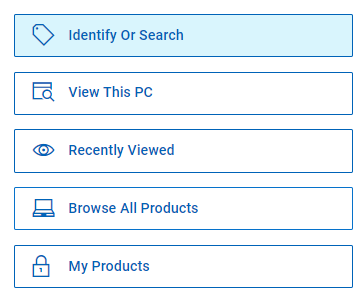
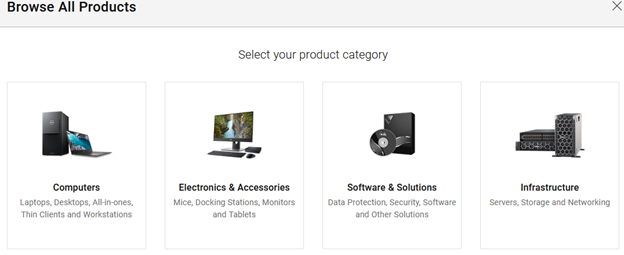
- Kliknij pozycję Oprogramowanie i rozwiązania.
- Kliknij Bezpieczeństwo.

- Kliknij Dell Data Security.

- Kliknij Dell Encryption.
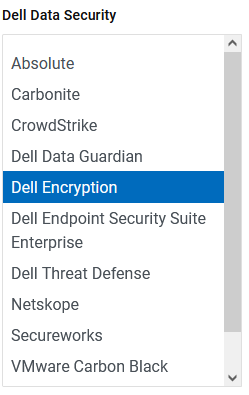
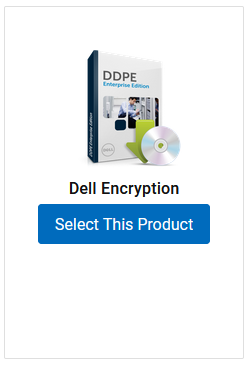
- Kliknij Wybierz ten produkt.
- Kliknij pozycję Sterowniki i pliki do pobrania.

- Z listy rozwijanej System operacyjny wybierz Windows 7 [X-bity], Windows 8 [X-bity], Windows 8.1 [X-bity], Windows 10 [X-bity] lub Windows 11.

- Kliknij przycisk Pobierz znajdujący się po prawej stronie pozycji Dezinstalator programu Dell Data Security.
 Data wydania może być inna niż na powyższym zrzucie ekranu.
Extra informatie
Video's
Getroffen producten
Dell Data Guardian, Dell Encryption, Dell Threat Defense, Dell Endpoint Security Suite Pro, Dell Endpoint Security Suite EnterpriseArtikeleigenschappen
Artikelnummer: 000130754
Artikeltype: How To
Laatst aangepast: 05 aug. 2026
Versie: 15
Vind antwoorden op uw vragen via andere Dell gebruikers
Support Services
Controleer of uw apparaat wordt gedekt door Support Services.