Ladda ner avinstallationsprogrammet Dell Data Security https://www.dell.com/support/article/sln318621/.
Samenvatting: Läs om hur du hämtar avinstallationsprogrammet Dell Data Security genom att följa de här instruktionerna.
Dit artikel is van toepassing op
Dit artikel is niet van toepassing op
Dit artikel is niet gebonden aan een specifiek product.
Niet alle productversies worden in dit artikel vermeld.
Instructies
Obs!
- Produkter som listas som berörda produkter kanske inte är aktiverade. Uppdaterad information om support för en produkt finns i Policy för produktlivscykel (slut på support/slut på livslängd) för Dell Data Security. Om du har några frågor om alternativa artiklar kan du antingen kontakta ditt försäljningsteam eller endpointsecurity@dell.com.
- Mer information om aktuella produkter finns i Endpoint Security.
Med avinstallationsprogrammet Dell Data Security är det en smidig borttagningsmetod för de produkter som påverkas av Dell Data Security (tidigare Dell Data Protection) i listan. Den här artikeln innehåller steg för att hämta avinstallationsprogrammet Dell Data Security för dessa produkter.
Berörda produkter:
- Dell Encryption Enterprise
- Dell Data Protection | Enterprise Edition
- Dell Personal-kryptering
- Dell Data Protection | Mobile Edition
- Dell Encryption External Media
- Dells dataskydd – kryptering av extern media
- Dell Data Guardian
- För Dell Encryption Enterprise Self-Encrypting Drive Manager krävs följande:
- Dell BitLocker Manager kräver:
- Dell Full Disk Encryption
- Dell Data Protection | Secure Lifecycle
- Dell Data Protection | Cloud Encryption
- Dell Endpoint Security Suite Enterprise
- Dell Endpoint Security Suite Pro
- Dell Threat Defense
- Dell Data Protection | Cloud Encryption
- Dell Data Protection | Security Tools
Berörda versioner:
- v8.0.X och senare
Berörda operativsystem:
- Windows
- Öppna en webbläsare och gå till https://dellservices.lightning.force.com/lightning/page/home
- Klicka på Bläddra bland alla produkter.
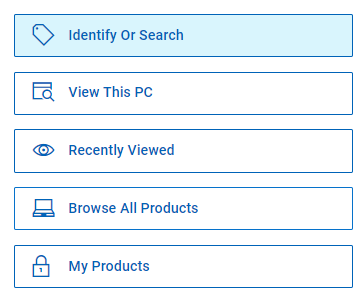
- Klicka på Software & Solutions.
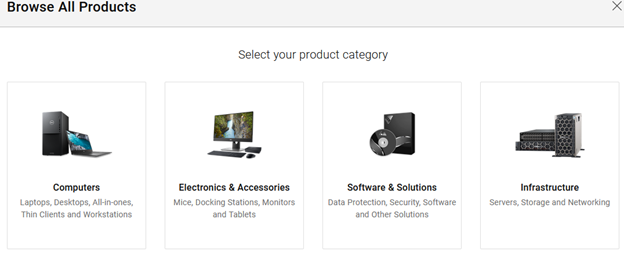
- Klicka på Säkerhet.

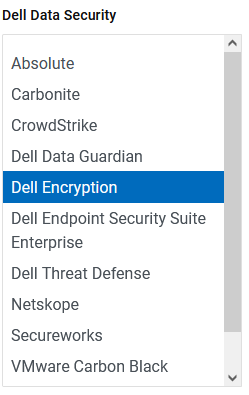
- Klicka på Dell Data Security.

- Klicka på Dell Encryption.
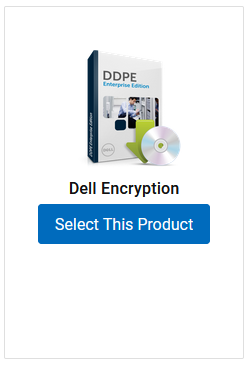
- Klicka på Välj den här produkten.
- Klicka på Drivrutiner och hämtningar.

- I listrutan Operativsystem väljer du Windows 7 [X-bit], Windows 8 [X-bit], Windows 8.1 [X-bit], Windows 10 [X-bit] eller Windows 11.

- Till höger om Dell Data Guardian klickar du på Ladda ner.
 Versionsdatumet kan vara ett annat än det som visas i skärmbilden ovan.
Getroffen producten
Dell Data Guardian, Dell Encryption, Dell Threat Defense, Dell Endpoint Security Suite Pro, Dell Endpoint Security Suite EnterpriseArtikeleigenschappen
Artikelnummer: 000130754
Artikeltype: How To
Laatst aangepast: 05 aug. 2026
Versie: 15
Vind antwoorden op uw vragen via andere Dell gebruikers
Support Services
Controleer of uw apparaat wordt gedekt door Support Services.