Jak stáhnout odinstalační program nástroje Dell Data Security
Samenvatting: Podle těchto pokynů zjistíte, jak stáhnout odinstalační program Dell Data Security.
Dit artikel is van toepassing op
Dit artikel is niet van toepassing op
Dit artikel is niet gebonden aan een specifiek product.
Niet alle productversies worden in dit artikel vermeld.
Instructies
Poznámka:
- Produkty uvedené v části Dotčené produkty nemusí být v aktivním stavu. Aktuální informace o podpoře produktu naleznete v článku Zásady životního cyklu produktu (konec podpory/životnosti) nástroje Dell Data Security. Máte-li jakékoli dotazy týkající se alternativních článků, obraťte se na prodejní tým nebo na adresu endpointsecurity@dell.com.
- Další informace o aktuálních produktech naleznete v článku Zabezpečení koncového bodu.
Odinstalační program nástroje Dell Data Security poskytuje zjednodušený způsob odebrání uvedených dotčených produktů softwaru Dell Data Security (dříve Dell Data Protection) v systému Windows. Tento článek obsahuje postup k získání odinstalačního programu nástroje Dell Data Security pro tyto produkty.
Dotčené produkty:
- Dell Encryption Enterprise
- Dell Data Protection | Enterprise Edition
- Dell Encryption Personal
- Dell Data Protection | Personal Edition
- Dell Encryption External Media
- Dell Data Protection | External Media Edition
- Dell Data Guardian
- Dell Encryption Enterprise Self-Encrypting Drive Manager
- Dell BitLocker Manager
- Dell Full Disk Encryption
- Dell Data Protection | Secure Lifecycle
- Dell Data Protection | Cloud Edition
- Dell Endpoint Security Suite Enterprise
- Dell Endpoint Security Suite Pro
- Dell Threat Defense
- Dell Data Protection | Server Edition
- Dell Data Protection | Security Tools
Dotčené verze:
- v8.0.X a novější
Dotčené operační systémy:
- Windows
- Ve webovém prohlížeči přejděte na adresu https://www.dell.com/support/home.
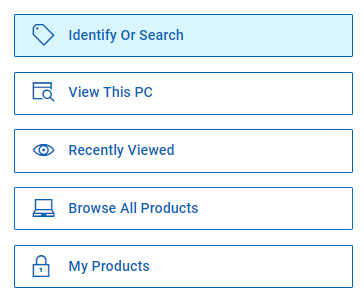
- Klikněte na možnost Procházet nabídku všech produktů.
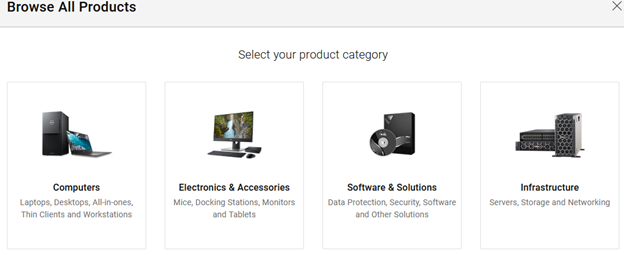
- Klikněte na položku Software a řešení.
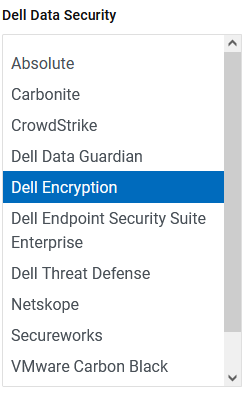
- Klikněte na položku Zabezpečení.

- Klepněte na položku Dell Data Security.

- Klikněte na položku Dell Encryption.
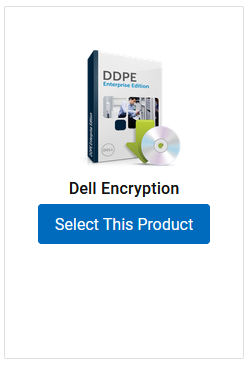
- Klikněte na možnost Vybrat tento produkt.
- Klikněte na možnost Ovladače a soubory ke stažení.

- V rozevíracím seznamu operačního systému vyberte možnost Windows 7 [X-bit], Windows 8 [X-bit], Windows 8.1 [X-bit], Windows 10 [X-bit] nebo Windows 11.

- Vpravo od odinstalačního programu nástroje Dell Data Security klikněte na možnost Stáhnout.
 Datum vydání se může od výše uvedeného snímku obrazovky lišit.
Getroffen producten
Dell Data Guardian, Dell Encryption, Dell Threat Defense, Dell Endpoint Security Suite Pro, Dell Endpoint Security Suite EnterpriseArtikeleigenschappen
Artikelnummer: 000130754
Artikeltype: How To
Laatst aangepast: 05 aug. 2026
Versie: 15
Vind antwoorden op uw vragen via andere Dell gebruikers
Support Services
Controleer of uw apparaat wordt gedekt door Support Services.