How to Get Support for Dell Command Update
Samenvatting: This article covers how to obtain support for Dell Command | Update.
Dit artikel is van toepassing op
Dit artikel is niet van toepassing op
Dit artikel is niet gebonden aan een specifiek product.
Niet alle productversies worden in dit artikel vermeld.
Instructies
Affected Products:
- Dell Command | Update
Dell Command | Update is a one-to-one stand-alone utility that enables a simplified process to manage updates for Dell client computers. With Dell Command | Update, devices can stay-up-to-date and secure with the latest drivers, BIOS, firmware, and applications.
Dell Command | Update provides:
- An easy-to-use UI, which helps to identify, apply, and schedule the required updates for client computers.
- An easy-to-use CLI, which can be used to automate driver installations and updates.
Self-Help Options
Most technical information can be found by referencing the:
Self-Help Options
Most technical information can be found by referencing the Dell Knowledge Base.
To obtain support:
- Go to https://www.dell.com/support/home
- To the right of the page, select Contact Support and then click either:
- Contact Technical Support: If you have a Dell service tag available
- Contact Order Support: If you do not have a Dell service tag, and need assistance gaining access to the software.
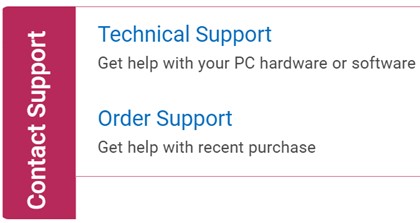
(English Only)
- Click Enter service tag.
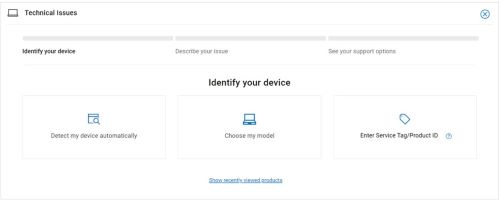
(English Only)
- Type your Service Tag and then click Submit.
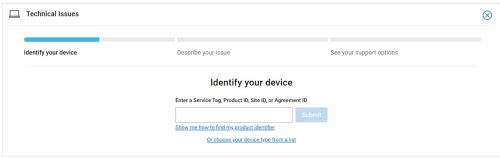
(English Only)
- Confirm your model and Service Tag and click Next.
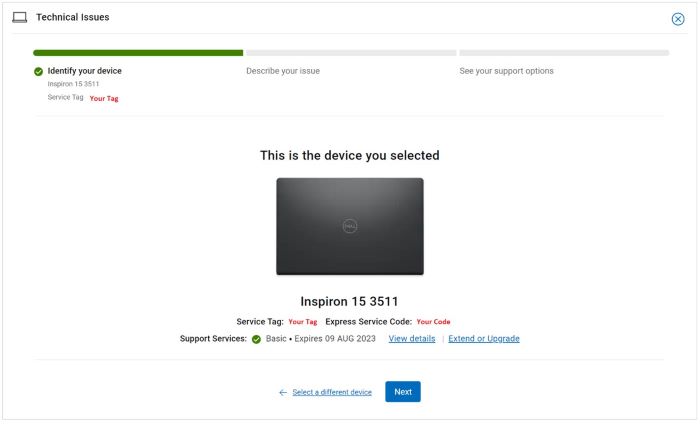
(English Only)
- From the drop-down menu, select Software and 3rd party applications and then click Next.
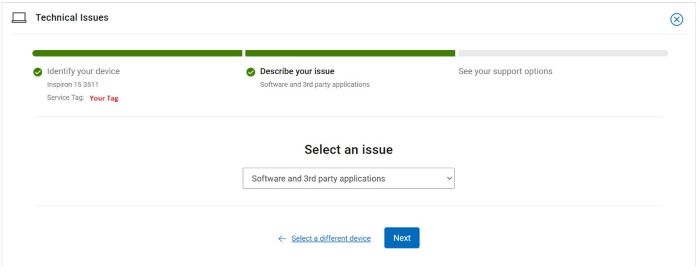
(English Only)
- Select an available contact option.
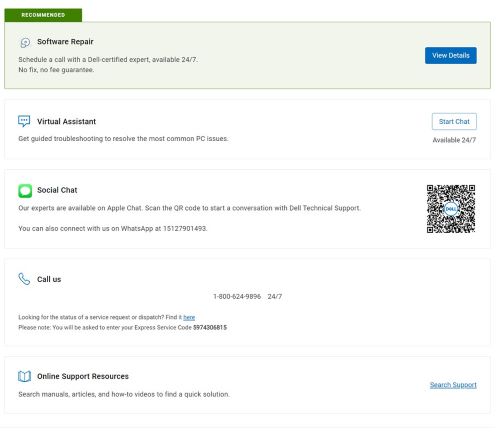
(English Only)
- Type your Order Number and then click Find My Order.
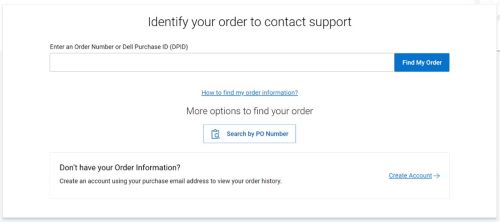
(English Only)
- To the right of the page, click Contact Customer Support.
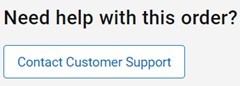
(English Only)
- From the drop-down, select Missing Items.
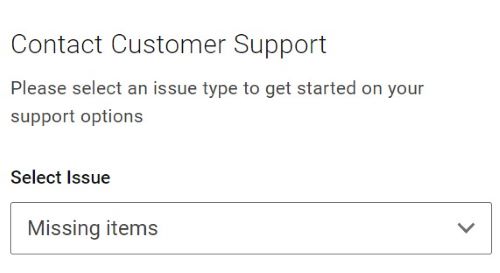
(English Only)
- Select an available contact option.
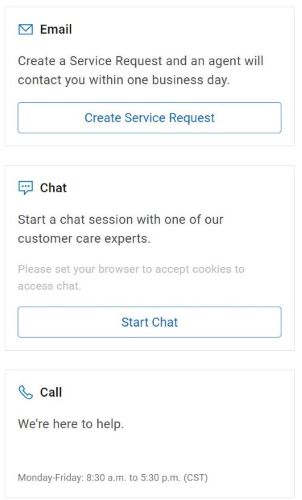
(English Only)
Note:
- Contact options may differ by your region.
- Reference this article (000188829) when contacting technical support.
Getroffen producten
Dell Command | UpdateArtikeleigenschappen
Artikelnummer: 000188829
Artikeltype: How To
Laatst aangepast: 06 okt. 2025
Versie: 17
Vind antwoorden op uw vragen via andere Dell gebruikers
Support Services
Controleer of uw apparaat wordt gedekt door Support Services.