Avamar BMR — como habilitar a depuração no Avamar Bare Metal Recovery Wizard
Samenvatting: O artigo descreve como habilitar a depuração durante a restauração bare metal (BMR) do client Windows.
Dit artikel is van toepassing op
Dit artikel is niet van toepassing op
Dit artikel is niet gebonden aan een specifiek product.
Niet alle productversies worden in dit artikel vermeld.
Instructies
Para habilitar a depuração durante a BMR, adicione o indicador "--debug" duas vezes no Avamar Bare Metal Recovery Wizard.
1. Em Select Server, clique em "Options" e digite --debug (isso ativará o "debug" no avtar)
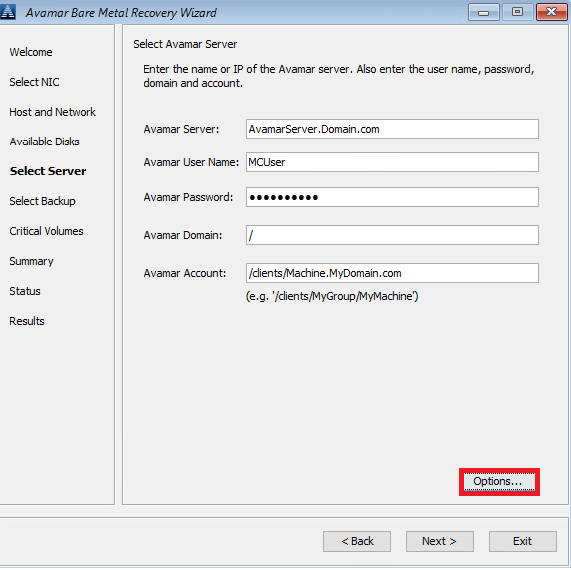
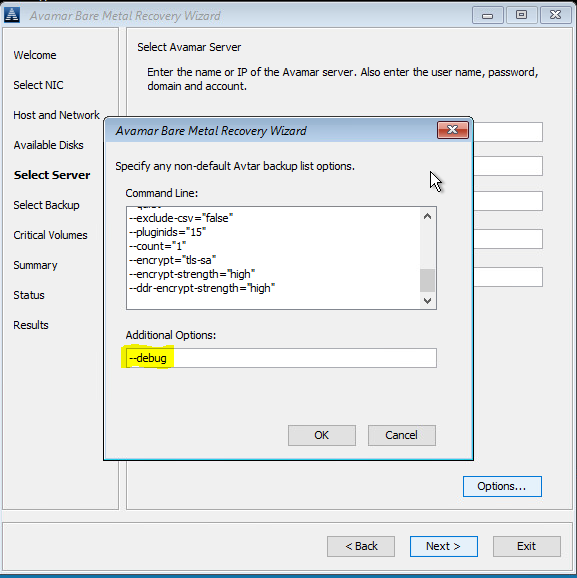
2. Em Summary, clique em "Options" e digite --debug (isso ativará "debug" no avvss)
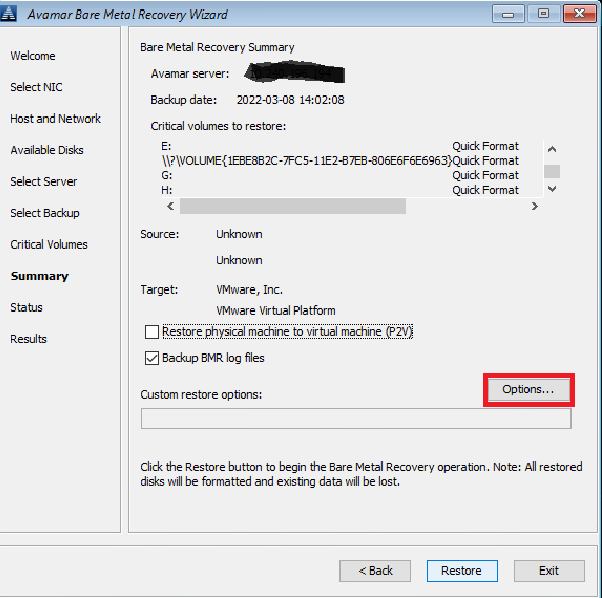
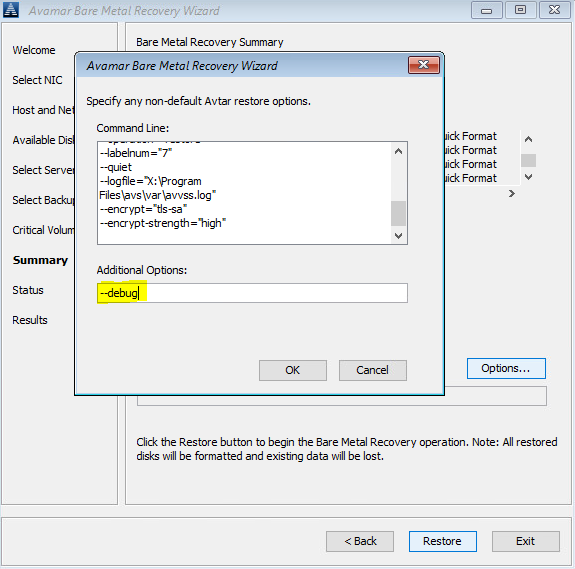
Como alternativa, use uma linha de comando (clique na janela "cmd" atrás do Avamar BMR Wizard) para criar os arquivos avtar.cmd e avvss.cmd na pasta X:\Program Files\avs\var:
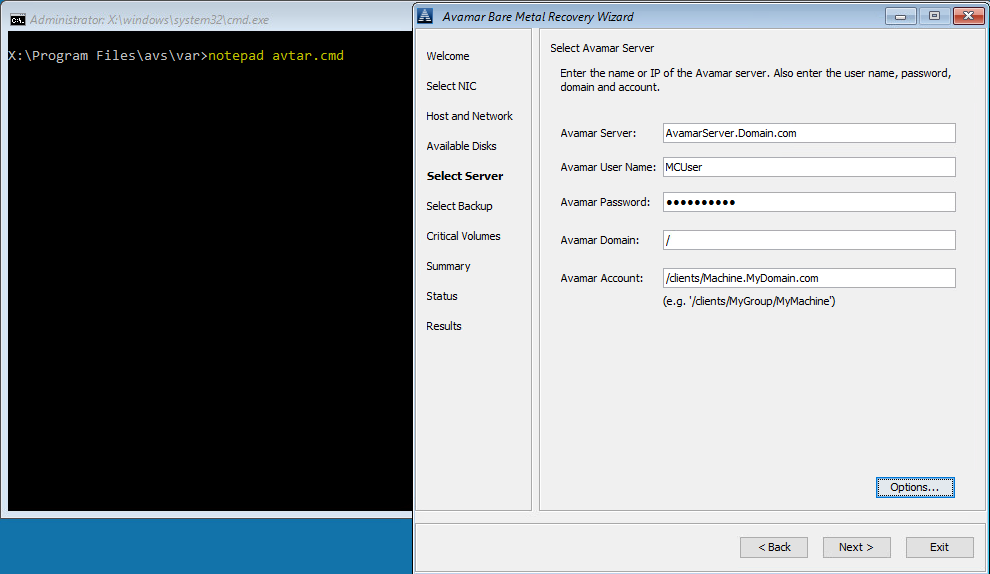
notepad avtar.cmd
adicione o indicador --debug e salve o arquivo.
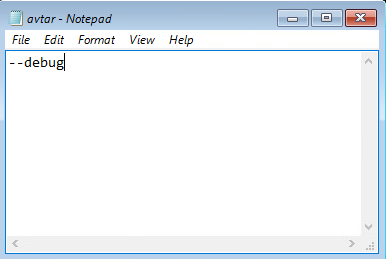
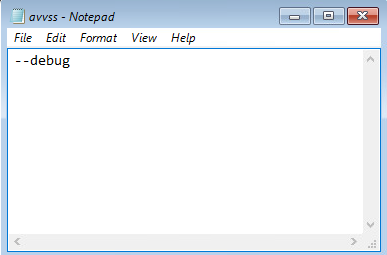
notepad avvss.cmd
adicione o indicador --debug e salve o arquivo.
1. Em Select Server, clique em "Options" e digite --debug (isso ativará o "debug" no avtar)
2. Em Summary, clique em "Options" e digite --debug (isso ativará "debug" no avvss)
Como alternativa, use uma linha de comando (clique na janela "cmd" atrás do Avamar BMR Wizard) para criar os arquivos avtar.cmd e avvss.cmd na pasta X:\Program Files\avs\var:
notepad avtar.cmd
adicione o indicador --debug e salve o arquivo.
notepad avvss.cmd
adicione o indicador --debug e salve o arquivo.
Getroffen producten
AvamarProducten
Avamar Client for WindowsArtikeleigenschappen
Artikelnummer: 000197689
Artikeltype: How To
Laatst aangepast: 13 mei 2026
Versie: 6
Vind antwoorden op uw vragen via andere Dell gebruikers
Support Services
Controleer of uw apparaat wordt gedekt door Support Services.