Dell Unity: Failed to Add Role Mapping for LDAP User When Forest Level Authentication Is Configured
Samenvatting: Customer configured forest level LDAP authentication on Unity for UI management. The LDAP connection was verified OK, but customer was unable to add role mapping for LDAP users. (User Correctable) ...
Dit artikel is van toepassing op
Dit artikel is niet van toepassing op
Dit artikel is niet gebonden aan een specifiek product.
Niet alle productversies worden in dit artikel vermeld.
Symptomen
Customer configured forest level LDAP authentication on LDAP server port 3268 for Unisphere management. Customer followed the Security Configuration Guide to specify userPrincipalName in the User ID Attribute field in the Advanced window.
Dell EMC Unity Family Security Configuration Guide (delltechnologies.com)
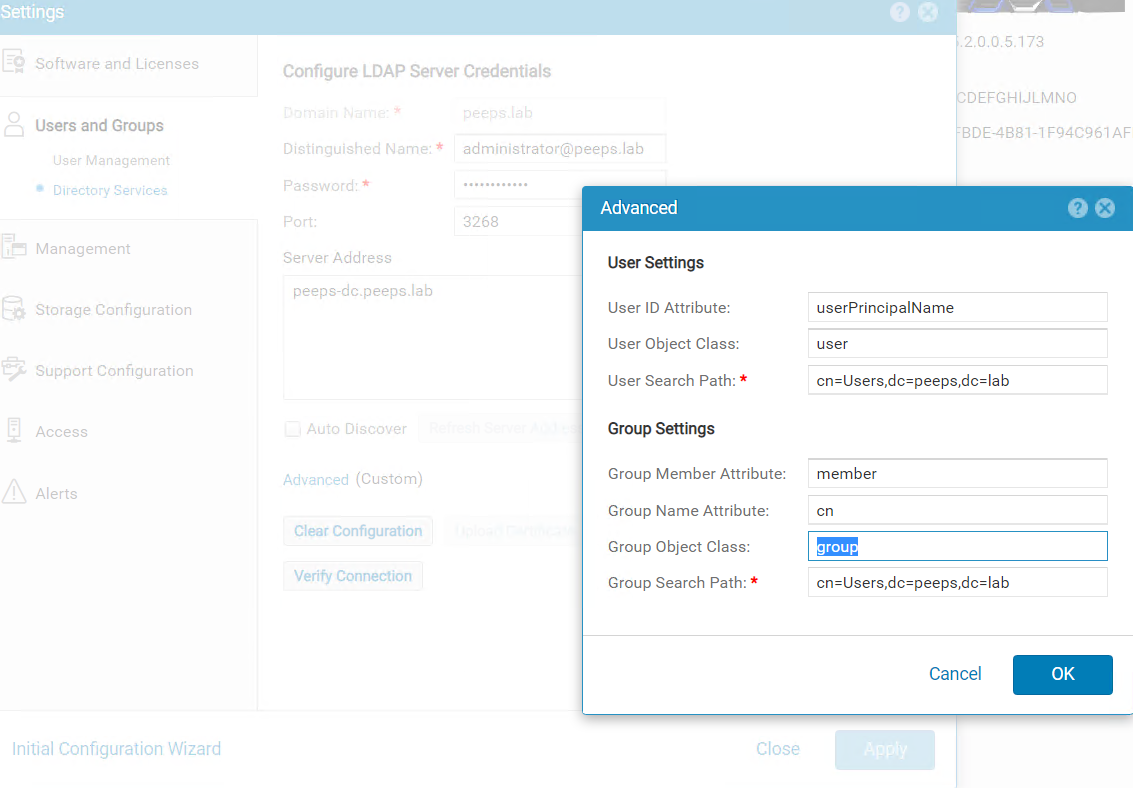
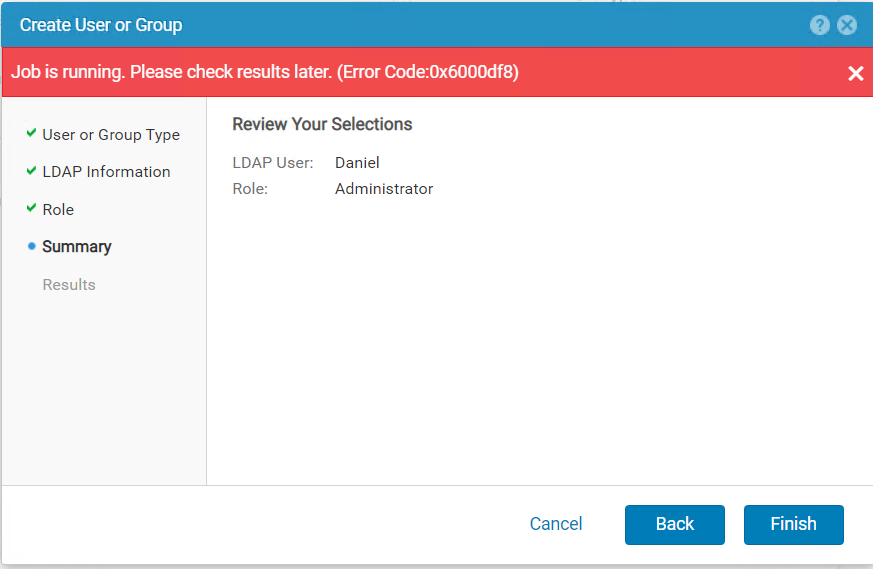
When trying to add LDAP user in Users and Groups --> User Management --> Manage Users & Groups, the following errors were received.
Oorzaak
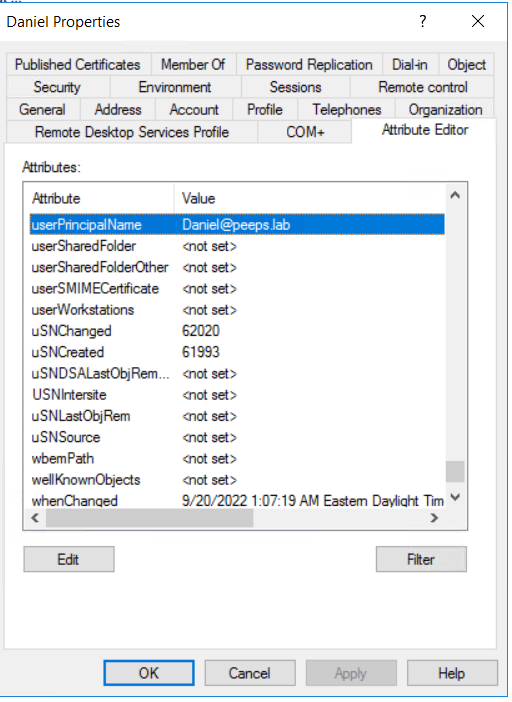
When forest level LDAP authentication is configured, the username of the LDAP user for role mapping should be configured in the format of <username>@<domain> which is exactly the userPincipalName that customer configures for the user in the LDAP server.
Oplossing
If the Windows domain controller is the LDAP server, the userPrincipalName can be retried from user's properties using Active Directory Users and Computers.
Note: The Advanced Features in View tab must be enabled to show the Attribute Editor of the user.
Getroffen producten
Dell EMC UnityArtikeleigenschappen
Artikelnummer: 000203550
Artikeltype: Solution
Laatst aangepast: 03 jun. 2026
Versie: 5
Vind antwoorden op uw vragen via andere Dell gebruikers
Support Services
Controleer of uw apparaat wordt gedekt door Support Services.