Gateway de conexión segura: No se puede acceder al switch Connectrix Cisco MDS
Samenvatting: En este artículo, se explica cómo resolver un error cuando se intenta conectarse al switch de forma remota mediante Secure Connect Gateway (SCG): Error: No se pudo iniciar el soporte remoto debido a problemas de conectividad desde el gateway. ...
Dit artikel is van toepassing op
Dit artikel is niet van toepassing op
Dit artikel is niet gebonden aan een specifiek product.
Niet alle productversies worden in dit artikel vermeld.
Instructies
Cuando se intenta conectarse al switch de forma remota mediante Secure Connect Gateway (SCG), puede aparecer este error:
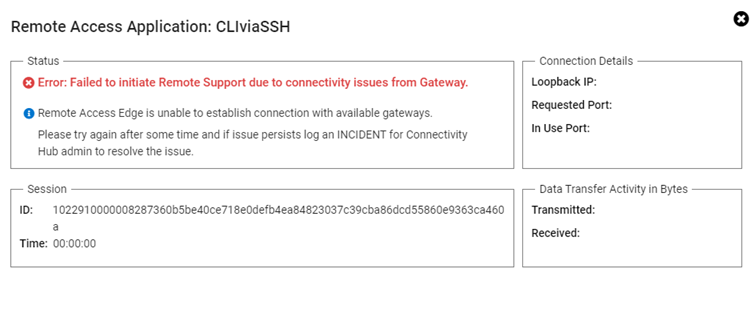
Error: Failed to initiate Remote support due to connectivity issues from the gateway.
Resolución:
Realice los siguientes pasos:
- Inicie sesión en la página de la interfaz de usuario de SCG (gateway de conexión segura) con credenciales de administrador.
- En la pestaña superior derecha, elija Prueba de conectividad.
- A continuación, haga clic en Probar la conexión.
- Si todos están en verde, reinicie la máquina virtual de SCG (esto resuelve el problema).
- Si el mismo problema persiste y todas las pruebas tienen una marca verde, comuníquese con el soporte de Dell.
Getroffen producten
Secure Connect GatewayProducten
Secure Connect Gateway, EMC Secure Remote ServicesArtikeleigenschappen
Artikelnummer: 000212403
Artikeltype: How To
Laatst aangepast: 21 nov. 2025
Versie: 4
Vind antwoorden op uw vragen via andere Dell gebruikers
Support Services
Controleer of uw apparaat wordt gedekt door Support Services.