VxRail: Deploying a vLCM Enabled Cluster Failed at Dry-run Validation
Samenvatting: vSphere Lifecycle Management (vLCM) cluster validation fails with “invalid vCenter root credential” if the vCenter password contains “ ” or “$”. The error is caused by a issue mishandling characters. ...
Dit artikel is van toepassing op
Dit artikel is niet van toepassing op
Dit artikel is niet gebonden aan een specifiek product.
Niet alle productversies worden in dit artikel vermeld.
Symptomen
Deploy vLCM enabled cluster, the first run fails at dry-run validation due to error:
The provided customer-managed VMware vCenter Server root credential for vLCM enabled cluster is invalid
Check the provided vCenter password can log in to vCenter, and it contains special characters like "!" Or "$"
Oorzaak
There is a code issue while handling a special character sequence in vCenter credentials.
VxRail 8.0.000 and above versions are impacted.
Oplossing
VxRail has fixed this issue in its 8.0.200 release.
For the impacted releases, perform below workaround.
-
Change the vCenter password to a simple password. Ensure that the password should not contain special characters which are used in shell commands or syntax (for example: "!", "$")
- Log in to vCenter VAMI UI as root user.
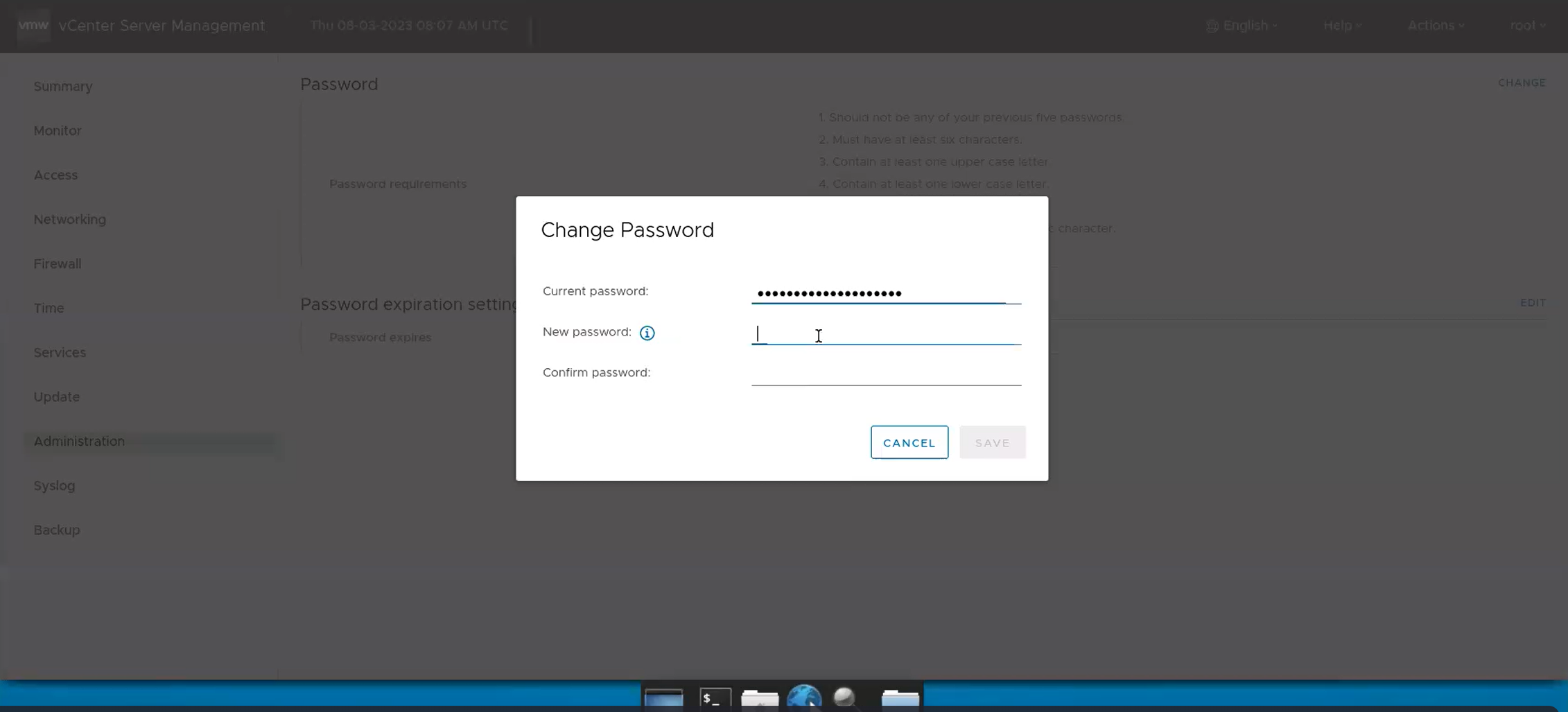
- Navigate Administration → Password → click 'Change'.
- In the Change Password pop-up, enter Current password, New password and Save
-
Retry VxRail first run validation.
Getroffen producten
VxRail, VxRail Appliance Series, VxRail SoftwareArtikeleigenschappen
Artikelnummer: 000216644
Artikeltype: Solution
Laatst aangepast: 27 jul. 2026
Versie: 6
Vind antwoorden op uw vragen via andere Dell gebruikers
Support Services
Controleer of uw apparaat wordt gedekt door Support Services.