Data Domain: How to change the sync alert threshold
Samenvatting: This article explains how to change the sync alert threshold using the command line. By default, the sync alert threshold is set to 24 hours. However, based on specific requirements, it may need to be adjusted for a particular mtree to prevent the error: “Sync-as-of time is more than 24 hours ago.” ...
Dit artikel is van toepassing op
Dit artikel is niet van toepassing op
Dit artikel is niet gebonden aan een specifiek product.
Niet alle productversies worden in dit artikel vermeld.
Instructies
- Use SSH to connect to the PowerProtect Data Domain with the admin privilege.
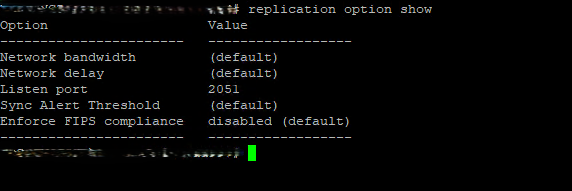
- Run the "replication option show" command to check the sync alert threshold.
- To change the default value to different hours we need to use command "replication option set default-sync-alert-threshold <value>"
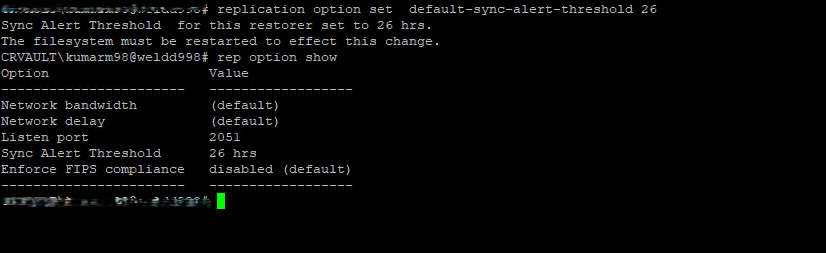
- The filesystem must be restarted to effect this change.
filesys restart
Getroffen producten
Data DomainArtikeleigenschappen
Artikelnummer: 000462922
Artikeltype: How To
Laatst aangepast: 11 mei 2026
Versie: 1
Vind antwoorden op uw vragen via andere Dell gebruikers
Support Services
Controleer of uw apparaat wordt gedekt door Support Services.