PowerStore: Pre-Upgrade Health Check (PUHC) Configured NVMe/TCP IO Queue Per Node Exceed Recommended Limit
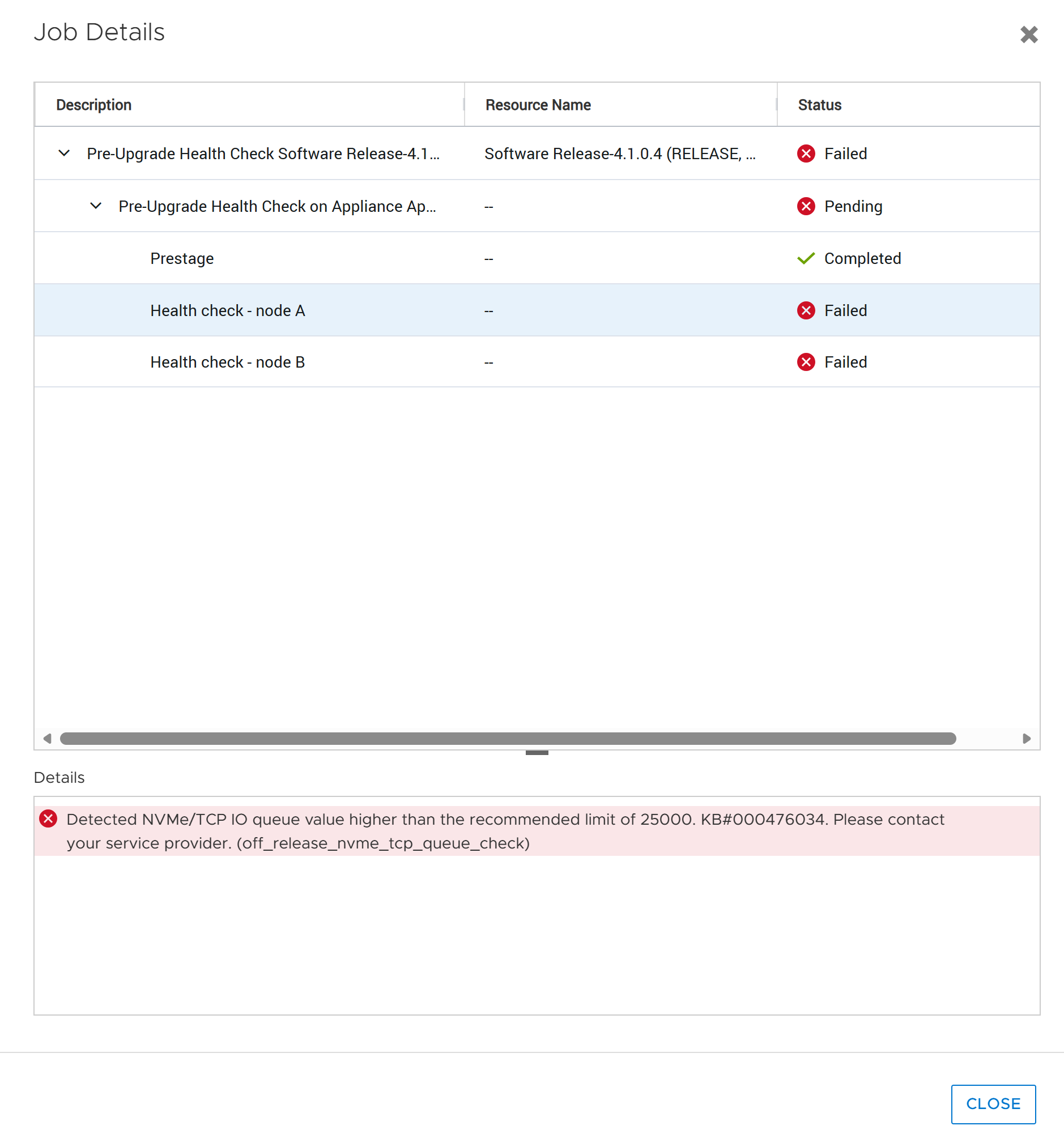
Samenvatting: This health check validates that the configured NVMe/TCP I/O queue count is within the recommended limit for upgrade readiness. The check compares the current NVMe/TCP I/O queue count against the recommended maximum of 25,000 queues. ...
Dit artikel is van toepassing op
Dit artikel is niet van toepassing op
Dit artikel is niet gebonden aan een specifiek product.
Niet alle productversies worden in dit artikel vermeld.
Symptomen
High queue counts that significantly exceed 25,000 queues per node can increase the risk of upgrade disruptions and can cause temporary service availability issues in environments using NVMe/TCP connectivity.
The health check result is reported as Failed when the detected queue count exceeds 25,000.
Oorzaak
An internal software module may unexpectedly restart during the NVMe/TCP controller cleanup process in the Non-Disruptive Upgrade (NDU) workflow, resulting in NDU failure
Please refer to KB#000221927 PowerStore: NDU might fail due to large-scale NVMe/TCP connect host environment for additional details
Oplossing
- Review the NVMe/TCP environment and determine whether the total configured NVMe/TCP I/O queue count exceeds the recommended limit of 25,000.
- If the queue count exceeds the recommended threshold, reduce the number of NVMe/TCP I/O queues by following the applicable host operating system and NVMe/TCP configuration guidelines.
- After the configuration changes have been applied, allow the changes to take effect and rerun the health check to verify that the queue count is within the recommended range.
Contact Dell Technical Support for additional assistnace and reference KB#000476034
Extra informatie
References:
KB#000221927 PowerStore: NDU might fail due to large-scale NVMe/TCP connect host environment
KB#000214752 PowerStore: Landing Page for In-Market off-release System Health Checks
Getroffen producten
PowerStoreArtikeleigenschappen
Artikelnummer: 000476034
Artikeltype: Solution
Laatst aangepast: 24 jul. 2026
Versie: 1
Vind antwoorden op uw vragen via andere Dell gebruikers
Support Services
Controleer of uw apparaat wordt gedekt door Support Services.