Windows 11 错误操作系统版本报告
Samenvatting: 了解 Windows 11 上的特定应用程序和计算机设置会将操作系统检测为 Windows 10。
Dit artikel is van toepassing op
Dit artikel is niet van toepassing op
Dit artikel is niet gebonden aan een specifiek product.
Niet alle productversies worden in dit artikel vermeld.
Symptomen
在多个应用程序和计算机设置中,Windows 11 被标识为 Windows 10,以防止应用程序不兼容。
标识为 Windows 10 的系统设置。
- Microsoft Edge 和其他基于 Chromium 的浏览器(如 Google Chrome 浏览器、Brave 等)在用户代理字符串中显示 Windows 10。
- Mozilla/5.0(Windows NT 10.0;Win64;x64)AppleWebKit/537.36(KHTML,如 Gecko)Chrome/95.0.4638.69 Safari/537.36
- 如果网站使用用户代理字符串标识数字内容(如驱动程序下载和自助)的实际 Windows 版本,可能会导致内容不正确。
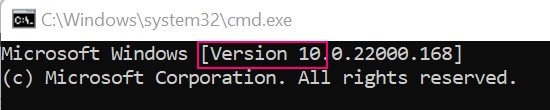
- Windows 命令提示符标识为版本 10。
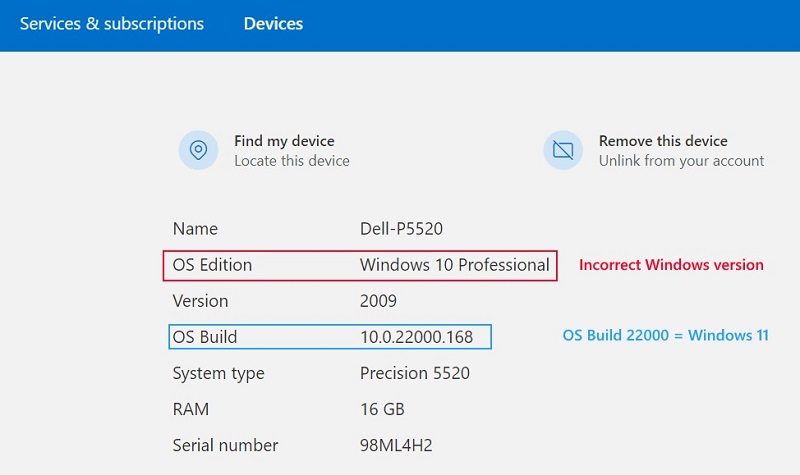
- Microsoft 帐户设备属性
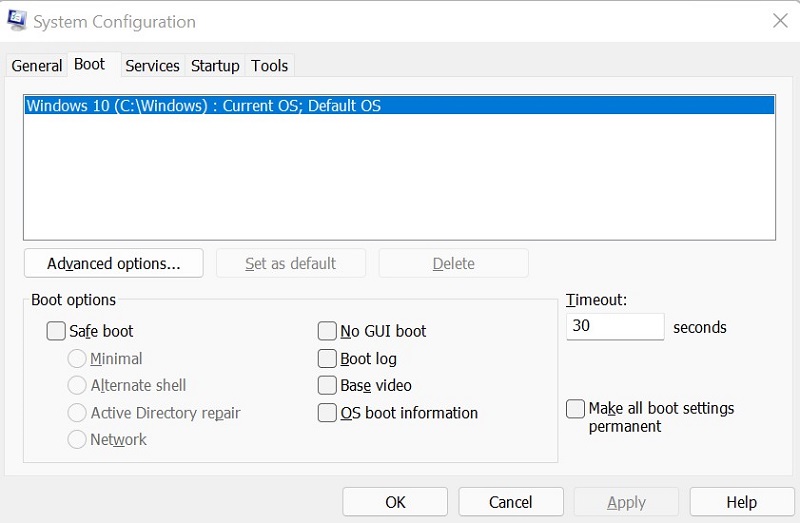
- 系统配置 (MSCONFIG)
Oorzaak
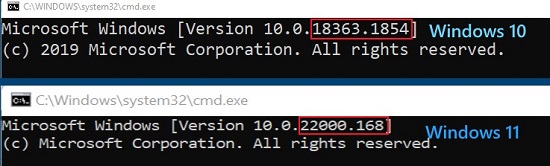
Windows 使用内部内部版本号来区分 Windows 11(内部版本 22000 及更高版本)和 Windows 10(内部版本低于 22000)。
Oplossing
要正确识别计算机上的 Windows 版本,请使用 Winver。有关说明,请参阅 Microsoft 知识库文章:我运行的是哪个版本的 Windows 操作系统
Getroffen producten
Alienware, Inspiron, OptiPlex, Vostro, XPS, G Series, G Series, Alienware, Inspiron, Latitude, Vostro, XPS, Fixed Workstations, Mobile WorkstationsProducten
Vostro, XPS, Vostro, XPSArtikeleigenschappen
Artikelnummer: 000193571
Artikeltype: Solution
Laatst aangepast: 12 mei 2026
Versie: 8
Vind antwoorden op uw vragen via andere Dell gebruikers
Support Services
Controleer of uw apparaat wordt gedekt door Support Services.