Como criar um grupo de sensores do VMware Carbon Black Cloud Endpoint
Resumo: Aprenda instruções passo a passo sobre como configurar um grupo de sensores para o VMware Carbon Black Cloud Endpoint seguindo estas instruções.
Este artigo aplica-se a
Este artigo não se aplica a
Este artigo não está vinculado a nenhum produto específico.
Nem todas as versões do produto estão identificadas neste artigo.
Instruções
Este artigo aborda como criar um grupo de sensores do VMware Carbon Black Cloud Endpoint no VMware Carbon Black Cloud.
Produtos afetados:
- VMware Carbon Black Cloud Endpoint
Sistemas operacionais afetados:
- Windows
- Mac
- Linux
Integração do VMware Carbon Black – Parte 3: Políticas e grupos
Duração: 03:37
Legendas: Disponível em vários idiomas
- Em um navegador da Web, acesse [REGION].conferdeploy.net.
Nota: [REGION] = região do grupo de usuários
- Américas = https://defense-prod05.conferdeploy.net/
- Europe = https://defense-eu.conferdeploy.net/
- Ásia-Pacífico = https://defense-prodnrt.conferdeploy.net/
- Austrália e Nova Zelândia: https://defense-prodsyd.conferdeploy.net
- Américas = https://defense-prod05.conferdeploy.net/
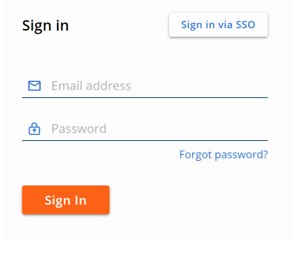
- Faça login no VMware Carbon Black Cloud.
- No painel do menu à esquerda, clique em ENDPOINTS.
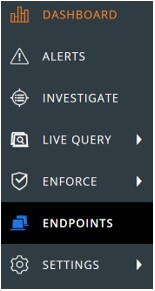 Nota: o layout do exemplo pode ser um pouco diferente de seu ambiente.
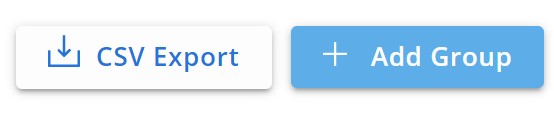
 - No canto superior direito, clique em Adicionar grupo.
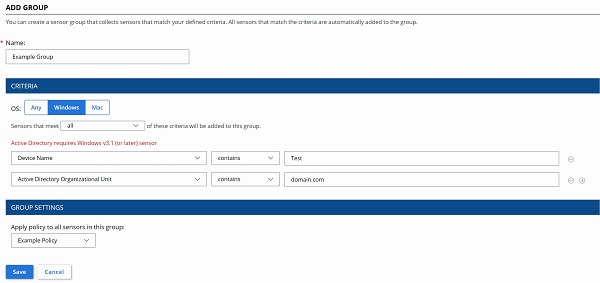
- No menu Adicionar grupo :
- Preencha o nome do grupo.
- Clique no sistema operacional do dispositivo apropriado.
- Selecione os critérios para os dispositivos.
- Selecione se todos os critérios ou alguns critérios deverão ser atendidos para os dispositivos a serem adicionados.
- Clique para aplicar a política ao grupo de sensores.
- Clique em Save.
 Nota:
Nota:- Os dispositivos que atenderem aos critérios serão preenchidos automaticamente após dois minutos.
- Os dispositivos que modificam seus critérios para corresponder ao grupo de sensores são preenchidos após o próximo check-in.
- Como opção, clique em Reorder Groups para alterar a precedência dos grupos de sensores.
 Nota:
Nota:- O grupo de sensores superior mantém a precedência mais alta.
- Os dispositivos que atendem a vários critérios de grupos de sensores se associam ao grupo com a precedência mais alta.
- Os dispositivos que não atenderem aos critérios serão atribuídos à política padrão.

Para entrar em contato com o suporte, consulte Números de telefone do suporte internacional do Dell Data Security.
Acesse o TechDirect para gerar uma solicitação de suporte técnico on-line.
Para obter insights e recursos adicionais, participe do Fórum da comunidade de segurança da Dell.
Mais informações
Vídeos
Produtos afetados
VMware Carbon BlackPropriedades do artigo
Número do artigo: 000125907
Tipo de artigo: How To
Último modificado: 19 abr. 2026
Versão: 14
Encontre as respostas de outros usuários da Dell para suas perguntas.
Serviços de suporte
Verifique se o dispositivo está coberto pelos serviços de suporte.