PowerFlex 3.6 Clearing Disk Errors in PowerFlex Presentation Server
Resumo: These are the steps for Clearing Disk Errors in the PowerFlex Presentation Server.
Este artigo aplica-se a
Este artigo não se aplica a
Este artigo não está vinculado a nenhum produto específico.
Nem todas as versões do produto estão identificadas neste artigo.
Instruções
Clearing Disk Errors in PowerFlex Presentation Server -
1. Log in to the Presentation server and click the 'Alerts' tab on the left side of the user interface. This shows you the drives that are showing errors. Next, click on the drive that has an error. If multiple drives are listed, then you will have to go back and repeat this step to clear the next drive error.

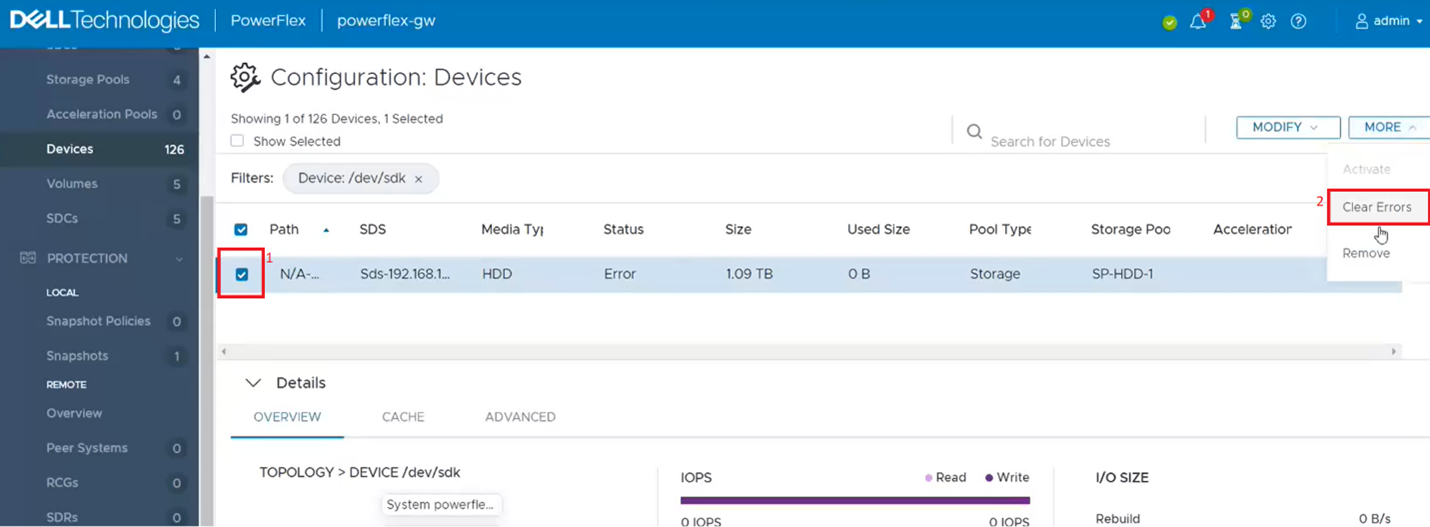
2. This filters out the single dive from the devices list. Click on the singled drive check box (1) and then from the 'More' menu, click on clear errors (2).
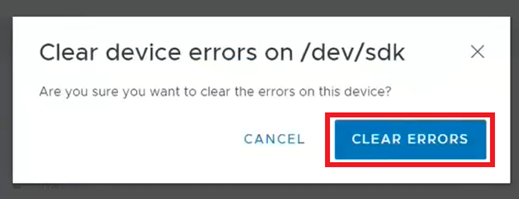
3. On the pop-up box click on clear errors.
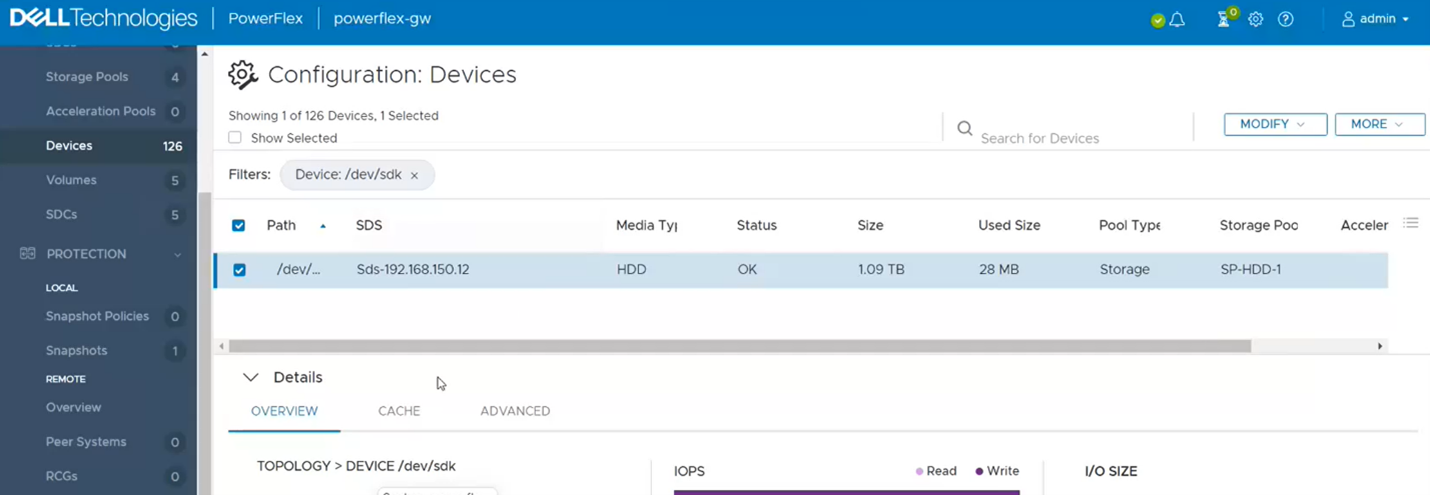
4. It should now show as OK.
5. If you go back to the Alerts sections, it should be now clear. If not, repeat the above steps for any other drives that show as errored.

6. One last step to take is to go back to PowerFlex Manager and run an inventory on the gateway to verify whether it shows healthy.

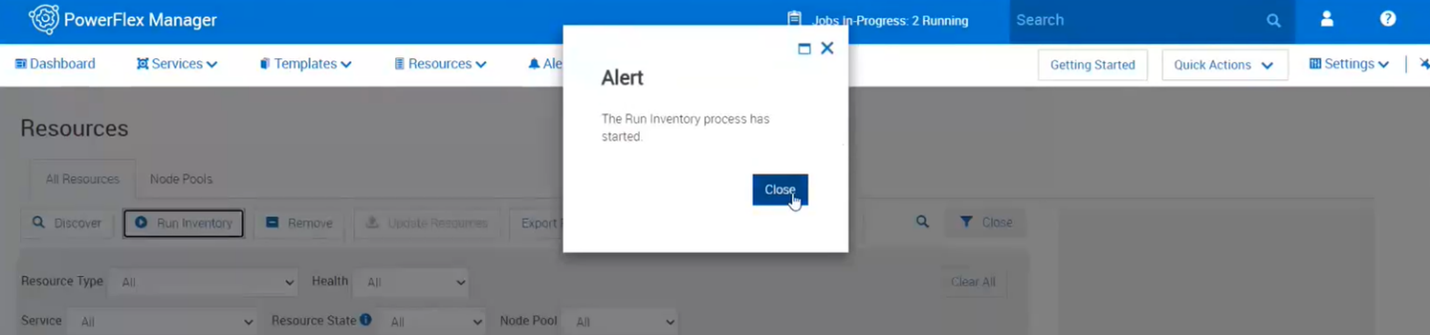
7. Near the top, click on run inventory.

8. Close the box and click on the job. Wait for it to complete.
9. Monitor the Resources in PowerFlex Manager and the alerts in the Presentation Server to see if the error comes returns.
Mais informações
For PowerFlex 4.X see KB https://www.dell.com/support/kbdoc/000256801
Produtos afetados
PowerFlex rack HWPropriedades do artigo
Número do artigo: 000213016
Tipo de artigo: How To
Último modificado: 05 dez. 2024
Versão: 4
Encontre as respostas de outros usuários da Dell para suas perguntas.
Serviços de suporte
Verifique se o dispositivo está coberto pelos serviços de suporte.