Dell Unity: Hoe SSH in- en uit te schakelen
Resumo: In dit artikel worden meerdere manieren beschreven voor het in- en uitschakelen van SSH op Dell Unity arrays.
Este artigo aplica-se a
Este artigo não se aplica a
Este artigo não está vinculado a nenhum produto específico.
Nem todas as versões do produto estão identificadas neste artigo.
Instruções
METHODE 1: Van Unisphere (UI) - wanneer de array zich in de normale modus bevindt
Om het volgende in te schakelen:
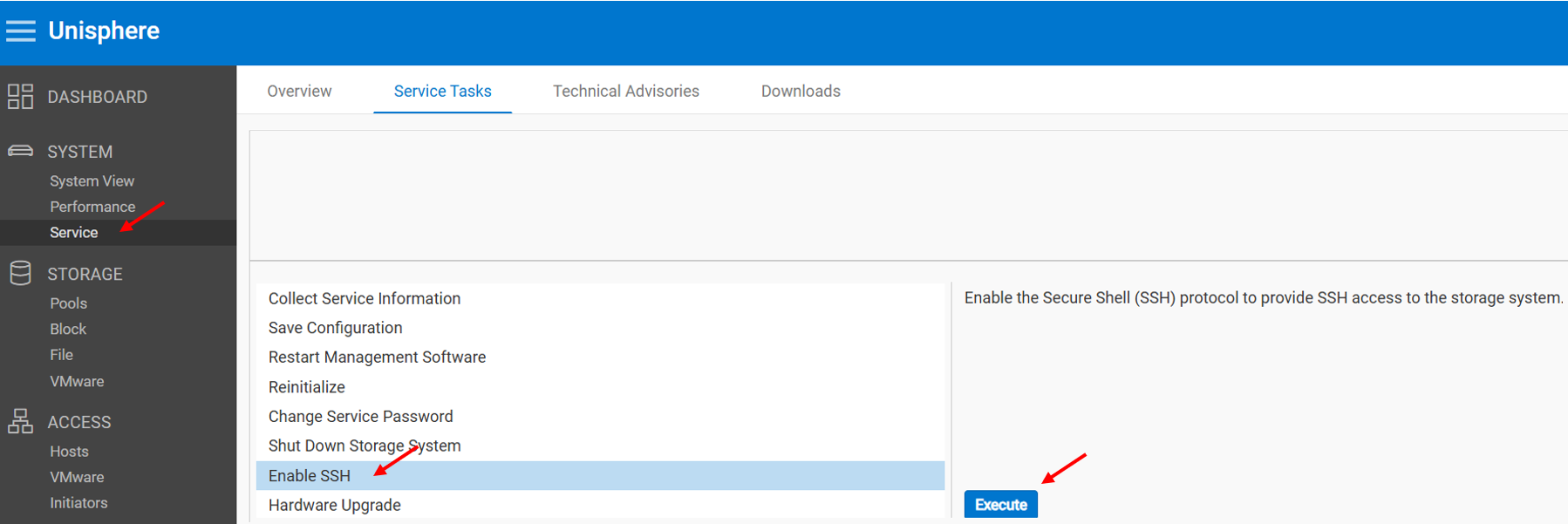
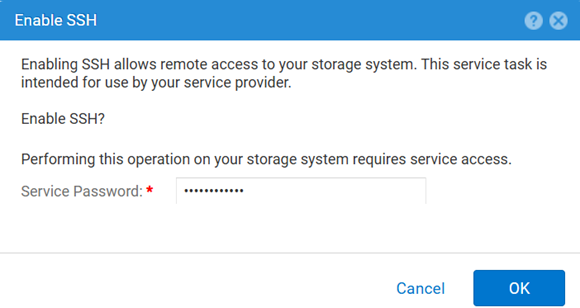
U schakelt het volgende uit:
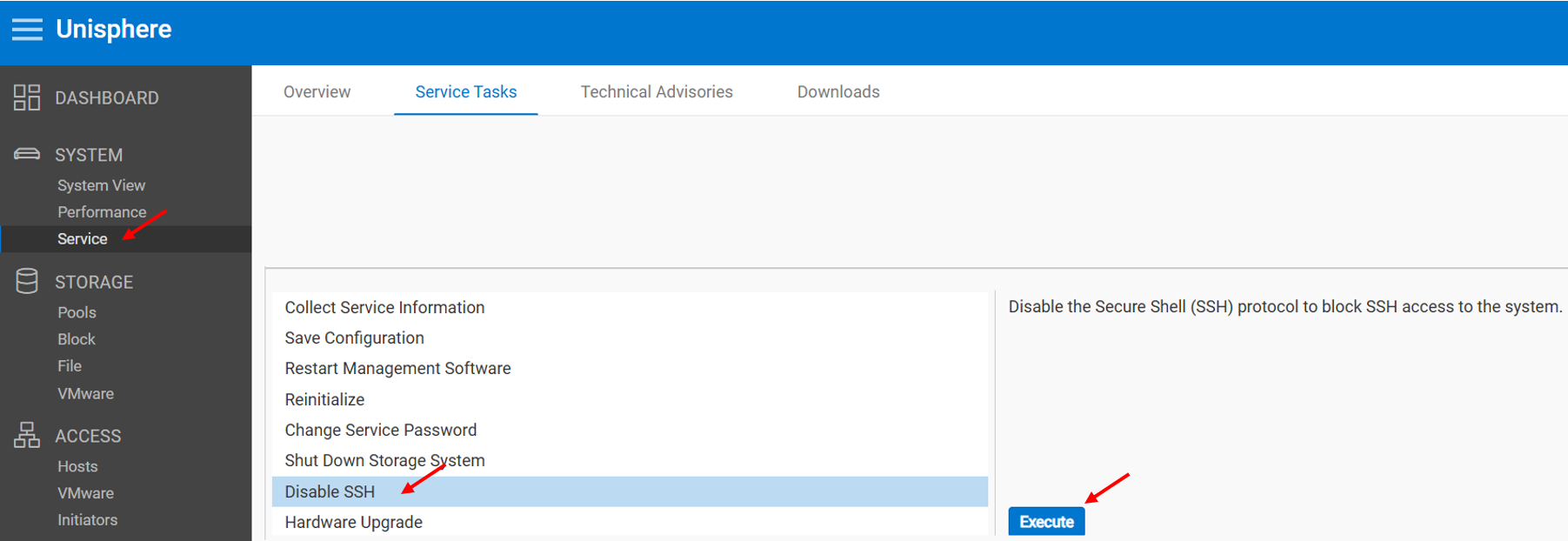
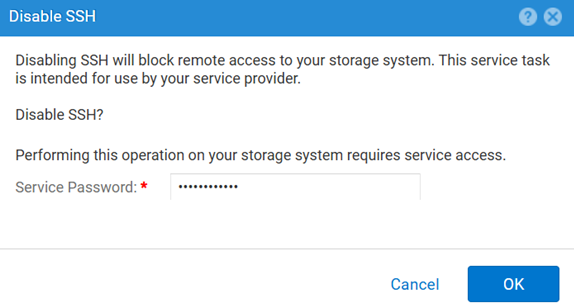
METHODE 2: UEMCLI
De SSH-instelling bekijken:
uemcli.exe -d <MGMT IP> -u admin -securePassword /service/ssh showSSH inschakelen:
uemcli.exe -d <MGMT IP> -u admin -securePassword /service/ssh set -enabled yesSSH uitschakelen:
uemcli.exe -d <MGMT IP> -u admin -securePassword /service/ssh set -enabled noMETHODE 3: Met een IPMI Verbinding
Als u de SSH Status:
svc_ssh -sOm in te schakelen SSH:
svc_ssh -eOm uit te schakelen SSH:
svc_ssh -d
METHODE 4: Van Unisphere Service (UI) - wanneer de array zich in de servicemodus bevindt
1. Open een browser.
2. Ga naar: https://<management_IP>/service.html
3. Gebruik de admin Referenties.
4. In dit menu SSH kan worden ingeschakeld.
Mais informações
Andere nuttige artikelen bij het oplossen van SSH-gerelateerde problemen:
Produtos afetados
Dell EMC Unity, Dell Unity 450F DC, Dell Unity 300, Dell Unity 300 DC, Dell EMC Unity 300F, Dell EMC Unity 350F, Dell Unity 350F DC, Dell EMC Unity XT 380, Dell EMC Unity XT 380F, Dell EMC Unity 400, Dell Unity 400 DC, Dell EMC Unity 400F
, Dell EMC Unity 450F, Dell EMC Unity XT 480, Dell EMC Unity XT 480F, Dell EMC Unity 500, Dell EMC Unity 500F, Dell EMC Unity 550F, Dell EMC Unity 600, Dell EMC Unity 600F, Dell EMC Unity 650F, Dell EMC Unity XT 680, Dell EMC Unity XT 680F, Dell EMC Unity XT 880, Dell EMC Unity XT 880F, Dell EMC Unity Family |Dell EMC Unity All Flash, Dell EMC Unity Hybrid
...
Produtos
Dell Command | ConfigurePropriedades do artigo
Número do artigo: 000446216
Tipo de artigo: How To
Último modificado: 15 abr. 2026
Versão: 1
Encontre as respostas de outros usuários da Dell para suas perguntas.
Serviços de suporte
Verifique se o dispositivo está coberto pelos serviços de suporte.