Dell Unity: SSH'yi etkinleştirme ve devre dışı bırakma
Resumo: Bu makalede, Dell Unity dizilerinde SSH'yi etkinleştirmenin ve devre dışı bırakmanın çeşitli yolları açıklanmaktadır.
Este artigo aplica-se a
Este artigo não se aplica a
Este artigo não está vinculado a nenhum produto específico.
Nem todas as versões do produto estão identificadas neste artigo.
Instruções
YÖNTEM 1: Unisphere'den (UI): Dizi normal moddayken
Etkinleştirmek için:
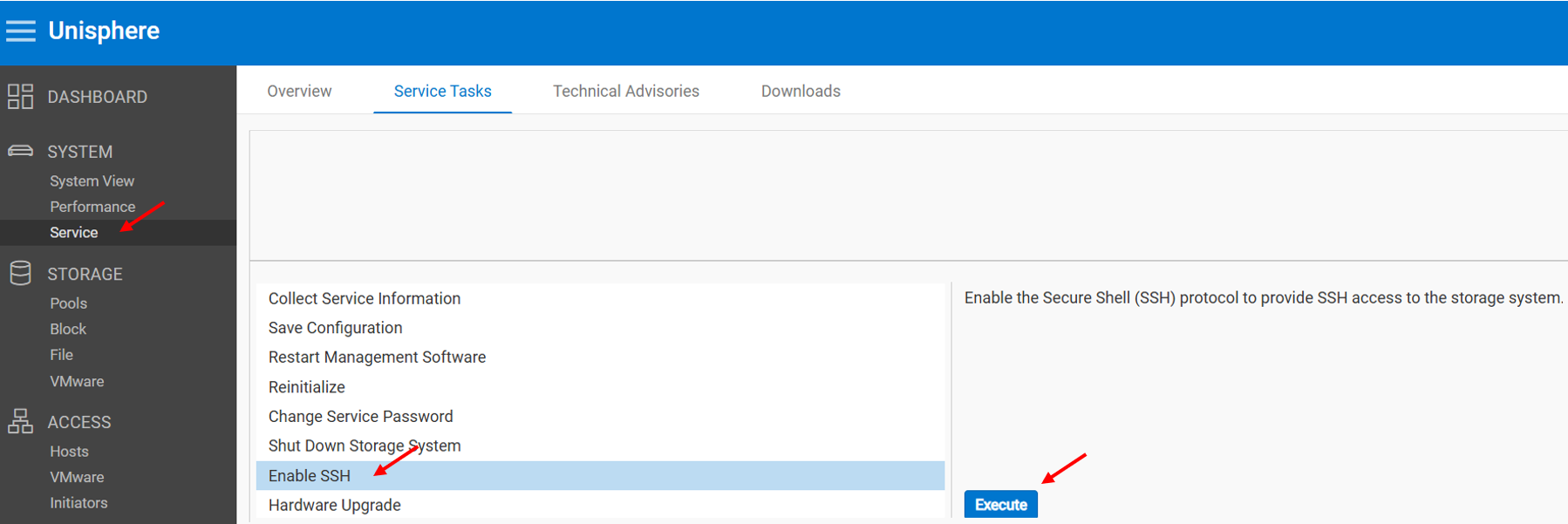
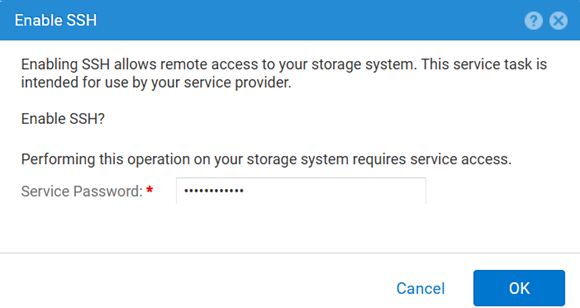
Devre dışı bırakmak için:
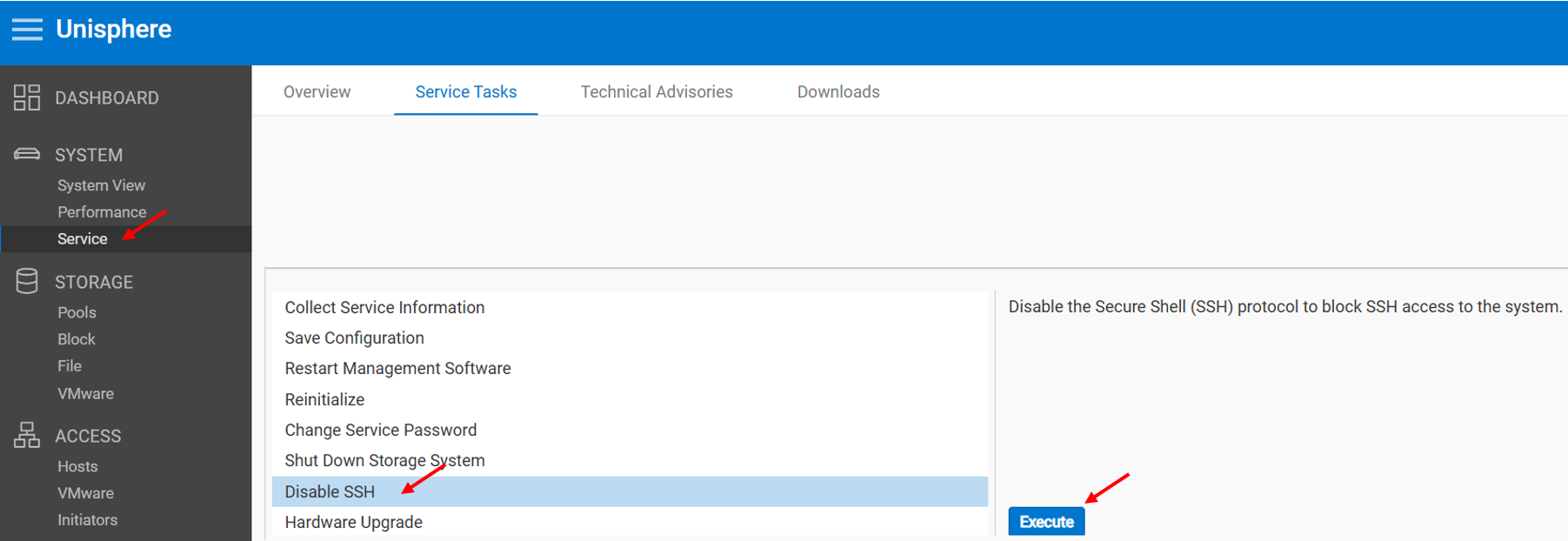
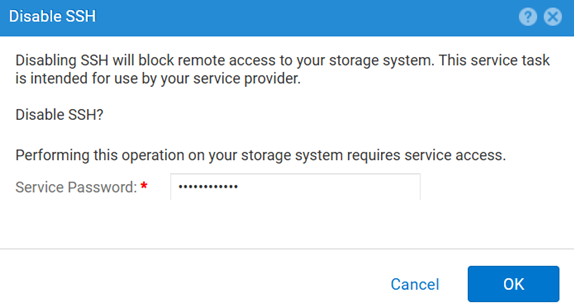
YÖNTEM 2: UEMCLI
SSH ayarını görüntülemek için:
uemcli.exe -d <MGMT IP> -u admin -securePassword /service/ssh showSSH'yi etkinleştirmek için:
uemcli.exe -d <MGMT IP> -u admin -securePassword /service/ssh set -enabled yesSSH'yi devre dışı bırakmak için:
uemcli.exe -d <MGMT IP> -u admin -securePassword /service/ssh set -enabled noYÖNTEM 3: Bir IPMI Bağlantı
Görüntülemek için SSH Durum:
svc_ssh -sEtkinleştirmek için SSH:
svc_ssh -eDevre dışı bırakmak için SSH:
svc_ssh -d
4. YÖNTEM: Unisphere Service'ten (UI) - dizi servis modundayken
1. Bir tarayıcı açın.
2. Şu adrese gidin: https://<management_IP>/service.html
3. Video (Video) öğesini vurgulamak için admin Kimlik bilgi -leri.
4. Bu menüden SSH etkinleştirilebilir.
Mais informações
SSH ile ilgili sorunları giderirken diğer faydalı makaleler:
Produtos afetados
Dell EMC Unity, Dell Unity 450F DC, Dell Unity 300, Dell Unity 300 DC, Dell EMC Unity 300F, Dell EMC Unity 350F, Dell Unity 350F DC, Dell EMC Unity XT 380, Dell EMC Unity XT 380F, Dell EMC Unity 400, Dell Unity 400 DC, Dell EMC Unity 400F
, Dell EMC Unity 450F, Dell EMC Unity XT 480, Dell EMC Unity XT 480F, Dell EMC Unity 500, Dell EMC Unity 500F, Dell EMC Unity 550F, Dell EMC Unity 600, Dell EMC Unity 600F, Dell EMC Unity 650F, Dell EMC Unity XT 680, Dell EMC Unity XT 680F, Dell EMC Unity XT 880, Dell EMC Unity XT 880F, Dell EMC Unity Family |Dell EMC Unity All Flash, Dell EMC Unity Hybrid
...
Produtos
Dell Command | ConfigurePropriedades do artigo
Número do artigo: 000446216
Tipo de artigo: How To
Último modificado: 15 abr. 2026
Versão: 1
Encontre as respostas de outros usuários da Dell para suas perguntas.
Serviços de suporte
Verifique se o dispositivo está coberto pelos serviços de suporte.