PowerProtect Data Manager: False RootCA Certificate Expiration Alert Banner
Сводка: PowerProtect Data Manager displays an alert banner in the UI warning that a certificate is due to expire in less than 30 days. The certificate has already been renewed and shows a valid expiration date. ...
Симптомы
- The PowerProtect Data Manager UI displays an alert banner stating:
"The certificate on rootCA expires in less than 30 days."

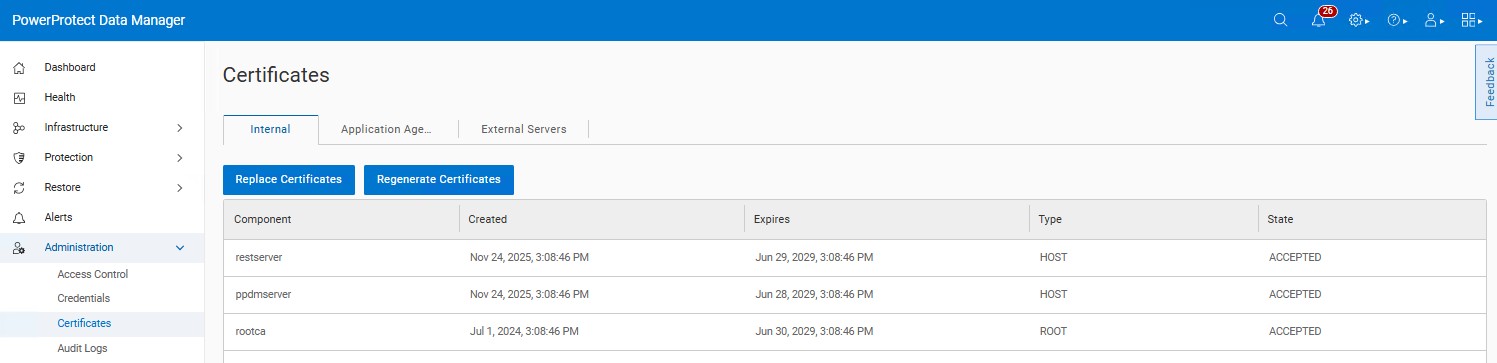
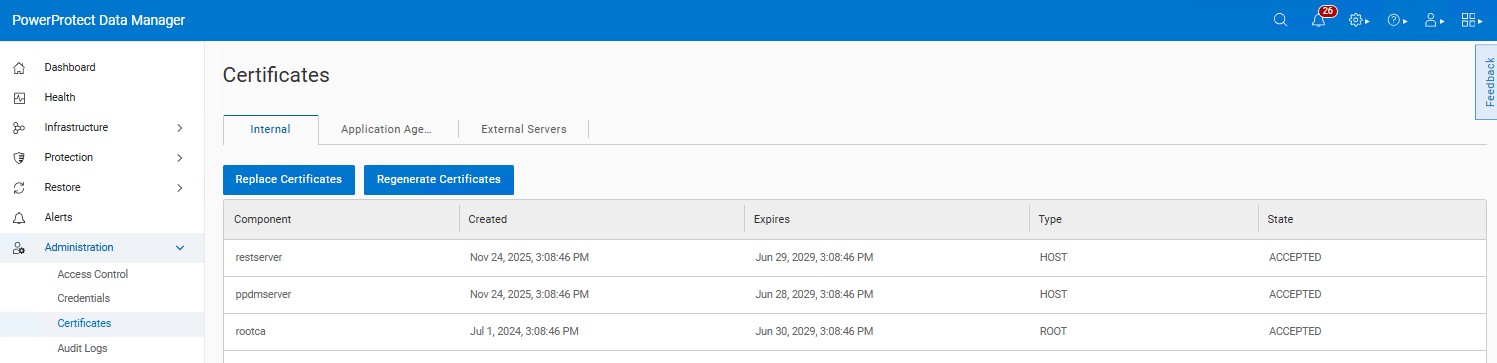
- The certificate has already been renewed and shows an expiration date well into the future.
- No expired certificates are listed under Administration → Certificates.
Причина
There is a known issue in PowerProtect Data Manager versions 19.18 and 19.19. The logic checks only for the existence of the CERT0006 alert with a "30 days" argument and does not exclude alerts are already acknowledged. As a result, the warning banner continues to appear even after the alert is acknowledged and the certificate is renewed.
Разрешение
The issue is addressed in the PowerProtect release 19.20.0-18. Install the latest PowerProtect Data Manager release to resolve the symptoms. If required, contact Dell Support for assistance or any further questions. The newest available releases are available on the PowerProtect Data Manager Drivers & Downloads product page page.
If the certificate listed under Administration → Certificates shows a valid expiration date and no expired certificates are present, it is safe to ignore the warning banner.