PowerProtect: Data Domain - Steps to upgrade Intel x550 NIC card firmware
Сводка: Steps to upgrade Intel x550 NIC card firmware from version 18.8.9 to 19.5.12 required to upgrade to DDOS 7.2.0.120.
Данная статья применяется к
Данная статья не применяется к
Эта статья не привязана к какому-либо конкретному продукту.
В этой статье указаны не все версии продуктов.
Инструкции
The following steps upgrade an Intel x550 NIC card firmware from version 18.8.9 to 19.5.12:
- Download 19.5.12 firmware version 'Network_Firmware_40NTK_WN64_19.5.12_A00.EXE' from Dell support site Intel NIC Family Version 19.5.0 Firmware for I350, I354, X520, X540, and X550 adapters, to the personal computer.
- Make sure no I/O or backup job is running before upgrading the NIC firmware, otherwise the host reboot would interrupt them.
- Log in to iDRAC of the system to upgrade.
- Open the Maintenance menu and select 'System Update'.
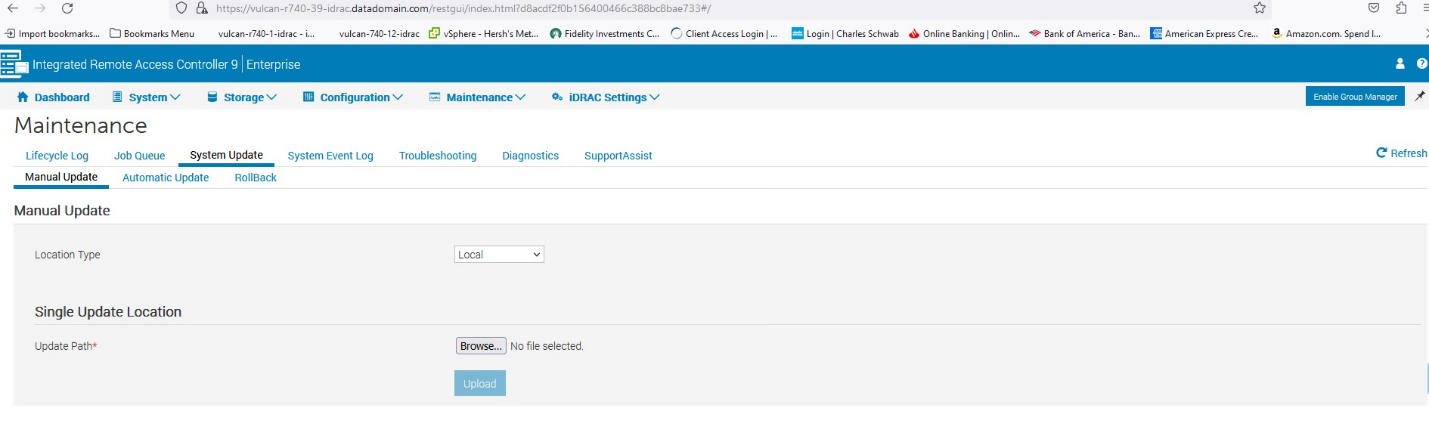
- Browse to the downloaded 19.5.12 firmware and click Upload
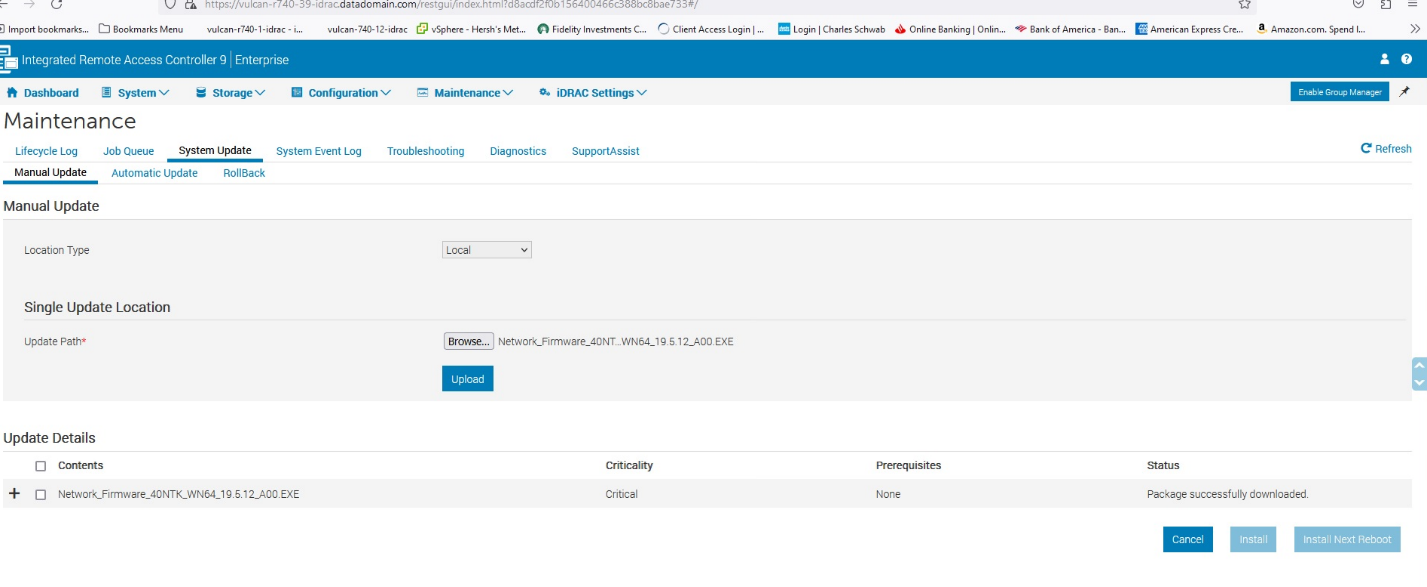
- Select the Uploaded file and click 'Install and Reboot'
The new firmware installs and the system reboots. To monitor the process open 'Job Queue'.
Затронутые продукты
Data DomainСвойства статьи
Номер статьи: 000219635
Тип статьи: How To
Последнее изменение: 06 Jul 2026
Версия: 3
Получите ответы на свои вопросы от других пользователей Dell
Услуги технической поддержки
Проверьте, распространяются ли на ваше устройство услуги технической поддержки.