NVP vProxy: VM backups sit in waiting to run state for a prolonged period of time
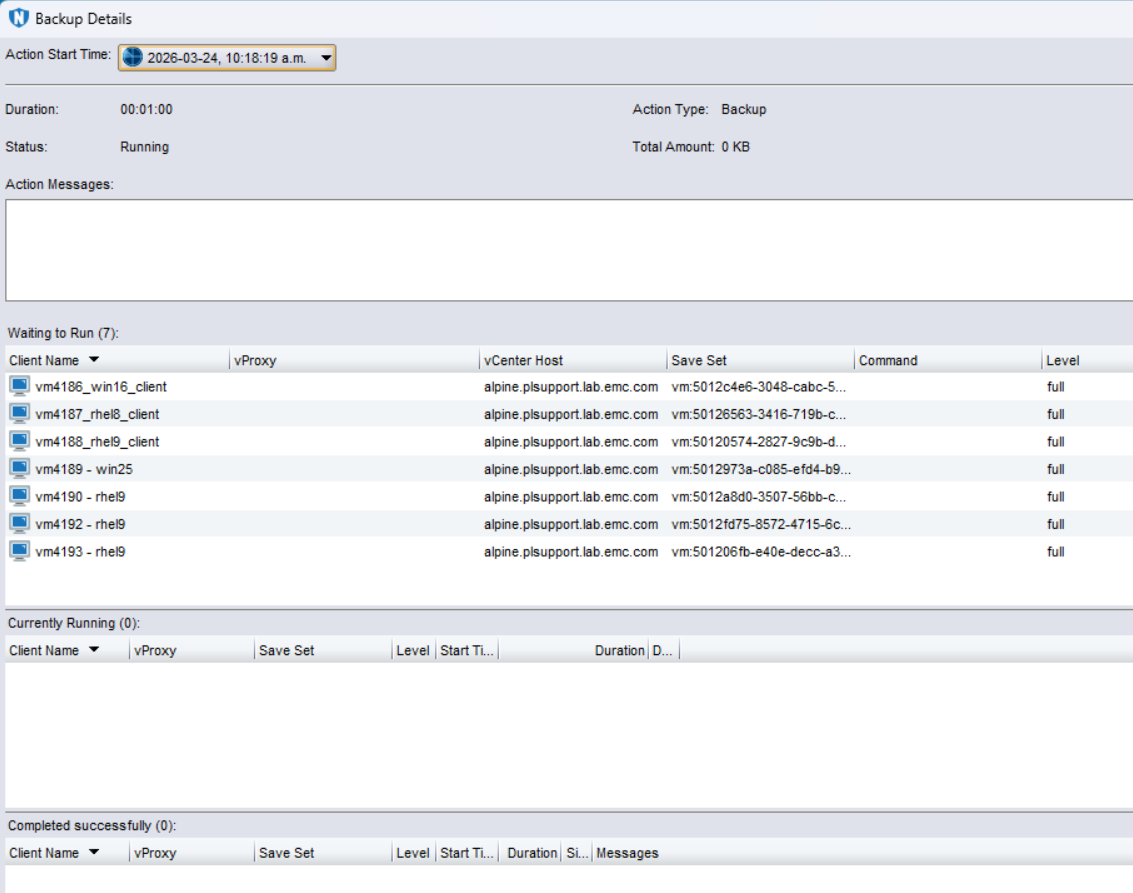
Сводка: NetWorker VMware Protection (NVP) vProxy Virtual Machine (VM) backups sit in "waiting to run" state for a prolonged period of time. There are no vProxy availability issues, communication between the NetWorker server and vProxies is successful. There are no alerts regarding vProxies being unavailable in the NetWorker Management Console (NMC), ...
Симптомы
- NetWorker VMware Protection (NVP) vProxy Virtual Machine (VM) backups sit in "waiting to run" state for a prolonged period of time.
- There are no communication issues between the NetWorker server and vProxies. Meaning, they both resolve each other correctly and can communicate over port 9090: NVP vProxy: Troubleshooting Network Connectivity For Backup and Restore Operations
- There are no alerts in the NetWorker Management Console (NMC) or NetWorker server
daemon.rawregarding vProxies being disabled or unavailable:- Linux:
/nsr/logs/daemon.raw - Windows (Default):
C:\Program Files\EMC NetWorker\nsr\logs\daemon.raw - NetWorker: How to use nsr_render_log to render .raw log files
- Linux:
- The backup action is configured with "Auto" vProxy selection. Meaning if multiple vProxies are configured, NetWorker can pick any vProxy with sufficient session availability.
- Enabling vProxy Selection Logging as per NetWorker VMware Protection-vProxy: How to Enable Debug Logging results in the following logging in the
daemon.raw:
0 03/24/26 07:23:31  nsrd NSR notice 03/24/26 07:23:31.401461 nsrd-D0 Vmproxy queue: Selecting vProxy for request with reducing num_disks (id=13, manager_id=1774026055) in pending queue
0 03/24/26 07:23:31  nsrd NSR notice 03/24/26 07:23:31.401551 nsrd-D0 select_vproxy: all full '0'.
0 03/24/26 07:23:31  nsrd NSR notice 03/24/26 07:23:31.401627 nsrd-D0 select_vproxy: vProxy not found.
0 03/24/26 07:23:31  nsrd NSR notice 03/24/26 07:23:31.401707 nsrd-D0 Proxies are overloaded with Hotadd/NBD sessions during concurrent VMDKs parallelism, we will try recursive parallelism later.
0 03/24/26 07:23:31  nsrd NSR notice 03/24/26 07:23:31.401794 nsrd-D0 recursive parallelism: not found vproxy with 2 sessions.
0 03/24/26 07:23:31  nsrd NSR notice 03/24/26 07:23:31.401871 nsrd-D0 process_pending: err: 53014.
0 03/24/26 07:23:31  nsrd NSR notice 03/24/26 07:23:31.401948 nsrd-D0 process_pending: err: 53014.
Причина
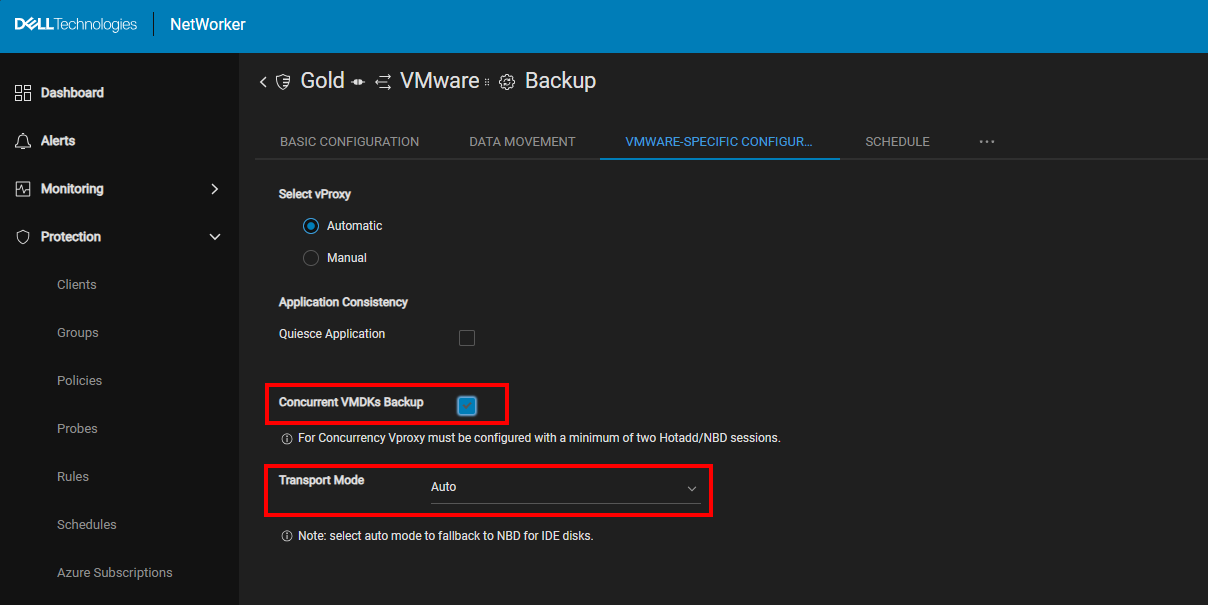
The backup action is configured with "concurrent VMDK" and "Auto" transport mode:
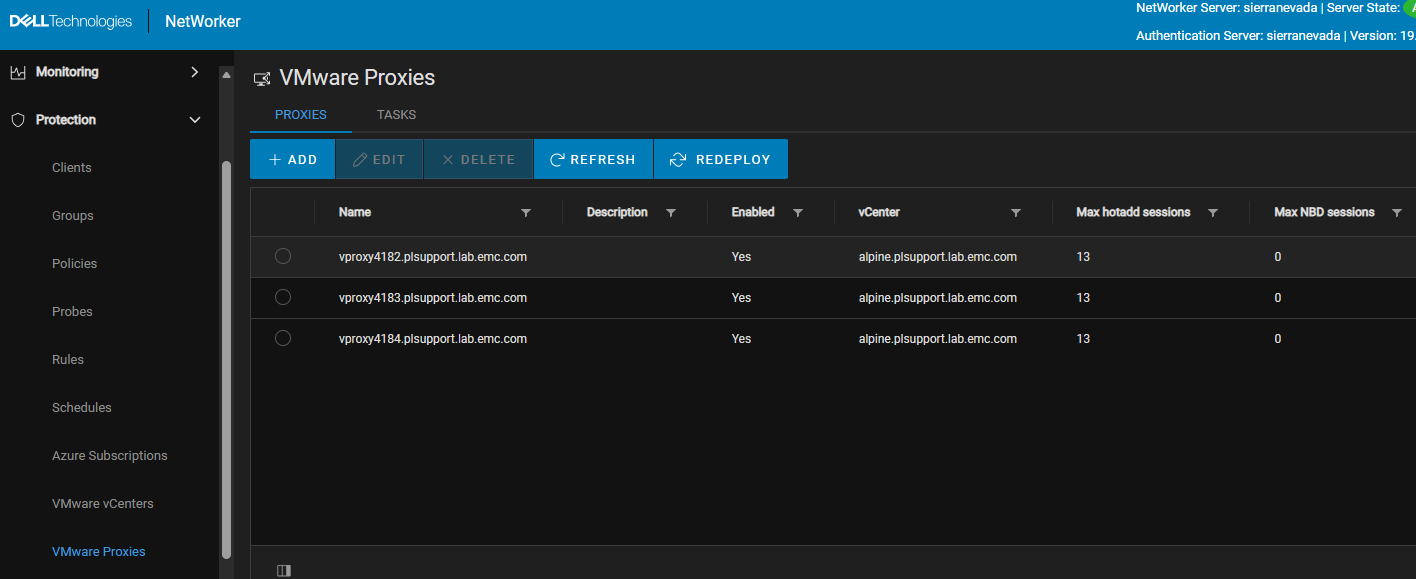
The vProxies are configured with Hot add mode only:
|
The backup workflow includes a protection group that contains one or more VMs that cannot be accessed using HotAdd. This may occur when the VMs do not support HotAdd—for example, if they use IDE disks.
For a VM to be HotAdd‑accessible, a vProxy must be deployed on an ESXi host that has datastore access to the VMware datastore where the VM’s disks reside. Without this alignment between the vProxy’s ESXi host and the VM’s datastore, HotAdd processing is not possible. HotAdd limitations and requirements are documented in the NetWorker VMware Integration Guide, available through: Support for NetWorker | Manuals & Documents
This is causing the NetWorker server's select_vproxy logic to get stuck attempting to identify a vProxy to start concurrent VMDK sessions. In some scenarios the job may eventually identify which VMs it can start the VMDK sessions for. The time taken can vary depending on the VMware environment size, the job may never reconcile a vProxy for the workflow.
Разрешение
Use one of the following options:
Option 1: Reconcile Hot add Requirements:
The following steps identify which VMs are not HotAdd accessible:
- Log in to the NetWorker Web User Interface (NWUI):
https://nwui-server-name:9090/nwui - Go to Protection->Policies and expand into the Policy, workflow, then select the backup action and click Edit.
- Click the VMware Specific Configuration tab.
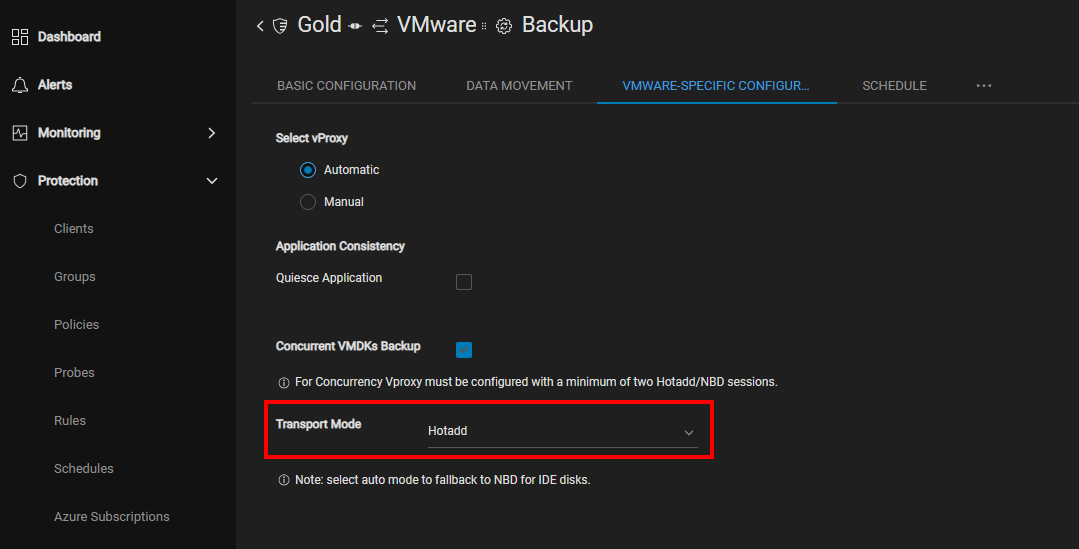
- Change the Transport Mode to HotAdd.
NOTE: This option is not available in the NetWorker Management Console (NMC); it is only available in the NWUI.
- Save the changes.
- Start a new backup.
The VMs which are HotAdd accessible complete sequential disk backups. The VMs which are not Hot add accessible get stuck in "waiting to run":

The VMs that are HotAdd accessible complete backups. The VMs which are not HotAdd accessible never start their backup sessions. The workflow must be canceled, and the following must be considered:
- Reconfigure vProxy or VM placement, or deploy additional vProxies so that all VMs are HotAdd accessible. Once HotAdd accessibility is resolved, the VMs that previously got stuck in "waiting to run" complete.
- If the VMware environment cannot be configured to make these VMs HotAdd accessible, or the VMs do not support HotAdd (for example, IDE disks) use Option 2.
Option 2: Enable Network Block Device (NBD) on vProxies.
- Enable NBD in one or more vProxies:
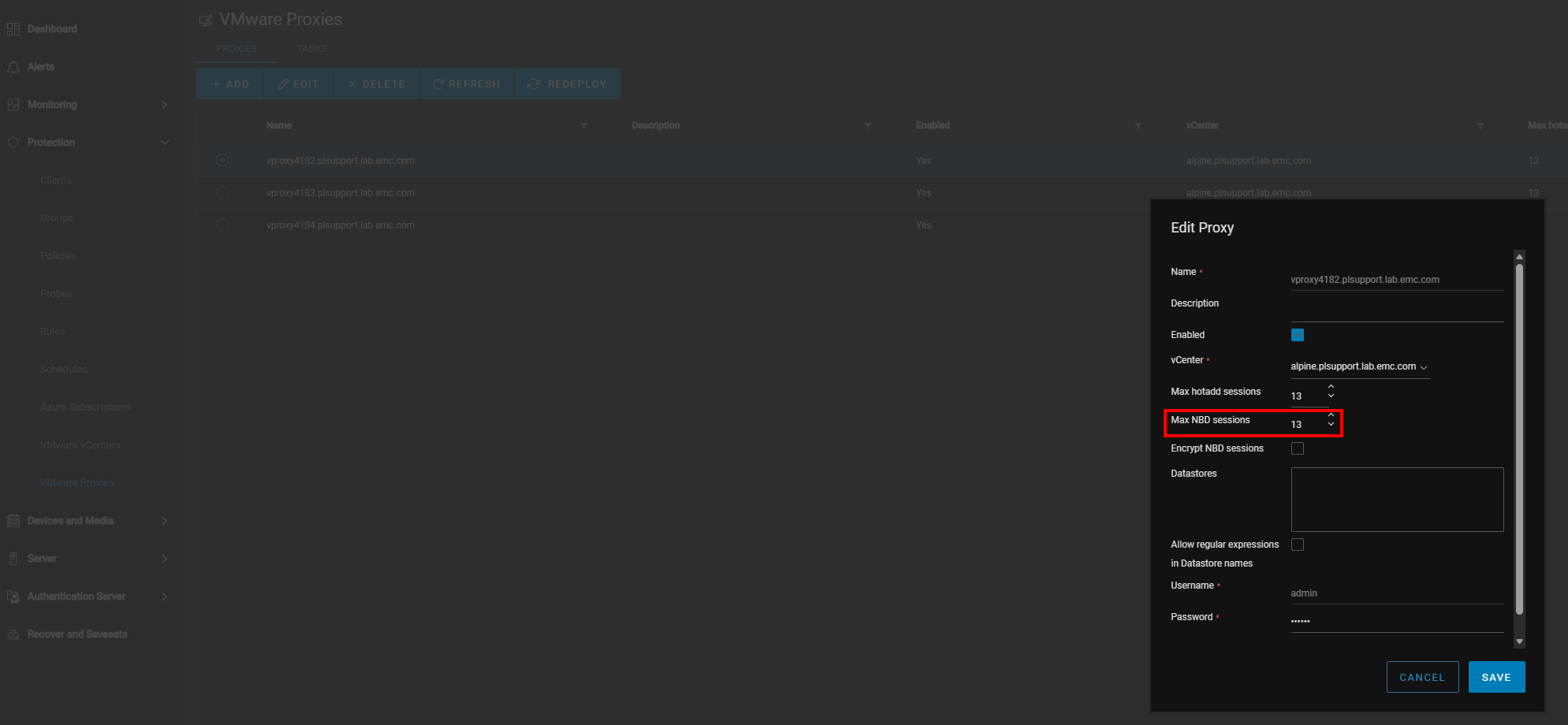
- Perform Backups.
The default (preferred) transport mode is hot add. All VM backups will initially request hot add and only fallback to NBD if the VM cannot be backed up over Hot add. However, it is possible for VMs that are HotAdd accessible to perform some sessions over NBD if all Hot add sessions are consumed and additional sessions are required to complete concurrent VMDK backups for that VM. The VMs which are not Hot add accessible will backup over NBD when NBD sessions are available.