NetWorker: Unable to upgrade/uninstall NetWorker client
Сводка: Unable to manually upgrade or uninstall the NetWorker client on a Windows machine.
Симптомы
MSI (s) (70:20) [11:20:44:803]: Running as a service.
MSI (s) (70:20) [11:20:44:803]: Hello, I'm your 32bit Elevated Non-remapped custom action server.
ExecFirewallExceptions:  Uninstalling firewall exception2 EMC NetWorker Remote Execution Server (C:\Program Files\EMC NetWorker\nsr\bin\nsrexecd.exe)
ExecFirewallExceptions:  Error 0x800706d9: failed to remove authorized app
ExecFirewallExceptions:  Error 0x800706d9: failed to remove application exception for name 'EMC NetWorker Remote Execution Server', file 'C:\Program Files\EMC NetWorker\nsr\bin\nsrexecd.exe'
CustomAction WixExecFirewallExceptionsUninstall returned actual error code 1603 (note this may not be 100% accurate if translation happened inside sandbox)
MSI (s) (70:94) [11:20:44:975]: Note: 1: 2265 2:  3: -2147287035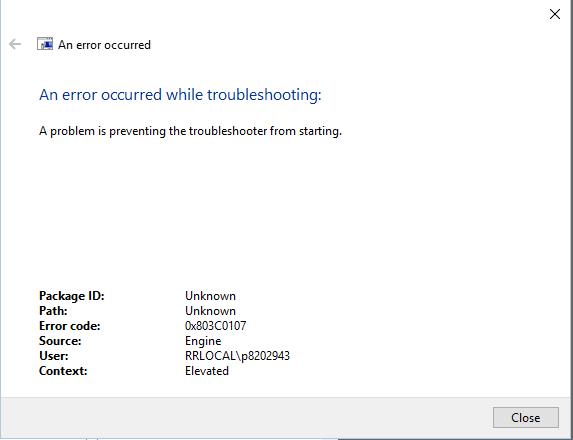
An error occurred while troubleshooting:
Причина
The uninstall/upgrade process was failing because the "Windows Firewall service was disabled."
The NetWorker MSI installer uses a "custom action (WixExecFirewallExceptionsUninstall)" to remove firewall exceptions for `nsrexecd.exe`.
When the Windows Firewall service is not running, these actions can not complete, resulting in:
"Error 0x800706d9" → "There are no more endpoints available from the endpoint mapper" (commonly occurs when firewall service is disabled).
MSI returned "error code 1603," which is a generic fatal error during installation or uninstallation.
Разрешение
1. Enable Windows Firewall Service.
Open "services.msc"
Locate Windows Firewall (or Windows Defender Firewall).
Set Startup type to `Automatic` and start the service.
Then retry uninstall.
2. Retry Uninstall
Use the original MSI or "Programs and Features."
3. If Firewall Cannot Be Enabled.
Use MSI property override to skip firewall custom action:
      cmd
       msiexec /x {ProductCode} REMOVEFIREWALL=0 /qn
Why Enabling Firewall Fixed It:
By enabling the "Windows Firewall service," the MSI could successfully run the firewall-related custom actions and remove the exceptions.
Alternatively, skipping the firewall custom action using `REMOVEFIREWALL=0` bypassed this step, allowing the uninstall to finish.