Dell Data Security 제거 프로그램을 다운로드하는 방법
Summary: 다음 지침에 따라 Dell Data Security 제거 프로그램을 다운로드하는 방법을 알아보십시오.
Bu makale şunlar için geçerlidir:
Bu makale şunlar için geçerli değildir:
Bu makale, belirli bir ürüne bağlı değildir.
Bu makalede tüm ürün sürümleri tanımlanmamıştır.
Instructions
참고:
- 영향을 받는 제품에 나열된 제품이 활성 상태가 아닐 수 있습니다. 최신 제품 지원 정보는 Dell Data Security의 제품 수명주기(지원 종료/EOL(End Of Life)) 정책을 참조하십시오. 다른 문서에 대한 질문이 있는 경우 영업 팀에 문의하거나 endpointsecurity@dell.com으로 문의하십시오.
- 최신 제품에 대한 자세한 내용은 엔드포인트 보안을 참조하십시오.
Dell Data Security 제거 프로그램은 나열된 Windows Dell Data Security(이전 Dell Data Protection) 영향을 받는 제품에 대한 간소화된 제거 방법을 제공합니다. 이 문서에서는 이러한 제품에 대한 Dell Data Security 제거 프로그램을 얻는 단계를 제공합니다.
영향을 받는 제품:
- Dell Encryption Enterprise
- Dell Data Protection | Enterprise Edition
- Dell Encryption Personal
- Dell Data Protection | Personal Edition
- Dell Encryption External Media
- Dell Data Protection | External Media Edition
- Dell Data Guardian
- Dell Encryption Enterprise SED(Self-Encrypting Drive) Manager
- Dell BitLocker Manager
- Dell Full Disk Encryption
- Dell Data Protection | Secure Lifecycle
- Dell Data Protection | Cloud Edition
- Dell Endpoint Security Suite Enterprise
- Dell Endpoint Security Suite Pro
- Dell Threat Defense
- Dell Data Protection | Server Encryption
- Dell Data Protection | Security Tools
영향을 받는 버전:
- v8.0.x 이상
영향을 받는 운영 체제:
- Windows
- 웹 브라우저에서 https://www.dell.com/support/home/으로 이동합니다.
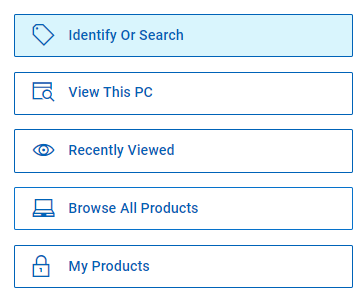
- Browse All Products를 클릭합니다.
- Software & Solutions를 클릭합니다.
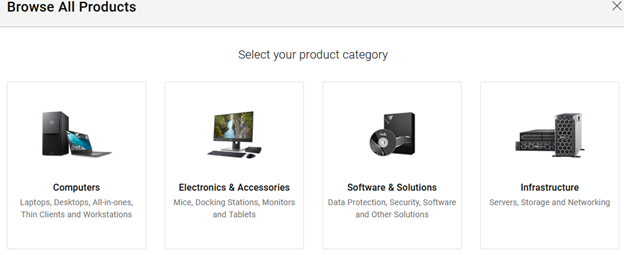
- 보안을 클릭합니다.

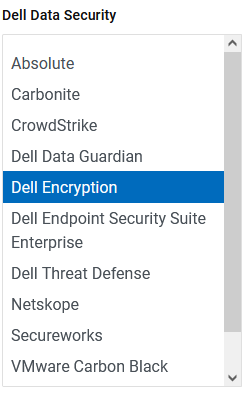
- Dell Data Security를 클릭합니다.

- Dell Encryption을 클릭합니다.
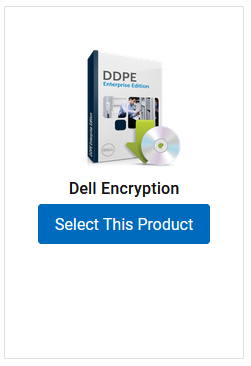
- Select This Product을 클릭합니다.
- Drivers & Downloads(드라이버 및 다운로드)를 클릭합니다.

- 운영 체제 드롭다운에서 Windows 7 [X-bit], Windows 8 [X-bit], Windows 8.1 [X-bit], Windows 10 [X-bit] 또는 Windows 11을 선택합니다.

- Dell Data Security 제거 프로그램 오른쪽에 있는 Download를 클릭합니다.
 릴리스 날짜는 위의 스크린샷과 다를 수 있습니다.
Etkilenen Ürünler
Dell Data Guardian, Dell Encryption, Dell Threat Defense, Dell Endpoint Security Suite Pro, Dell Endpoint Security Suite EnterpriseMakale Özellikleri
Article Number: 000130754
Article Type: How To
Son Değiştirme: 05 Ağu 2026
Version: 15
Sorularınıza diğer Dell kullanıcılarından yanıtlar bulun
Destek Hizmetleri
Aygıtınızın Destek Hizmetleri kapsamında olup olmadığını kontrol edin.