How to Download the CrowdStrike Falcon Sensor
Summary: Learn how to download CrowdStrike Falcon Sensor by following these instructions.
Bu makale şunlar için geçerlidir:
Bu makale şunlar için geçerli değildir:
Bu makale, belirli bir ürüne bağlı değildir.
Bu makalede tüm ürün sürümleri tanımlanmamıştır.
Instructions
Note: The process to download CrowdStrike Falcon Sensor is the same regardless of if it is purchased from Dell or CrowdStrike.
- In a web browser, go to https://falcon.crowdstrike.com/login/
.
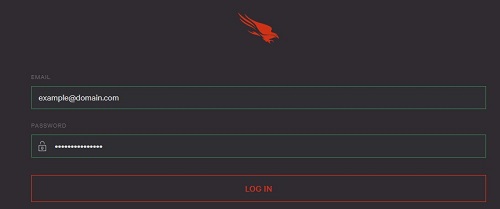
- Log In to the Falcon Console.
- In the left menu pane, click Host setup and management and then select Sensor Downloads.
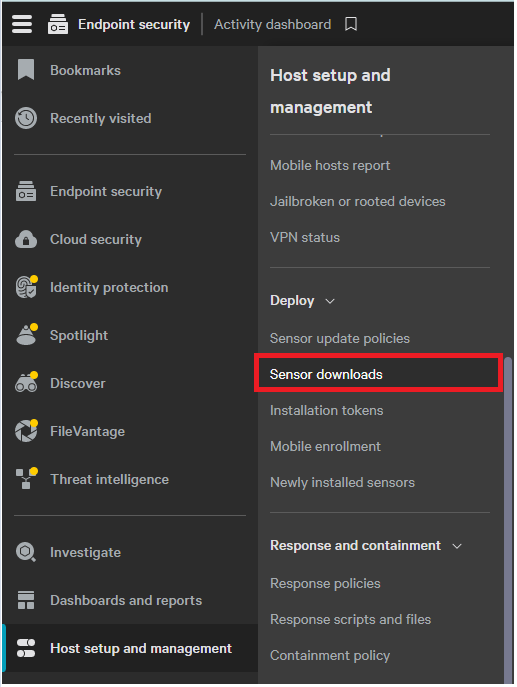 Note: The layout in the example may differ slightly from your environment.
 - Click the Download icon on the appropriate operating system.
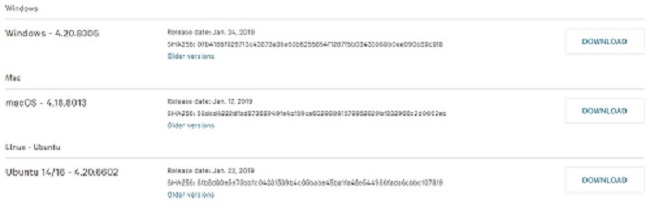 Note: The operating system versions may differ from the example.
To contact support, reference Dell Data Security International Support Phone Numbers.
Go to TechDirect to generate a technical support request online.
For additional insights and resources, join the Dell Security Community Forum.
Etkilenen Ürünler
CrowdStrikeMakale Özellikleri
Article Number: 000156053
Article Type: How To
Son Değiştirme: 04 May 2026
Version: 18
Sorularınıza diğer Dell kullanıcılarından yanıtlar bulun
Destek Hizmetleri
Aygıtınızın Destek Hizmetleri kapsamında olup olmadığını kontrol edin.