OpenShift Virtualization: Failed to take VM snapshot from OpenShift Virtualization UI.
Summary: Take VM snapshot via OpenShift Virtualization UI fails if there is IO running in the VM in OCP cluster.
Bu makale şunlar için geçerlidir:
Bu makale şunlar için geçerli değildir:
Bu makale, belirli bir ürüne bağlı değildir.
Bu makalede tüm ürün sürümleri tanımlanmamıştır.
Symptoms
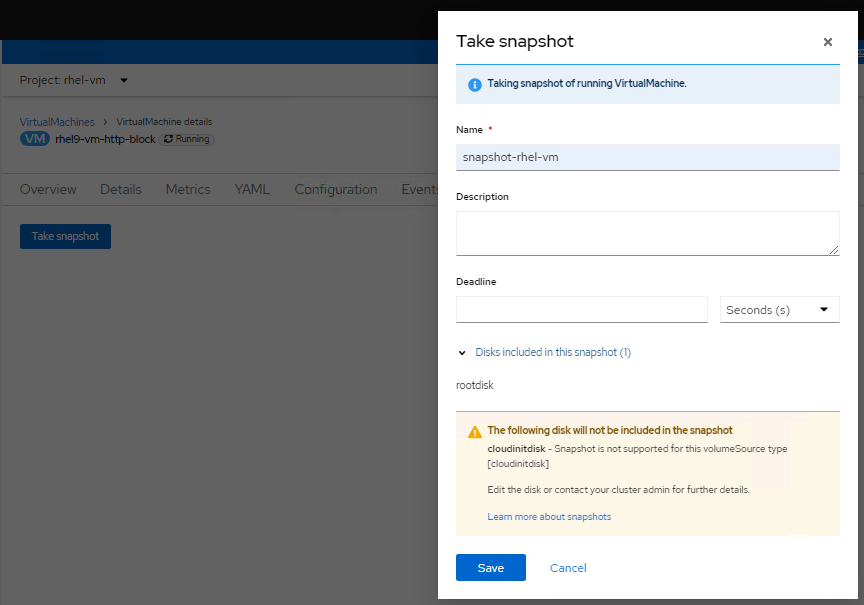
Take VM snapshot via OpenShift Virtualization UI failed.
Checking logs of virt-handler pod (openshift-cnv namespace), it shows errors like below:
Checking logs of virt-handler pod (openshift-cnv namespace), it shows errors like below:
2023-08-14T02:23:33.722372232Z {"component":"virt-handler","kind":"","level":"error","msg":"Failed to freeze VMI","name":"rhel9-vm-http-block",
"namespace":"rhel-vm","pos":"lifecycle.go:124","reason":"server error.
command Freeze failed: \"LibvirtError(Code=1, Domain=10, Message='internal error: unable to execute QEMU agent command 'guest-fsfreeze-freeze':
failed to open /zoner/sda: Permission denied')\"","timestamp":"2023-08-14T02:23:33.722321Z","uid":"c6894dc7-f29c-43e7-9817-3b12643040d1"}
"namespace":"rhel-vm","pos":"lifecycle.go:124","reason":"server error.
command Freeze failed: \"LibvirtError(Code=1, Domain=10, Message='internal error: unable to execute QEMU agent command 'guest-fsfreeze-freeze':
failed to open /zoner/sda: Permission denied')\"","timestamp":"2023-08-14T02:23:33.722321Z","uid":"c6894dc7-f29c-43e7-9817-3b12643040d1"}
Cause
Create a VM via OpenShift Virtualization, the mount point from the created LUN is not labelled as trusted. So during VM snapshot process, the QEMU agent fails to open the mount point (in this KB, the mount point is /zoner/sda) and gets permission denied while it tries to do fsfreeze.
Resolution
Below resolution steps will suppose "/zoner/sda" as the mount point.
Please use "df -h" command and check from your error logs to confirm the actual error reporting mount point of your VM.
1. Confirm the SELinux context of the mount point is showing "unlabeled_t" by below command:
# ls -lZd /zoner/sda/
2. If it shows "unlabeled_t", there are two options to resolve it.
- Option1: To enable QEMU agent to read non-labelled files.
# setsebool -P virt_qemu_ga_read_nonsecurity_files 1
- Option2: To label the mount point.
# restorecon -v /zoner/sda/
Etkilenen Ürünler
APEX Cloud Platform for Red Hat OpenShiftMakale Özellikleri
Article Number: 000217270
Article Type: Solution
Son Değiştirme: 19 Şub 2026
Version: 3
Sorularınıza diğer Dell kullanıcılarından yanıtlar bulun
Destek Hizmetleri
Aygıtınızın Destek Hizmetleri kapsamında olup olmadığını kontrol edin.