Dell VxRail: Error Host Has a Datastore that Conflicts with an Existing Datastore in the Datacenter
Summary: Trying to add a node back to the cluster. Add host error: The host has a datastore that conflicts with an existing datastore in the data center.
Bu makale şunlar için geçerlidir:
Bu makale şunlar için geçerli değildir:
Bu makale, belirli bir ürüne bağlı değildir.
Bu makalede tüm ürün sürümleri tanımlanmamıştır.
Symptoms
Trying to add a node back to the cluster receives an error message:


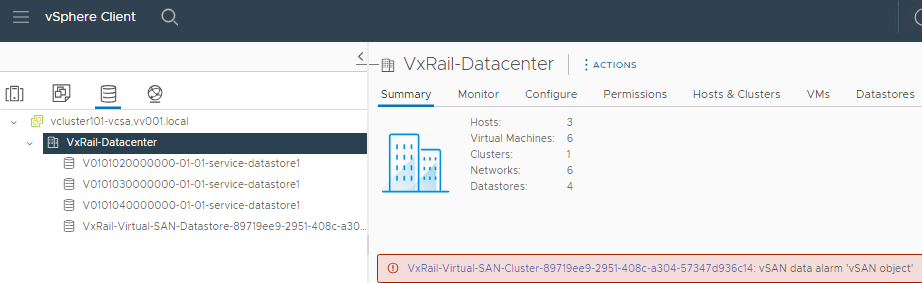
Add host error: host has a datastore that conflicts with an existing datastore in the datacenter.The local datastore for the node already removed was still listed as healthy in the storage view in vCenter. There are some VMs also listed in it.
Cause
Some VMs in the environment tracked already deleted storage of their node, namely, the location of the ISOs attached to their respective CD or DVDs. This information still exists in vCenter due to the registration on the virtual machines. This causes a conflict when trying to add the node back to the cluster because a registration for the same storage already existed in vCenter.
Issue replicated in the lab connecting the CD or DVD to an ISO located in the local datastore of one node.
 The storage was still listed (but with an inaccessible status), and the VM was reported in the datastore in the user environment after removing the node from the cluster.
 Trying to add the node to the cluster, it reports the same error:

Issue replicated in the lab connecting the CD or DVD to an ISO located in the local datastore of one node.
Resolution
To address this issue:


The node add process should be complete without issues now.
- Edit the settings of all the VMs reported in the Datastore, and change the CD or DVD to Host device as not connected.
- Save the change.
- Once this is completed, the local datastore is not listed in the storage view.
The node add process should be complete without issues now.
Etkilenen Ürünler
VMware vCenter Server, VMware VSANMakale Özellikleri
Article Number: 000224509
Article Type: Solution
Son Değiştirme: 07 Haz 2024
Version: 2
Sorularınıza diğer Dell kullanıcılarından yanıtlar bulun
Destek Hizmetleri
Aygıtınızın Destek Hizmetleri kapsamında olup olmadığını kontrol edin.