Dell Cloudlink: Deploying Cloudlink 8.x VM in Linux KVM fails with error /dev/disk/by-uuid/ does not exist
Summary: A new deployment of a Cloudlink 8.x qcow2 image in Linux KVM boots into Emergency Mode.
Bu makale şunlar için geçerlidir:
Bu makale şunlar için geçerli değildir:
Bu makale, belirli bir ürüne bağlı değildir.
Bu makalede tüm ürün sürümleri tanımlanmamıştır.
Symptoms
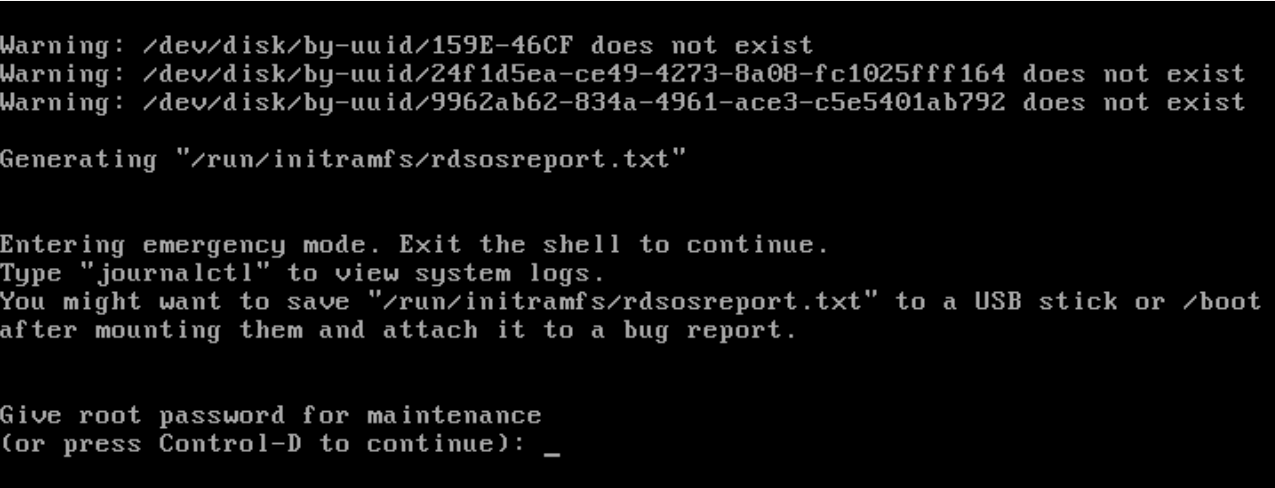
After a new deployment of a Cloudlink 8.x qcow2 image in Linux KVM boots into Emergency Mode and displays this error:
Warning: /dev/disk/by-uuid/159E-46CF does not exist
Warning: /dev/disk/by-uuid/24f1d5ea-cd49-4273-8a08-fc1025fff164 does not exist
Warning: /dev/disk/by-uuid/9962ab62-834a-4961-ace3-c5e5401ab792 does not exist
Cause
Disk bus type was not set correctly.
Resolution
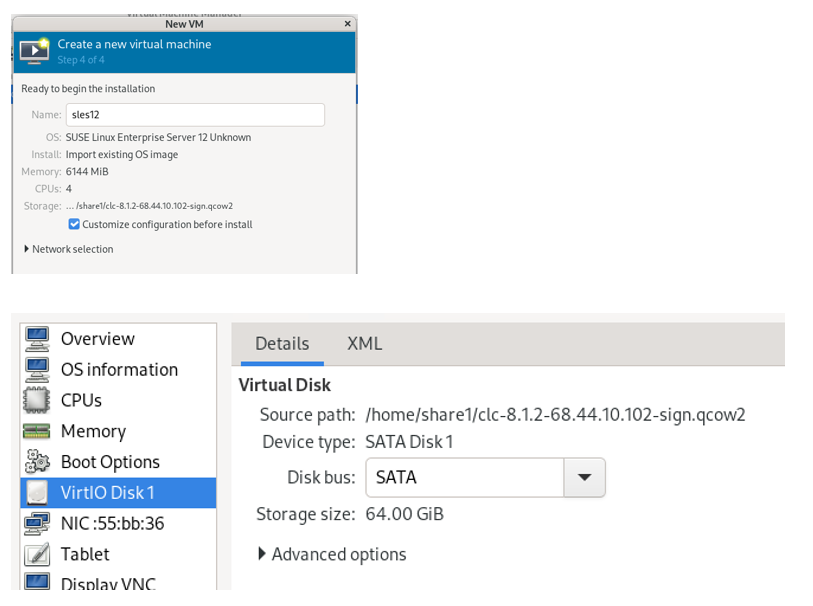
Select Customize configuration before install and select SATA for the Disk bus.
The default Disk bus is VirtIO, and you will have this issue if it is not set correctly.
The Cloudlink Deployment Guide does state that the Disk bus should be set to SATA.
Etkilenen Ürünler
CloudLinkMakale Özellikleri
Article Number: 000323281
Article Type: Solution
Son Değiştirme: 09 Şub 2026
Version: 4
Sorularınıza diğer Dell kullanıcılarından yanıtlar bulun
Destek Hizmetleri
Aygıtınızın Destek Hizmetleri kapsamında olup olmadığını kontrol edin.