Avamar: How to Configure Email Notifications for Backup Failures
摘要: This article provides an overview of configuring email notifications for backup failures using the Avamar Administrator console. It is intended for customers, partners, and Dell Professional Services or Delivery personnel. ...
本文适用于
本文不适用于
本文并非针对某种特定的产品。
本文并非包含所有产品版本。
说明
This article provides an overview of how to use the Avamar Administrator console to configure email notifications for backup failures.
The information in this article is intended for customers, partners, and Dell Professional Services or Delivery personnel. It assumes that readers are familiar with the use of the Avamar interface and can identify and troubleshoot issues relating to Simple Mail Transfer Protocol (SMTP) servers.
Dell Support does not implement or assist end users or partners with the configuration of notifications as described here. If firsthand assistance is required to get the functionality working in an environment, contact the Dell account manager to request a Professional Services engagement.
- On the Avamar Utility Node, check that the Avamar Administrator Management Console Service (MCS) configuration file
mcserver.xmlcontains the correctsmtpHostvalue in order that email messages successfully be routed.
For more information, see the System Administrator Guide section "Automatic notifications to Avamar Support" for instructions on how to check and correct the
smtpHost setting.
- In the Avamar Administrator, go to Tools > Manage Profiles.
Create a profile. This should be present in the root domain if the profile is to cover all subdomains. To configure separate profiles for separate domains, create the profile in the appropriate subdomain.
Configure the profile to send data when an event occurs, or at a regular schedule.
To 'send data on a schedule', be sure to define the schedule before creating the profile.
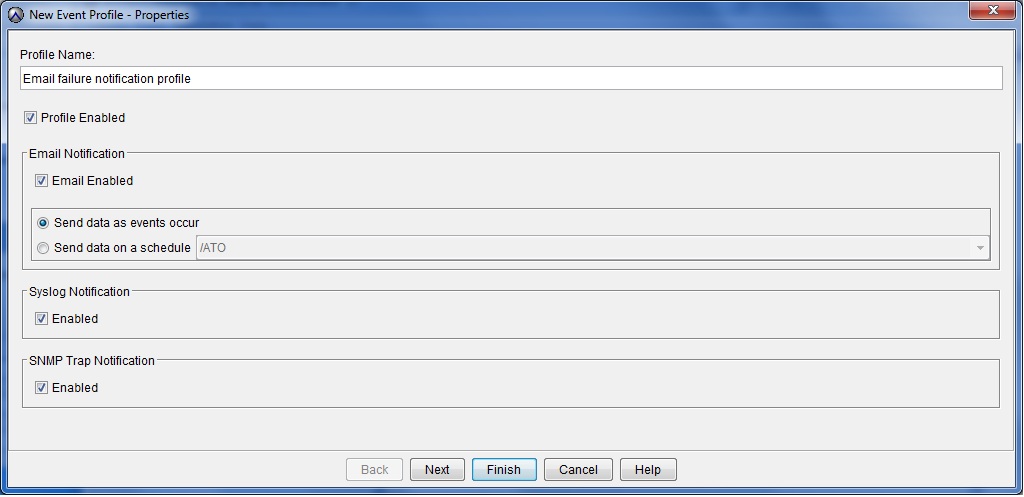
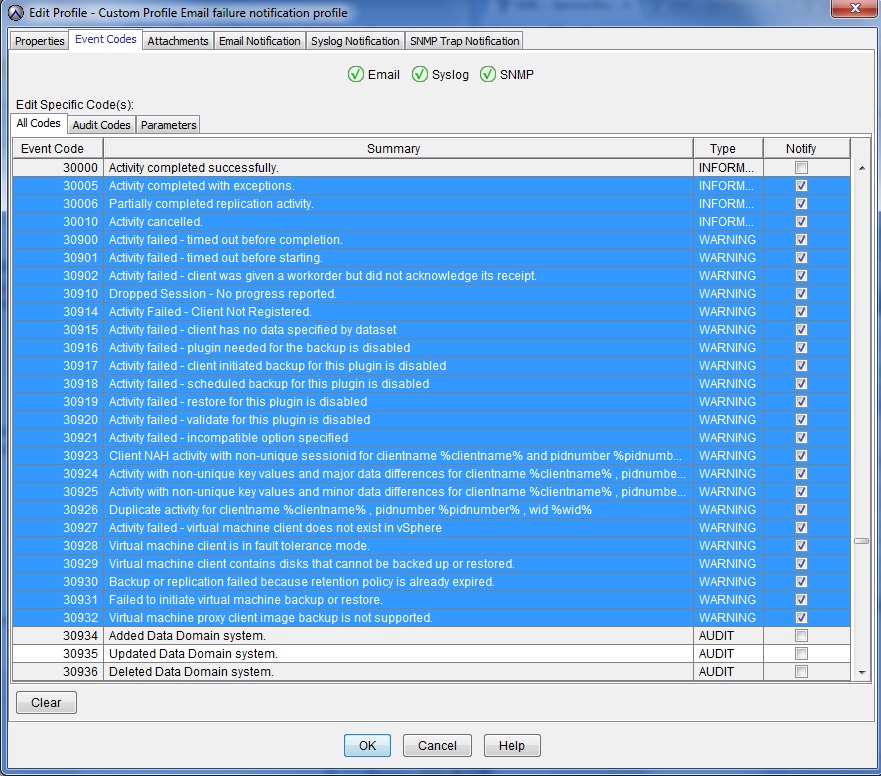
- Configure the profile with the kind of events that cause it to trigger.
The following screenshot shows a range of event codes that are related to backup issues. It is suggested that these are used although it may want to refine further depending on your specific reporting requirements.
It is normal that the event code numbering is not contiguous.
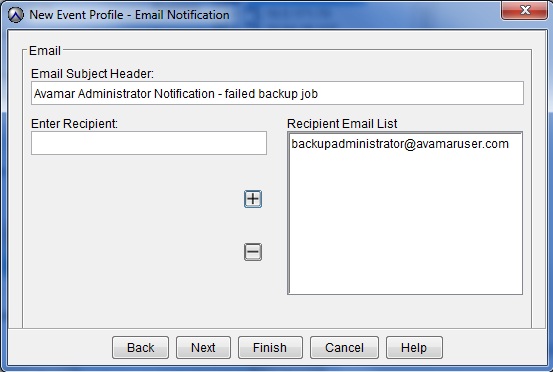
- On the Email Notification screen, enter a recipient email address and add it to the Recipient Email List using the + (add) button.
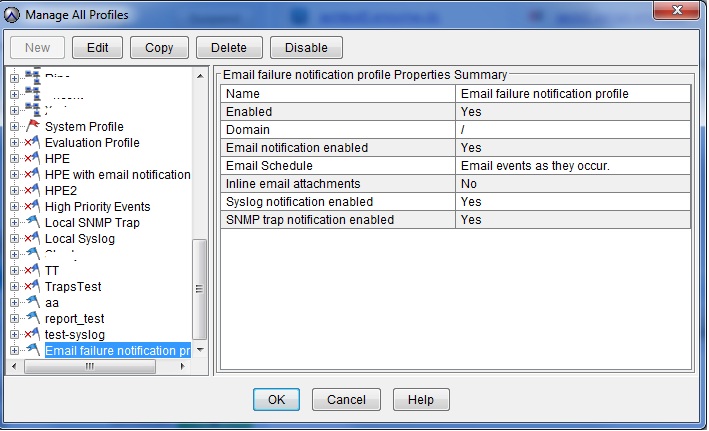
- Once the profile is created, review the details on the 'Manage All Profiles' screen.
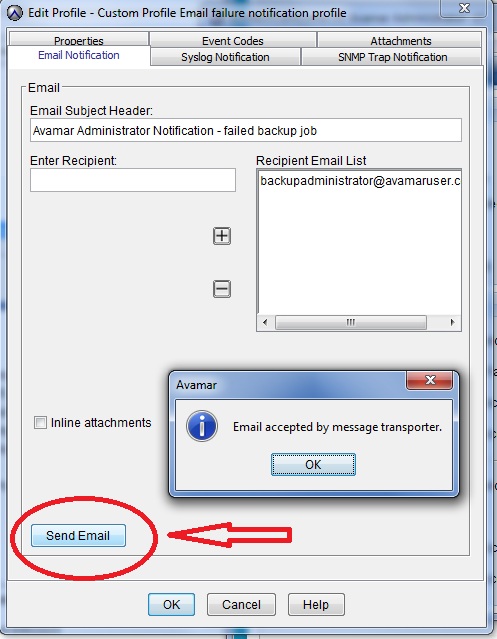
- Test whether email messages are being generated by editing the profile and selecting the 'Email Notification' tab.
其他信息
视频
受影响的产品
Avamar, Avamar Server文章属性
文章编号: 000023030
文章类型: How To
上次修改时间: 13 7月 2026
版本: 7
从其他戴尔用户那里查找问题的答案
支持服务
检查您的设备是否在支持服务涵盖的范围内。