Dell Precision 5550キーボード機能ガイド
摘要: 次のガイドには、Dell Precision Mobile Workstation 5550で使用できるキーボード ショートカットと、それらのショートカットで実行される機能がリストされています。
本文适用于
本文不适用于
本文并非针对某种特定的产品。
本文并非包含所有产品版本。
说明
次の表は、Dell Precision Mobile Workstation 5550で使用可能なショートカット キーの組み合わせ機能のリストです。
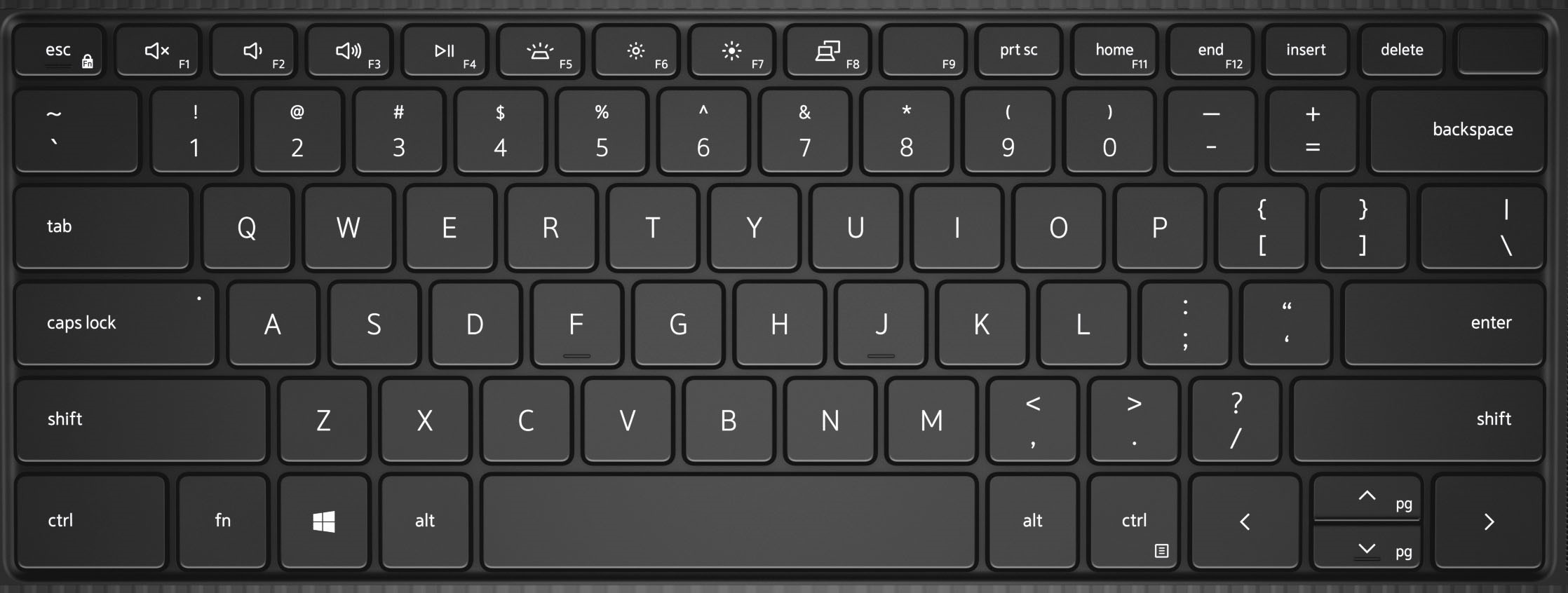
| キー | プライマリーの動作 |
|---|---|
| Fn + F1 | 音声を消音する |
| Fn + F2 | 音量を下げる |
| Fn + F3 | 音量を上げる |
| Fn + F4 | Play/Pause(再生/一時停止) |
| Fn + F5 | キーボードのバックライト |
| Fn + F6 | 画面の輝度を下げます |
| Fn + F7 | 画面の輝度を上げます |
| Fn + F8 | ディスプレイの切り替え(Win + P) |
| Fn + F10 | Print Screen |
| Fn + F11 | ホーム |
| Fn + F12 | End |
| Fn + Esc | Fnキーのロックを切り替える |
| Fn + Ctrl | 右クリック メニューのエミュレート |
| Fn + B | Pause/Break |
| Fn + S | スクロール ロックを切り替える |
| Fn + R | システム リクエスト |
其他信息
 その他のリソースと情報については、 キーボードのナレッジベース を参照してください。
 関連記事および情報については、デル・テクノロジーズのタッチパッドのサポート ページを参照してください。
![にある[マウス]をクリックし―](https://supportkb.dell.com/img/ka0Do000000TlqfIAC/ka0Do000000TlqfIAC_ja_3.jpeg) その他の記事と情報は、 マウスのサポート ページにも掲載されています。
その他の記事と情報は、 マウスのサポート ページにも掲載されています。
受影响的产品
Precision 5550文章属性
文章编号: 000123348
文章类型: How To
上次修改时间: 19 4月 2026
版本: 7
从其他戴尔用户那里查找问题的答案
支持服务
检查您的设备是否在支持服务涵盖的范围内。