如何为 Dell Data Security 服务器提交策略
摘要: 按照以下说明了解如何为 Dell Data Security 和 Dell Data Protection 服务器提交策略。
本文适用于
本文不适用于
本文并非针对某种特定的产品。
本文并非包含所有产品版本。
说明
了解在 Dell Security Management Server(以前称为 Dell Data Protection Enterprise Edition Server 或 Dell Data Protection Virtual Edition)中提交策略的步骤。
受影响的产品:
- Dell Security Management Server
- Dell Security Management Server Virtual
- Dell Data Protection Enterprise Edition Server
- Dell Data Protection Virtual Edition Server
受影响的版本:
- 8.0 版及更高版本
必须在 Dell Security Management Server 中保存并提交策略,才能在托管端点上生效任何更改。
Dell Security Management Server 的策略设置在产品版本 v9.2.0 和更高版本或 v8.0.0 到 9.1.X 之间有所不同。单击相应的版本,了解特定的步骤。有关版本信息,请参阅 如何确定 Dell Data Security 服务器版本。
v9.2.0 和更高版本
- 登录到 Dell Data Security 管理控制台。
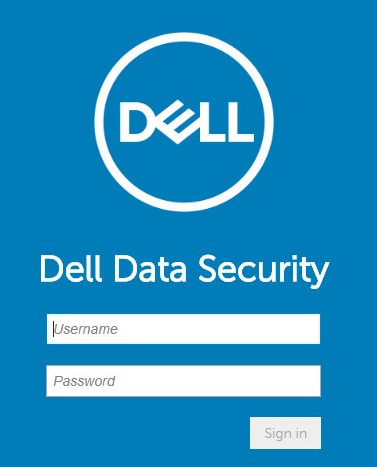 提醒:有关更多信息,请参阅 如何访问 Dell Data Security 服务器管理控制台。
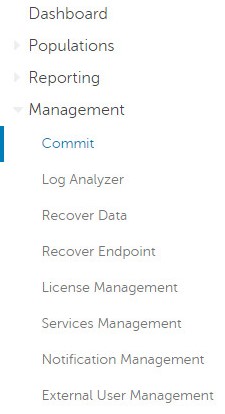
 - 从左侧菜单窗格中,单击 Management,然后选择 Commit。
- 填写批注,详细说明要提交的已保存的策略更改。
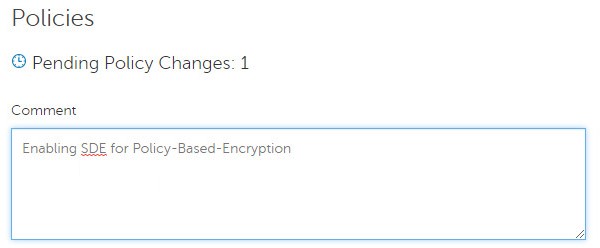
- 单击 Commit Policies。

v8.0.0 至 v9.1.X
- 提交凭据以登录到 Dell Data Protection 管理控制台。
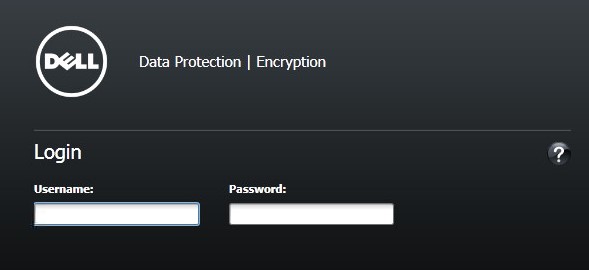 提醒:有关更多信息,请参阅 如何访问 Dell Data Security 服务器管理控制台。
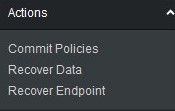
 - 从左侧窗格中,单击 Commit Policies。
- 填写批注,详细说明已保存的策略更改,然后单击 Apply Changes。
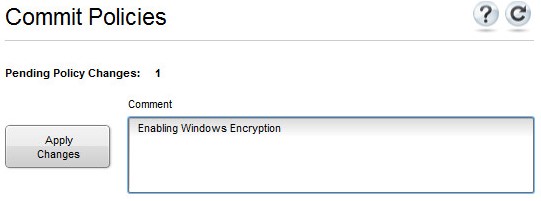 提醒:根据受影响的策略、端点和域的数量分配 待定策略更改 编号。
要联系支持部门,请参阅 Dell Data Security 国际支持电话号码。
转至 TechDirect,在线生成技术支持请求。
要获得更多见解和资源,请加入戴尔安全社区论坛。
其他信息
视频
受影响的产品
Dell Encryption产品
Dell Data Security文章属性
文章编号: 000123779
文章类型: How To
上次修改时间: 19 4月 2026
版本: 15
从其他戴尔用户那里查找问题的答案
支持服务
检查您的设备是否在支持服务涵盖的范围内。