How to Obtain the CrowdStrike Customer Identification
摘要: Learn how to find your CrowdStrike Customer Identification (CID) by following these instructions. These instructions support Windows, Mac, and Linux.
本文适用于
本文不适用于
本文并非针对某种特定的产品。
本文并非包含所有产品版本。
说明
The CrowdStrike Customer Identification (CID) is used to:
- Activate the CrowdStrike Falcon Sensor
- Troubleshoot the CrowdStrike Falcon Console
Affected Products:
- CrowdStrike
Affected Operating Systems:
- Windows
- Mac
- Linux
Locate your customer ID (CID) in the CrowdStrike Falcon Console by following these instructions.
- In a Google Chrome or Microsoft Edge browser, go to your Falcon Console login URL.
- Falcon US-1: https://falcon.crowdstrike.com/login/
- Falcon US-2: https://falcon.us-2.crowdstrike.com/login/
- Falcon EU-1: https://falcon.eu-1.crowdstrike.com/login/
- Falcon US-GOV-1: https://falcon.laggar.gcw.crowdstrike.com/login/
- Falcon US-1: https://falcon.crowdstrike.com/login/
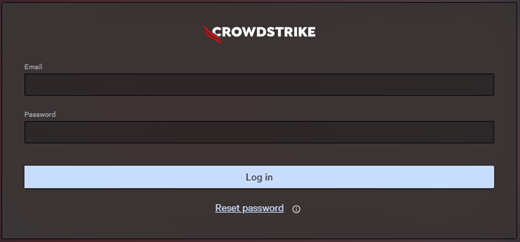
- Populate the CrowdStrike account holder’s credentials, and then click Log In.
- In the left menu pane, select the Host setup and management app icon and then select Sensor downloads.
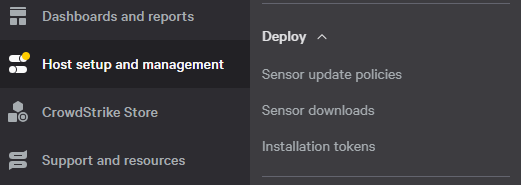 Note: The layout in the example may differ slightly from your environment.
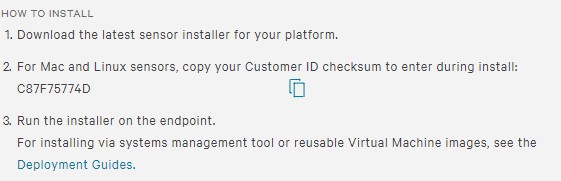
 - Under HOW TO INSTALL, document the Customer ID.
 Note:
Note:- The Customer ID differs in your environment.
- In the example, C87F75774D is the Customer ID.

受影响的产品
CrowdStrike文章属性
文章编号: 000129349
文章类型: How To
上次修改时间: 23 7月 2026
版本: 19
从其他戴尔用户那里查找问题的答案
支持服务
检查您的设备是否在支持服务涵盖的范围内。